How to download an invoice

This article corresponds to QRCodeKIT's legacy app. For more information, click here.

1) Click your user name in the top-right corner of your dashboard and click Billing and subscription

2) Click Download PDF within "Billing history"
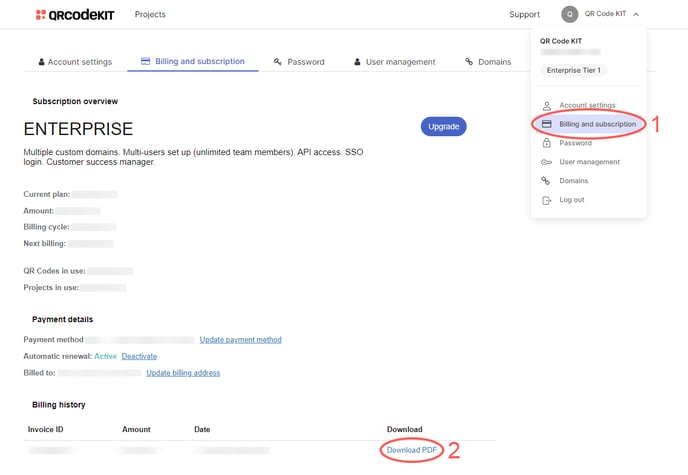
QRCK - Download invoice 1

NOTE: If you made a payment but don't see the invoice, click enter your billing information. After doing so, you will see your invoice.
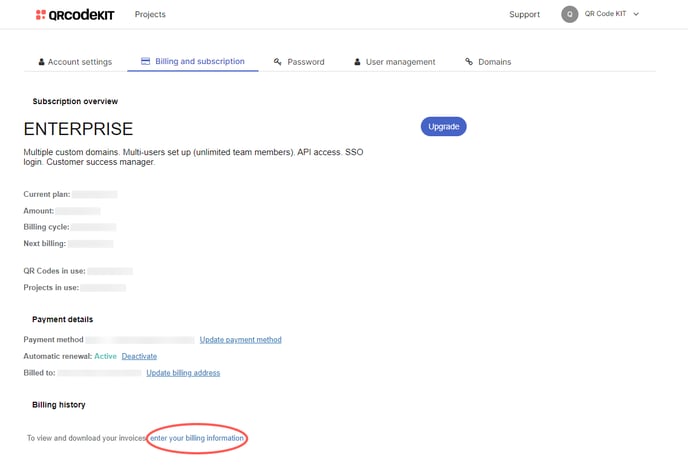

QRCK - Download invoice 2

Sie kommen nicht weiter? Wir sind für Sie da.

Sagen Sie uns, was Sie vorhaben, und ein Mensch antwortet Ihnen.

Ein dynamischer QR-Code, umgeben von den Inhalten, die er aufnehmen kann