
Log in to your account and follow these steps:
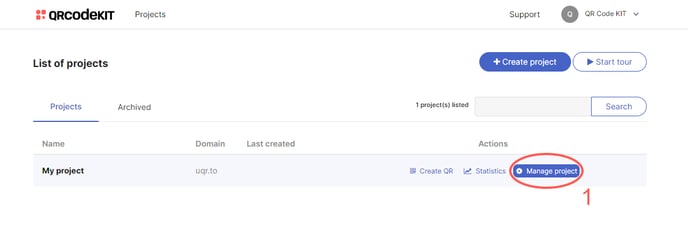
1) Click Manage project
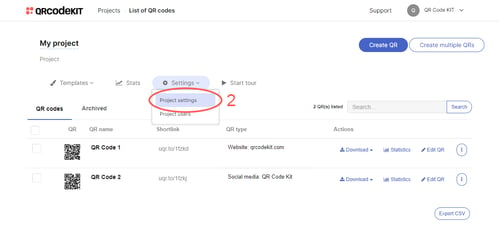
2) Click Project settings
3) Choose the date in which the statistics of the project will start counting and click Save and apply changes
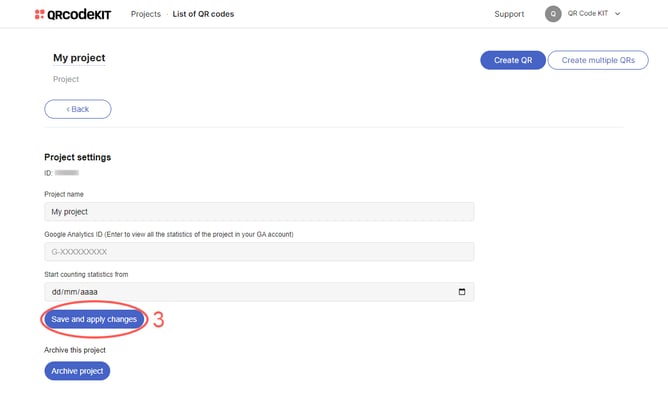
NOTE: The statistics prior to the date chosen are hidden; they are not deleted.
