
Log in to your account and follow these steps:
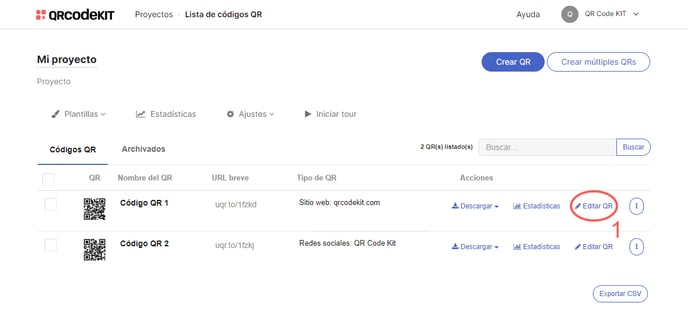
1) Click Edit QR
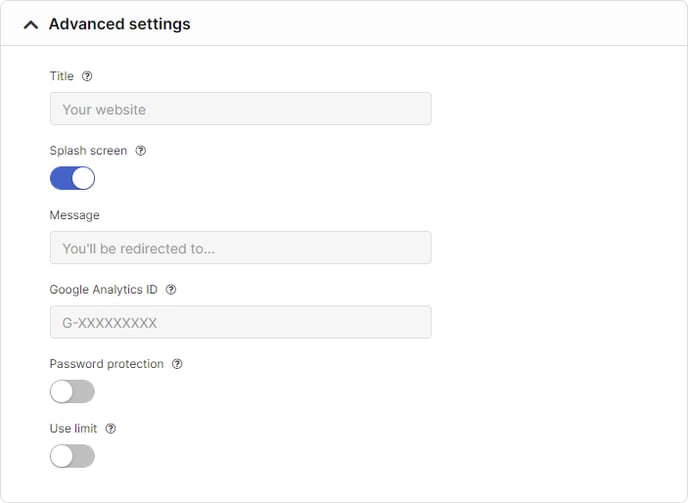
2) Scroll down to find the "Advanced Settings" section, click the Splash screen button to enter a call to action, welcome message, etc., and click Save
NOTE: The splash screen design is linked to the landing page design. If you want to learn how to customize it, click here.
