
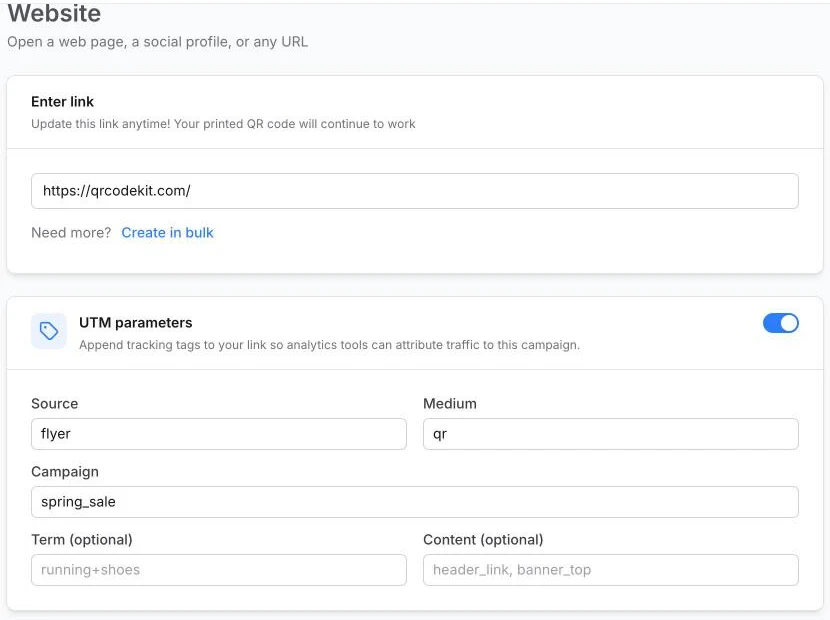
UTM parameters are tags added to the end of your link, so tools like Google Analytics know the visit came from your QR code campaign. QRCodeKIT adds them for you.
Steps
- Create a Website QR code, or edit one with the pencil icon in your dashboard.
- Turn on UTM parameters.
- Fill in Source, Medium and Campaign, for example flyer, qr and spring-sale. Term and Content are optional.
- Click Next: Design to save.
Good to know
- You can change the tags at any time without reprinting the QR code.
- With conditional redirection, each rule can have its own UTM parameters.
- QRCodeKIT’s own statistics count every scan, with or without UTM parameters.
