How to archive, delete or reactivate a QR Code

Change the status of your QR Codes

This article corresponds to QRCodeKIT's legacy app. For more information, click here.

How to archive a QR Code

Log in to your account and follow these steps:

1) Select one, several or all QR Codes to enable "Batch actions"

2) Click Archive
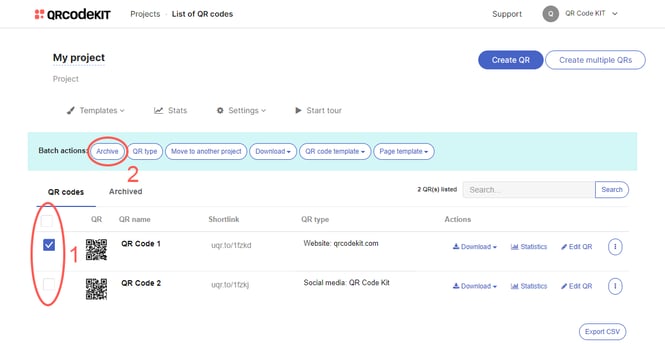
QRCK - Archive QR

How to delete or reactivate an archived QR Code

1) Click the Archived tab

2) Click Delete QR or Reactivate QR
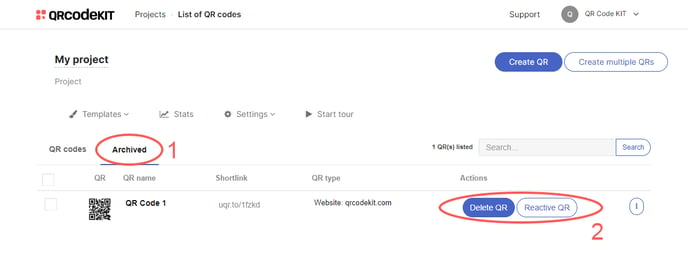
QRCK - Delete or reactivate QR

NOTE: Deleted QR Codes cannot be restored.

Sie kommen nicht weiter? Wir sind für Sie da.

Sagen Sie uns, was Sie vorhaben, und ein Mensch antwortet Ihnen.

Ein dynamischer QR-Code, umgeben von den Inhalten, die er aufnehmen kann