How to automatically delete the responses of a COVID form QR Code

Choose the time span in which the responses of your COVID form QR Code should be automatically eliminated

This article corresponds to QRCodeKIT's legacy app. For more information, click here.

Log in to your account and follow these steps:

1) Click Edit QR
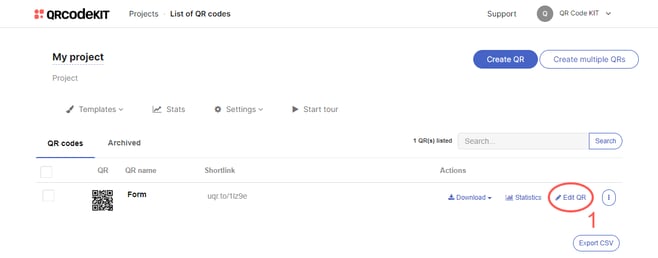
QRCK - View responses 1

2) Scroll down to find the "Responses settings" section, click the Automatic deletion of responses button to choose the time span in which the responses should be automatically eliminated and click Save
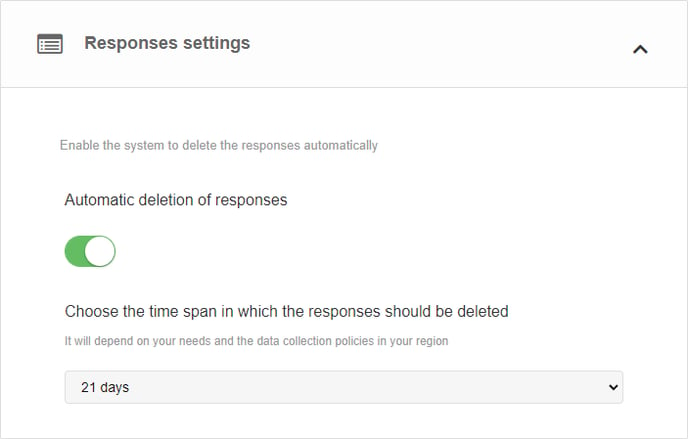

QRCK - Responses settings

Sie kommen nicht weiter? Wir sind für Sie da.

Sagen Sie uns, was Sie vorhaben, und ein Mensch antwortet Ihnen.

Ein dynamischer QR-Code, umgeben von den Inhalten, die er aufnehmen kann