
From your dashboard, select one, several or all QR Codes, click Download and choose the format.
Download all the QR codes of a project
You can also download every QR code of a project in one go, without selecting them one by one.
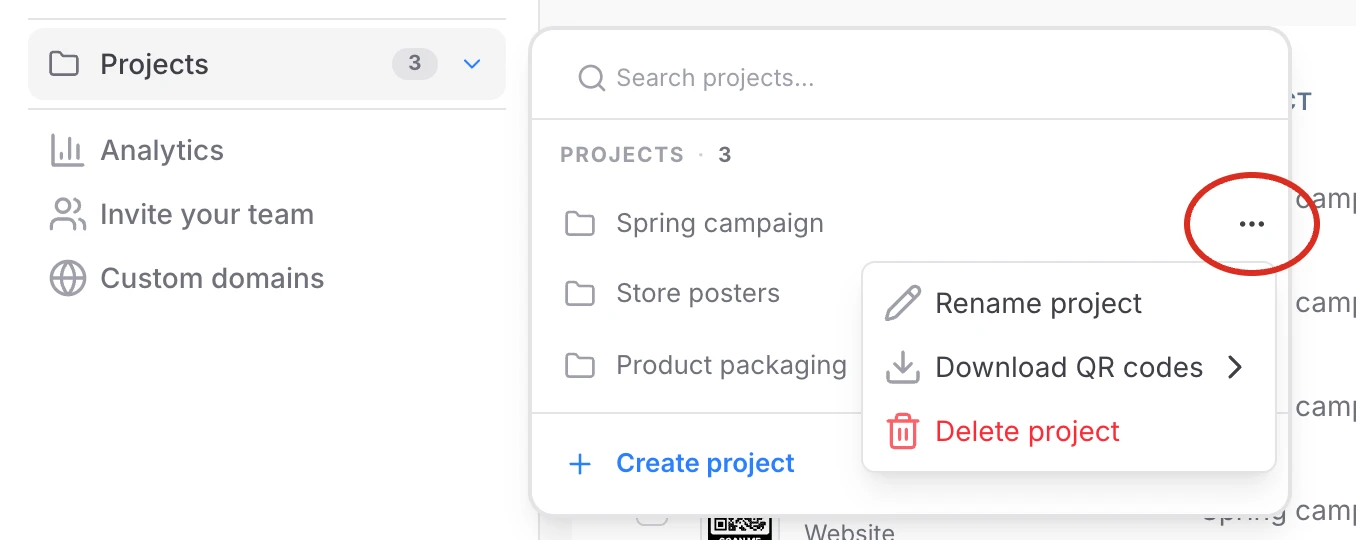
- In the left menu, click Projects to open the list of your projects.
- Click the three-dot menu next to the project.
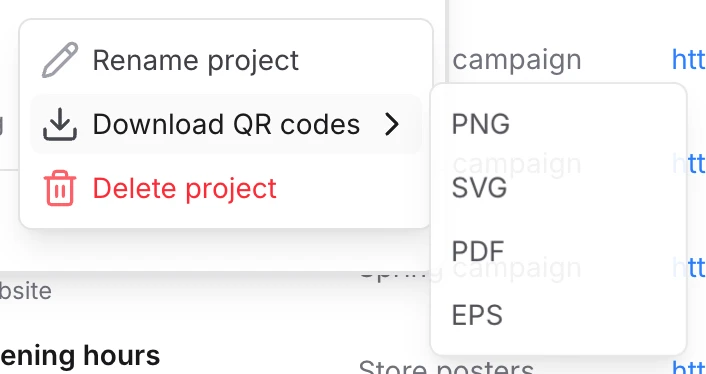
- Click Download QR codes and choose the format: PNG, SVG, PDF or EPS.
- Wait while the file is prepared. A message tells you when it starts and when it is ready, and the download begins by itself.
The same option is in the three-dot menu at the top right of the project page.
Good to know
- You get a ZIP file named after the project, with one file per QR code.
- Active and paused QR codes are included. QR codes in the trash are not.
- A project with many QR codes can take a few minutes to prepare. Keep the tab open until the download starts.
- If the project has no QR codes, a message tells you so and nothing is downloaded.
