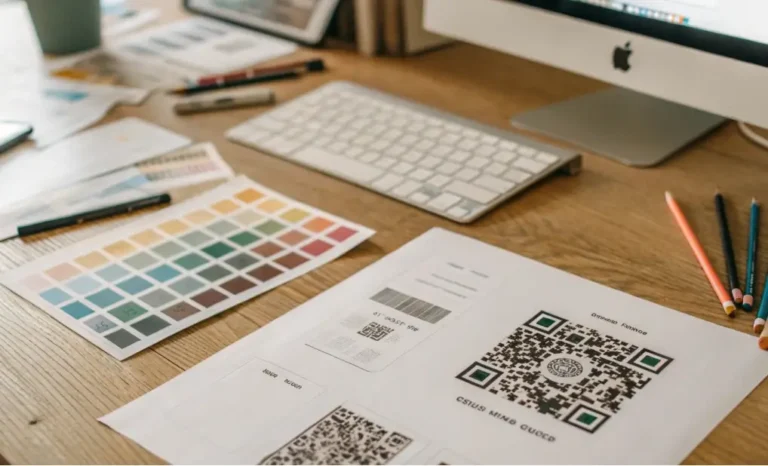
Understanding how QR code pixels work is essential to designing a QR code that feels smooth, effortless, and dependable for the user. Every scan begins with the camera detecting small black and white squares, but what seems simple on the surface is actually a carefully engineered system. The QR code size, the amount of information inside it, the printing surface, the scanning device, and even the lighting all shape how well the code performs. The more you understand these details, the easier it becomes to create own QR codes that scan instantly across multiple devices and environments. This guide explores the structure of QR codes, how pixels affect readability, how data density changes the visual layout, and how to make sure a code works flawlessly on packaging, signage, printed materials, business cards, and digital screens.
What are QR code pixels and why do they define the size for a QR?
At the heart of every quick response code lies a grid of modules, often referred to as QR code pixels. These tiny squares encode the data that gives meaning to the entire code. When you scan a QR code, your device does not read text or a URL directly. Instead, it interprets the pattern of these pixels. The number of modules and their arrangement determine the size of a QR, because the code cannot shrink to the point where the modules merge or become indistinguishable.
Each QR code has a version number, known as the QR code symbol version, ranging from one to forty. The version determines how many modules appear in the grid. A Version 1 standard QR code contains twenty one modules per side, while a Version 40 code contains one hundred and seventy seven. As the version increases, the module configuration becomes more complex. This is why QR codes store data differently depending on how much information you encode. A long URL or multiple lines of text require more modules, while a short redirect link uses far fewer.
Understanding module count is the first step to designing QR codes that stand out visually while remaining highly functional. The second step is understanding how the camera interprets these modules during a QR code scan.
How do QR code dimensions influence readability across different scanning devices?
The QR code dimensions refer to the physical size of the matrix, including the quiet zone around a QR code. These dimensions define how well scanning software can detect the finder patterns, alignment patterns, and basic patterns of the code. A code that is technically correct can still fail if printed too small, if the quiet zone is missing, or if the background creates a visual conflict.
Modern smartphones have powerful cameras, but even the best devices require clear contrast and recognizable pattern geometry. Older phones, low resolution tablets, point of sale systems, and specialized industrial scanners are less forgiving. The qr code’s minimum resolution must align with the least capable scanning device you expect customers to use.
This is why minimum pixel size matters. If modules fall below the threshold that a camera can distinguish, the code becomes unreadable. Conversely, scaling the code too large can distort proportions or introduce motion blur, especially on digital screens or moving packaging lines.
Why does the QR code size matter for accurate scanning?
The question of QR code size matter appears constantly in packaging meetings and marketing discussions. It matters because the physical footprint of the QR code determines whether the scanner can isolate and interpret each module correctly.
If the code is too small, the modules blur together, and the device can not detect the alignment patterns. This is especially dangerous when printing QR codes on textured materials or low resolution industrial printers. If the code is too large, parts of it may wrap around a curved surface, bend on flexible material, or exceed the camera frame at close range.
The best approach is to calculate the ideal QR code size based on expected usage. Codes on brochures or business cards are often scanned from ten to twenty centimeters. Codes on product packaging are scanned from thirty to fifty centimeters. Storefront signs and outdoor advertising require a larger QR image because the scanning distance increases dramatically. Understanding how scanning distance affects readability ensures that every customer scan is fast and accurate.

How small can a QR code be without losing performance?
One of the most common questions is how small can a QR safely be. The answer depends on the amount of data and the error correction level. A dense static code carrying a long URL cannot be printed at the same size as a simple dynamic QR code that contains a short redirect.
Most industries consider fifteen millimeters the minimum size for high reliability on smooth surfaces. However, small QR codes become risky when printed on corrugated cardboard, rough textures, fabrics, or low contrast colors. In packaging environments, slight ink bleeding can merge adjacent modules. In this case, the practical qr code minimum size must be increased to maintain clarity.
Even micro formats like the micro QR code and the rectangular micro QR code, also known as the RmQR, must follow optical rules. These compact formats are designed for tiny surfaces, but they require high print precision and consistent lighting conditions. You can create highly efficient tiny codes with the help of a reliable qr code generator that supports different encoding mode options for maximizing efficiency.
How do dynamic QR codes improve pixel efficiency and reduce visual complexity?
Dynamic QR codes solve one of the biggest limitations of static formats: density. Because dynamic codes store a short redirect link instead of the full content, they use fewer modules. This produces cleaner QR code pixels, simpler grids, and much better readability.
This is crucial for packaging, signage, events, business cards, and product inserts where visual space is limited. Dynamic codes are also easier to resize because fewer modules allow more flexibility in scaling. They are also the best option when designing own QR codes that need to function across multiple materials, such as paper, aluminum, plastic films, or digital displays.
Since code links can be updated without reprinting, dynamic formats offer long term consistency. No matter how many times you change the target content, the scanning experience remains identical for the user.
How do data encoded, character type, and encoding mode shape the final QR code?
The data encoded inside the QR code affects every part of the layout. Text, numbers, alphanumeric characters, structured URLs, WiFi strings, or product identifiers all influence the module count. Even the mix of character types affects compression efficiency.
The encoding mode determines how the data is converted into binary form, influencing how many modules the code requires. Numeric encoding is the most efficient. Alphanumeric encoding is slightly heavier but still compact. Binary encoding, used for general text, expands the grid faster.
This influences the version number you must select. When the version increases, the qr code depends on a different module configuration, usually involving more alignment patterns, more rows of modules, and more data modules.
Whenever possible, compressing the content or using a short link improves readability, reduces the qr code size, and increases compatibility with older devices.

How do finder patterns and alignment patterns help devices scan correctly?
Every QR code contains structural markers. These include the three large squares that appear in the corners, known as finder patterns, and the smaller pattern blocks that help stabilize distortion, known as alignment patterns.
These shapes allow the device to detect the QR code shape, correct its orientation, measure its proportions, and interpret the modules accurately. Without these reference points, the scanner could not isolate the two dimensional barcode, especially in situations where the code is tilted, curved, or partially obstructed.
The layout of these patterns is precisely what enables accurate scanning across multiple devices and scanning apps, even those with lower resolution or older optical systems.
How do different materials affect the QR code printed on them?
The medium greatly influences how the QR code printed behaves. Paper absorbs ink differently than plastic or cardboard. Glossy surfaces reflect light. Textured surfaces distort modules. Curved containers distort the grid geometry. Metal produces glare.
Because of this, printing quality is just as important as pixel structure. If the code is printed at low DPI, the modules lose sharpness. If the color contrast is low, the camera struggles to detect the pattern. If the background is too dark, the modules blend into it. If the material warps or stretches, the grid becomes unreadable.
This is why it is essential to understand how much white space is required. The quiet zone around the code must be maintained regardless of material. Without it, the scanner interprets nearby design elements as part of the QR structure.
How do vector formats preserve QR code quality at any scale?
Exporting the QR code as vector formats, such as SVG, ensures that the modules remain crisp at every size. A QR code saved as an svg format file can be scaled from two centimeters to two meters without losing clarity. This is crucial for brands that need the same code on leaflets, product labels, displays, and billboards.
Raster formats like PNG or JPG can blur when enlarged, but vectors recalculate the module edges mathematically, ensuring sharp corners and consistent proportions. This is extremely valuable when maximizing the maximum size of QR codes for outdoor use.
How do modern extensions like RmQR and iQR codes change what is possible?
Newer formats like the rmqr code and iqr codes, created by Denso Wave, allow more flexibility. RmQR enables rectangular micro QR code layouts suitable for packaging edges or narrow surfaces. iQR allows rectangular shapes, inverted colors, and higher data capacity.
These formats allow designers to fit functional QR codes on previously unusable surfaces, optimizing each module size while maintaining accuracy.
Conclusion
Every part of a QR code, from the QR code pixels to the finder patterns, shapes how users scan it and how reliably it performs. When you understand how QR code dimensions, QR code size, scanning distance, error correction, minimum pixel size, printing quality, alignment patterns, and encoding mode work together, you can design QR codes that scan instantly, regardless of where they appear. Whether you are printing labels, designing packaging, creating business cards, producing signage, or placing codes on digital screens, a clear understanding of pixel structure ensures that customers scan with zero friction and maximum confidence.