How to duplicate a QR code

Copy a QR code with its content and design

This article corresponds to QRCodeKIT's modern app. For more information, click here.

Duplicating makes a new QR code with the same content and design as the original. The copy gets its own short URL and starts with fresh statistics.

Steps

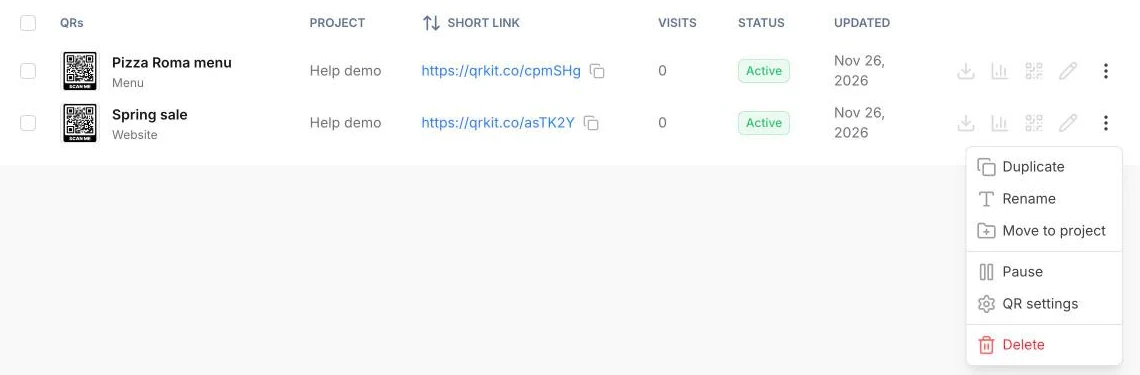
  1. In your dashboard, click the QR code’s three-dot menu.
  2. Click Duplicate.
The three-dot menu of a QR code, with Duplicate at the top

Good to know

  • The copy counts toward your plan’s active QR codes.
  • Edit the copy’s content with the pencil icon.

Sie kommen nicht weiter? Wir sind für Sie da.

Sagen Sie uns, was Sie vorhaben, und ein Mensch antwortet Ihnen.

Ein dynamischer QR-Code, umgeben von den Inhalten, die er aufnehmen kann