
Pausing a QR code stops it from opening its content and collecting visits, without deleting anything. Deleted QR codes go to the Trash first, so you can bring them back.
Pause or reactivate
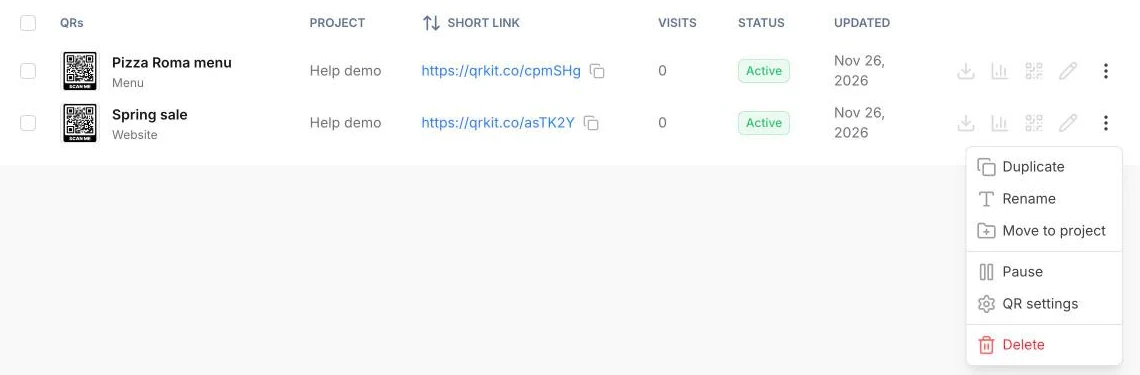
- In your dashboard, click the QR code’s three-dot menu.
- Click Pause. Its status changes from Active to Paused.
- To turn it back on, open the same menu and click Activate.
Delete and restore
- In the three-dot menu, click Delete and confirm. The QR code moves to the Trash.
- To bring it back, open Trash in the sidebar and restore it. To remove it for good, delete it permanently from there.
Good to know
- Paused QR codes don’t count toward your plan’s active QR codes.
- In the Trash you see the items you deleted yourself.
- You can pause, activate or delete several QR codes at once with batch actions.
