
Select QR codes in your dashboard and an actions bar appears at the top of the list. Whatever you pick applies to all of them.
Steps
- In your dashboard, check the box of each QR code. The box at the top of the list selects every QR code on the page.
- Pick an action in the bar that appears.
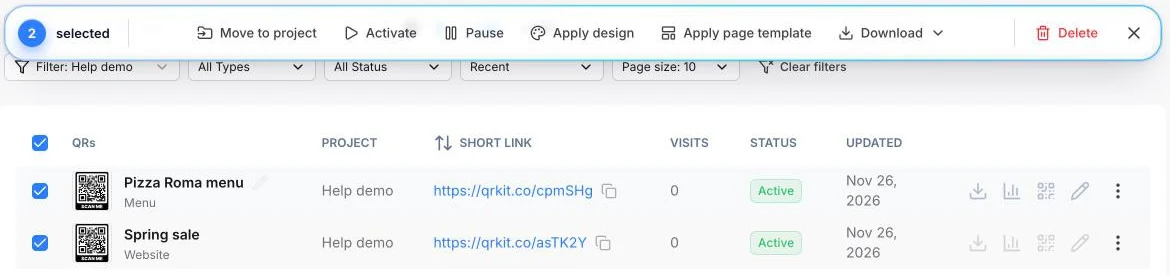
Available actions
- Move to project
- Activate and Pause
- Apply design: see how to apply a saved design to several QR codes
- Apply page template: see how to save and apply a page template
- Download as PNG, PDF, SVG or EPS
- Delete: the QR codes move to the Trash
