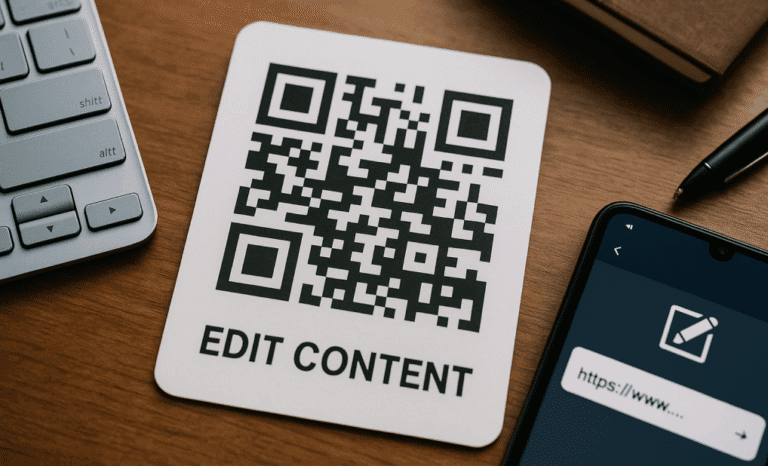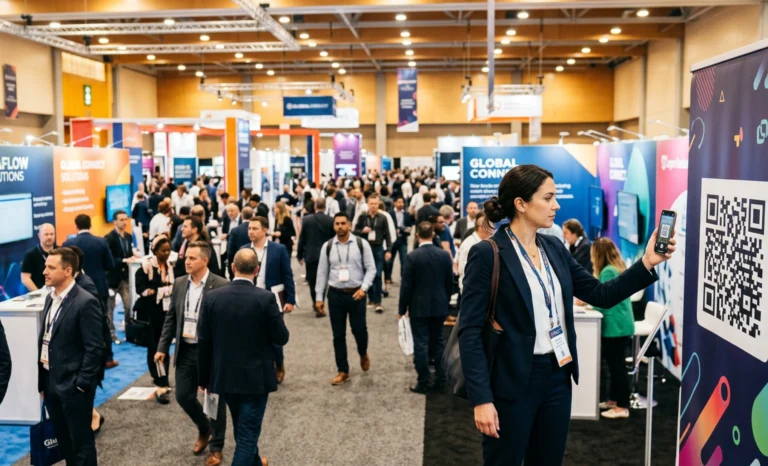
Every event has the same pressure point. Organizers spend months preparing. Attendees arrive with questions. And at the exact moment when information matters most, staff are stretched thin, signage is static, and the gap between what people need to know and what they can find out becomes a friction point no one planned for. An AI QR code for events closes that gap without adding complexity to an already demanding workflow.
This is not about replacing the human side of event management. It is about giving organizers a tool that works in the background, handles the repetitive, and surfaces useful data while doing it.
What makes an AI QR code different at events
A standard event QR code is a pointer. It takes someone to a page and stops. The attendee arrives at a schedule PDF, a venue map, or a landing page and has to figure out the rest themselves. If their question is not directly answered by what they find, they leave without an answer or they track down a member of staff.
An AI QR code works differently. When someone scans it, they land on a destination page the organizer has configured, and they find a conversation layer already available. They can ask a question directly. What time does the keynote start? Where is the registration desk? Is there parking nearby? Cleo, the AI assistant built into QRCodeKIT, draws on the content the organizer has provided and answers in real time, in whatever language the attendee is using.
The page does not disappear. The schedule is still there. The map is still there. Cleo sits on top of it as a conversation bubble, ready when needed. This distinction matters because it means the AI layer enhances what organizers have already built rather than replacing it.
Lead capture before the event even starts
One of the most underused opportunities in event marketing is the period between printing materials and the event itself. QR codes appear on invitations, printed programs, posters, and sponsor materials weeks before the doors open. Most of the time, those codes sit dormant until they are scanned on the day.
With an AI QR code, that pre-event window becomes productive. Someone scans the code on a trade show invitation. They ask about what sessions are being held or whether they need to register in advance. Through that conversation, Cleo can capture their contact details and note their expressed interest before a human team member ever needs to engage.
This is lead qualification happening at the top of the funnel, attached to a physical asset, with no additional form or landing page required. The contact detail and the intent signal arrive together. For a trade show organizer or a B2B event team, that combination changes how follow-up conversations are prioritized.
Answering questions at scale during the event
The volume of questions at a live event follows a predictable curve. It spikes at arrival, peaks during transitions between sessions, and creates a second wave whenever something changes. Staff capacity does not flex to match that curve. A single AI QR code, printed once and placed strategically, can handle that volume without staffing adjustments.
Organizers configure the knowledge base behind Cleo once, before the event. They include schedules, speaker details, venue maps, dietary options, sponsor information, accessibility guidance, whatever the event requires. From that point, every attendee who scans gets the same quality of answer whether they arrive in the first five minutes or the last hour.
Because the QR code is dynamic, that knowledge base can be updated in real time. If a session moves to a different room, the correction is reflected immediately in every future conversation without reprinting anything. The physical code on the signage stays the same. The information it delivers does not.
The practical setup for event organizers
Setting up an AI QR code for an event does not require a developer or a technical team. The workflow runs through QRCodeKIT and involves three main decisions: what the code links to, what information Cleo draws from, and where the code will be placed.
Content decisions that shape the experience:
- What is the primary destination? A branded event page, a schedule, a registration confirmation, a speaker lineup.
- What questions will attendees actually ask? Build the knowledge base around what your audience genuinely needs to know, not what looks thorough on a spec sheet.
- Where will the code be placed? On-site signage, printed invitations, confirmation emails, sponsor banners, and digital materials all serve different audiences and different moments.
- Does the code need to handle booking or appointment scheduling? Cleo can manage that directly within the conversation, removing the need for a separate booking tool.
One thing worth noting: all QR codes generated through QRCodeKIT are dynamic. This means no code is ever locked to a fixed destination. A code printed in January can be redirected in March, and the content Cleo draws on can be updated at any point. For a recurring event, the same physical code can serve multiple editions without reprinting.

Where AI QR codes fit into event design
The strongest use cases are not where there is already a staffed information point. They are where there is nothing. A lobby before registration opens. A corridor between sessions. A sponsor booth at a trade show where the company has one representative and thirty people walking past. These are the moments where an AI QR code does the most work.
Fundraising events and community gatherings benefit from a slightly different angle. Here the focus is often on helping attendees understand the cause, the schedule, or the contribution options without the pressure of a sales conversation. Cleo handles that as a neutral, always available presence that answers what is asked and does not push beyond it.
For conferences and trade shows, the multilingual capability matters more than almost any other feature. An international audience arrives with different languages and different levels of familiarity with the event structure. Cleo responds in the language the attendee uses, with no additional configuration required from the organizer.
What the data tells organizers after the event
Every scan and every conversation generates data. Organizers can see total scan volume, scan locations within the venue, the device types used, and the times when engagement peaked. Integrated with Google Analytics, the picture becomes more detailed, with user behavior tracked from scan through to action.
But the more valuable signal comes from the conversations themselves. What did attendees actually ask? Which topics came up most often? Were there questions that Cleo could not fully answer, suggesting gaps in the knowledge base? This is not abstract analytics. It is a direct record of what your audience wanted to know and could not find on their own.
For a recurring event, this dataset compounds. Year two is planned with the knowledge of what year one’s attendees were actually asking. Session formats, signage placement, staffing allocation, and pre-event communications can all be refined based on what the data shows rather than what the team assumed.
Designing the code to work with the event brand
A QR code is a printed asset. It lives on signage, in programs, on screens, on sponsor materials. Its visual weight affects whether people notice it and whether they trust it. A standard black and white grid on a white background communicates nothing beyond function. A code that carries the event’s color palette, incorporates a logo, and fits the visual language of the surrounding design communicates that it belongs there.
QRCodeKIT generates artistic QR codes using AI, allowing event designers to create codes that are both scannable and visually integrated into the event identity. Branded, high-contrast designs see meaningfully higher scan rates than generic codes. When the code looks like it is part of the event rather than a technical afterthought, more attendees engage with it.
Before printing at volume, test the code across multiple devices. What renders and scans correctly on one phone may not perform identically on another. This is a straightforward check that avoids a costly misprint.
Is an AI QR code worth it for a single event?
Scale matters less than context. A large conference has obvious reasons to deploy an AI QR code across multiple touchpoints. But a smaller event with one person managing logistics, a tight print budget, and a room full of guests who will all have the same questions is a stronger candidate than it might first appear.
The setup time is short. Because all QR codes through QRCodeKIT are dynamic, any code created for a single event can be repointed or updated without reprinting if plans change. And because the data persists after the event ends, even a one-time organizer walks away with a clear record of what their audience engaged with.
The honest answer is that the value depends on what the organizer does with both the setup and the data. An AI QR code placed on one sign in one corridor, with a knowledge base that was never fully built out, will perform accordingly. The same code placed thoughtfully, at the points where attendees are most likely to have questions, with a knowledge base that actually reflects what those attendees need to know, is a different proposition entirely.
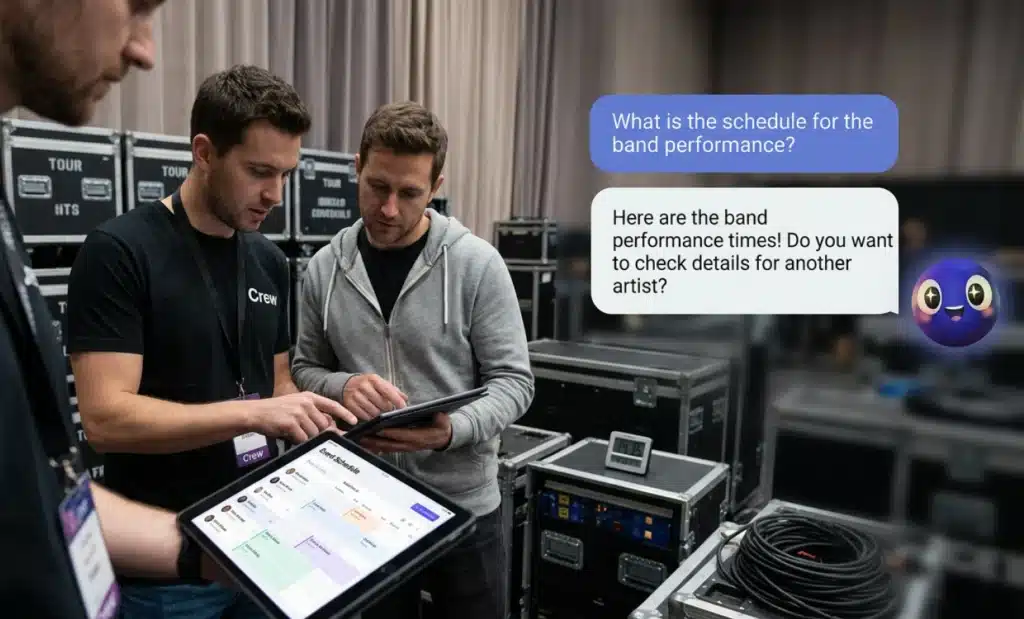
How does Cleo handle questions it has not been prepared for?
Cleo draws on the content the organizer provides. If someone asks a question that falls outside that content, Cleo does not invent an answer. It acknowledges the limit and, depending on how the organizer has configured the experience, can direct the attendee to an appropriate next step or capture the question for the team.
This is where the data layer becomes useful again. Questions that fell outside the knowledge base are visible in the analytics. An organizer who sees a pattern in unanswered questions can update the knowledge base before the next session, the next day, or the next edition of the event. The gap between what attendees ask and what Cleo can answer narrows over time.
For events with complex or sensitive content, such as fundraising events with financial questions or conferences with legal or compliance topics, the organizer maintains control over what Cleo draws on. Nothing goes into the knowledge base without the organizer putting it there. Point. Scan. Ask.
All images and visual content in this article were created using RealityMAX.