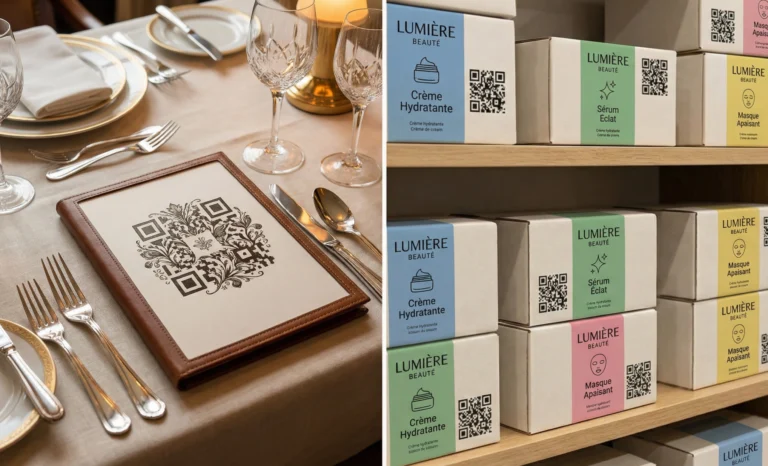
Deciding when to use multiple QR codes instead of one is not a design question. It is a strategic one.
A single QR code can do a lot. It can redirect users to a landing page, display product details, open a form, trigger a file download, or connect to a website. With dynamic QR codes, you can even update the destination URL after printing.
But in many business scenarios, relying on a single QR code limits your ability to track, segment, test, and protect your campaigns.
The real question is not how many QR codes you can print. It is how many you actually need to reach your goals.
This article explores when multiple QR codes make sense, when a single QR code is enough, and how to think about the trade offs in real business contexts.
The difference between one QR code and multiple QR codes
A single QR code is simple. It links to one destination. Users scan, they are redirected, and that is the experience.
Multiple QR codes introduce segmentation. Each code can:
- Lead to a different landing page or product page
- Trigger a different download or form
- Serve a specific physical location
- Track performance per campaign or channel
- Support performing security verification in controlled environments
The choice depends on what you are trying to measure, personalize, or protect.
In most cases, the decision comes down to tracking, context, and campaign performance.
When a single QR code is the right decision
There are many scenarios where a single QR code is enough.
If you are printing a flyer with one clear goal, such as driving users to a website or a YouTube video, adding multiple QR codes may only create confusion. Most QR scanner apps detect one code at a time. When multiple codes are too close together, scanning issues can arise. Users scan, the wrong page opens, or nothing happens.
A single QR code is usually the right choice when:
- There is one clear action
- All users should reach the same page
- Tracking per channel is not critical
- The context is simple
For example, a restaurant menu displayed inside a store may only need one dynamic QR code linking to the digital menu. Everyone who scans expects the same information.
In these cases, clarity creates value. Overcomplicating the layout with multiple links can reduce reliable scanning and damage the user experience.
When to use multiple QR codes instead of one for tracking
Tracking is one of the strongest reasons to use multiple QR codes.
Imagine you run advertisements across different locations: in store posters, product packaging, event banners, and email footers. If all these placements use the same QR code, your analytics will only show total scans. You will not know which physical location or campaign drove performance.
By using multiple QR codes, each labeled or segmented by placement, you gain granular data:
- Which city drives more scans
- Which layout performs better
- Which store generates more engagement
- Which version of creative works best
This is especially important for A B testing. If you want to detect which print format or logo placement increases scan rate, you need separate codes. A single QR code cannot distinguish between variations.
Dynamic QR codes make this practical because you can create and manage multiple links without changing the physical design dramatically. Platforms like QRCodeKIT allow you to manage segmented codes and review analytics without turning your workflow into a database nightmare.
If campaign performance matters, multiple QR codes are often not optional. They are the only way to measure what actually works.
Using multiple QR codes for context and personalization
Not all scans are equal. Context changes expectations.
Consider a conference. One QR code near the entrance might lead to the agenda page. Another on a booth might lead to a product demo video. A third might allow users to download a brochure.
Each code serves a different user intent.
In retail, unique QR codes on physical products can lead to product details, warranty registration, tutorials, or coupon activation. In multilingual markets, separate QR codes labeled by language can simplify access rather than forcing users through a complex landing page.
Multiple QR codes make sense when:
- Different physical locations require different information
- Each product in a line needs its own product page
- You want to tailor the landing page content to the context of the scan
- You are managing large inventories
Museums are a classic example. Each exhibit has its own QR code. A single QR code linking to a general website would destroy the value of contextual storytelling.
When the user journey depends on where and why users scan, multiple QR codes are often the correct strategic choice.

When security and verification require separate QR codes
In some workflows, security verification is a core concern.
For example, a company might use QR codes to verify tickets, event passes, or access credentials. Each code may connect to a system that verifies data in real time and returns a message such as verification successful or blocked. The system may detect suspicious activity, flag malicious bots, or require additional security service checks.
In these cases, a single QR code cannot serve every user securely. Each code needs to be unique, tied to a database entry, and validated independently.
Separate QR codes are recommended when:
- Each code represents a unique account or user
- Access must be controlled
- The system needs to detect duplicate scans
- The QR code is tied to an asset or file that must be protected
Here, multiple QR codes are not a marketing choice. They are a security requirement.
When multiple QR codes create problems
Using multiple QR codes is not always better.
One of the most common mistakes is placing multiple QR codes too close together. Most scanners are built to detect a single code in the frame. If two or three codes appear at once, the app may choose the wrong one or fail to scan.
Spacing is critical. A minimum of 2 cm of white space between QR codes is recommended. Each code should be large enough, ideally at least 2 cm by 2 cm, with a dark foreground and a light background. Error correction can help with minor damage, but it does not solve confusion between codes.
Another issue is cognitive overload. If users see four QR codes on a product packaging design with no explanation, most people will hesitate. Which one should they scan? What does each code do?
Providing context is essential. Clear labels such as menus, product details, download manual, or register warranty help users feel confident.
If clarity drops, campaign value drops.
When a multi link QR code is smarter than multiple QR codes
There is a third option that many businesses overlook.
Instead of printing multiple QR codes side by side, you can use a single dynamic QR code that leads to a landing page with multiple links. From there, users choose what they need.
This approach is useful when:
- Space on packaging is limited
- You want to avoid scanning confusion
- All options are equally relevant
- Design clarity matters
A multi link QR code consolidates multiple links into one page. It simplifies printing and reduces the risk of misdirected scans.
However, this approach reduces segmentation unless you duplicate the main QR code per channel. If you care deeply about campaign performance per physical location, you may still need separate QR codes behind the scenes.
The strategic decision is about balance. Simplicity versus granularity.
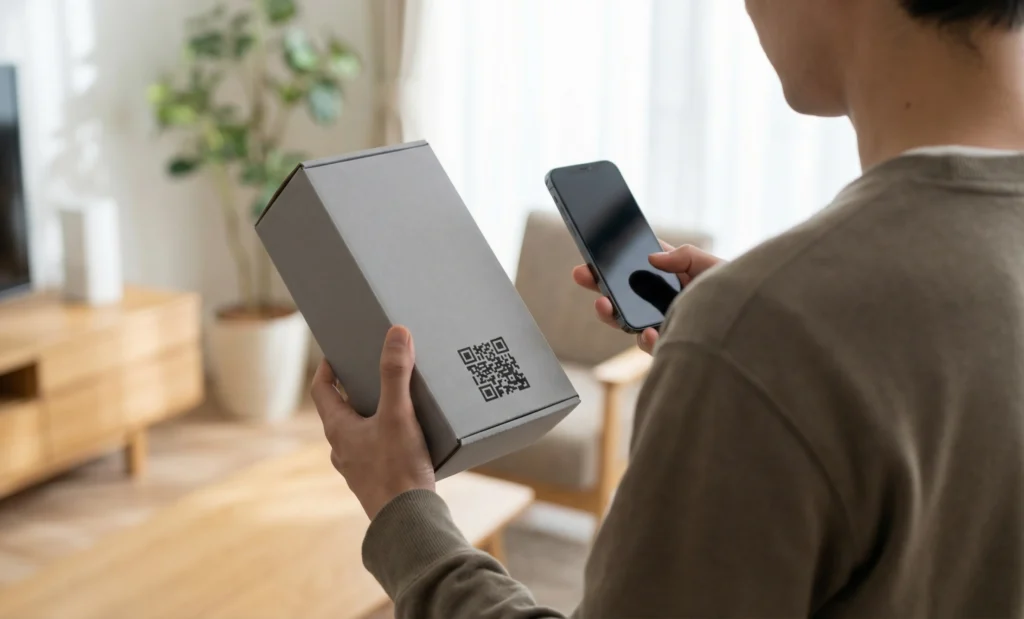
Product packaging and physical products at scale
Scaling is where the question becomes more complex.
If you manage hundreds of physical products, using one single QR code for all items prevents meaningful tracking. You cannot tell which product drives more scans, which product pages generate more interest, or which warranty form gets completed.
Using unique QR codes per product allows:
- Segmented analytics
- Personalized landing page content
- Better campaign optimization
- Product specific videos or downloads
A beauty brand might use separate QR codes for each shade. A technology company might use one code per device model linking to its own user manual and firmware updates.
At scale, multiple QR codes are usually a strategic investment in data.
Final thoughts on when to use multiple QR codes instead of one
Knowing when to use multiple QR codes instead of one depends on three questions.
What do you want to measure?
What context does the user need?
What level of security or segmentation is required?
If your goal is simplicity and one clear action, a single QR code is often enough.
If your goal is tracking, testing, personalization, or verification, multiple QR codes provide the structure you need.
Dynamic QR codes give you flexibility because you can update the destination URL, adjust the landing page, and refine your workflow without reprinting every time. Platforms like QRCodeKIT are designed to support both simple and complex QR strategies, from one code to thousands, without forcing you into technical complexity.
The real strategy is not about the code itself. It is about designing a scanning experience that matches your business objectives, protects your data, and creates easy access for every user.
When you approach QR codes as part of a system rather than as isolated barcodes, the decision becomes clearer.
All images and visual content in this article were created using RealityMAX.