If you are exploring QR codes to improve your Google Reviews, you are probably not just looking for a technical solution. You want more customer reviews, stronger local search rankings, and a better online reputation without chasing people for feedback.
Google Reviews account for 79 percent of all online reviews. For most local businesses, they directly influence visibility on Google Maps, local search rankings, and the decision-making process of potential customers. The challenge is not whether reviews matter. The challenge is how to collect reviews consistently, ethically, and without friction.
Dynamic QR codes can be a powerful part of that strategy, but only when they are used with intention.
Why QR codes to improve your Google Reviews actually work
The main reason QR codes to improve your Google Reviews are effective is simple. They remove friction.
When a customer has to search for your business manually, open your Google Business profile, navigate to the reviews section, and find the right review link, many will simply abandon the process. Even happy customers need convenience.
A well-placed Google Review QR code links directly to your Google Review page or even to the “Write a review” form. Customers scan, tap, and leave feedback. No searching. No confusion.
This convenience matters because customers are more likely to leave reviews when the process is easy and quick. A one-touch access point increases the probability of more positive reviews without forcing or incentivizing anyone, which Google prohibits.
At a strategic level, this is not about the QR code itself. It is about designing a smoother review process.
When does a Google Review QR code make strategic sense
Not every business needs the same approach. Before creating a google review QR code, it helps to look at your workflow and customer journey.
Businesses with physical locations
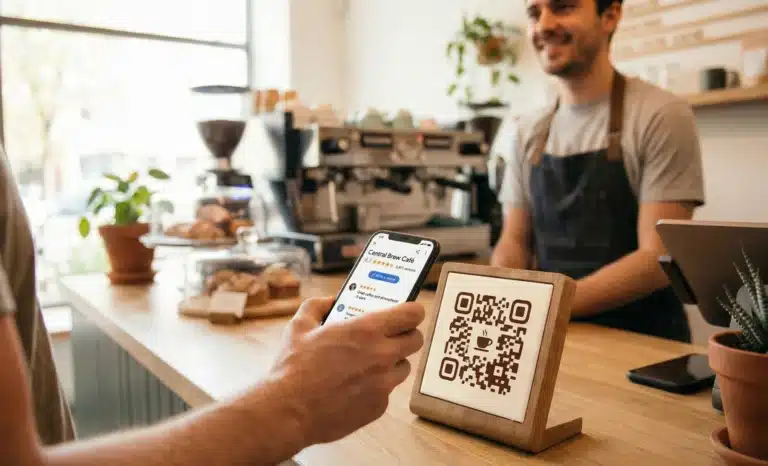
Restaurants, salons, retail stores, clinics, gyms, and service providers benefit most from in store displays and printed materials. Customers naturally pause at checkout counters, service desks, or when reviewing receipts.
In these moments, a scannable code placed near the cash register or on a printed invoice can capture feedback while the experience is fresh.

Businesses with field service or invoices
If you send digital invoices or follow up emails after completing a job, adding a QR code for Google reviews to email signatures or service summaries can streamline review requests.
Here, the QR code acts as an easy bridge between offline service and online reputation.
Product based businesses
For brands using product packaging, a Google business QR code can be integrated into packaging inserts or instruction leaflets. This works especially well for e-commerce brands that want to strengthen their Google business reviews despite operating primarily online.
The decision is not whether QR codes are useful. It is whether they align with your touchpoints.
Static versus dynamic QR codes for review collection
One of the first strategic decisions is whether to use static QR codes or dynamic QR codes.
A static QR code points permanently to a single Google review url. Once printed, it cannot be changed. This works if your Google Business profile and review link are stable and you are confident that nothing will need adjustment.
However, dynamic QR codes provide flexibility. You can update the destination link without reprinting the code. If your business profile changes, if you want to redirect to a specific review form, or if you are testing different review requests, dynamic codes allow you to adapt.
Dynamic QR codes also enable tracking. You can monitor more scans, user engagement, and general performance metrics. This helps you understand whether your in store displays or printed materials are actually generating more customer reviews.
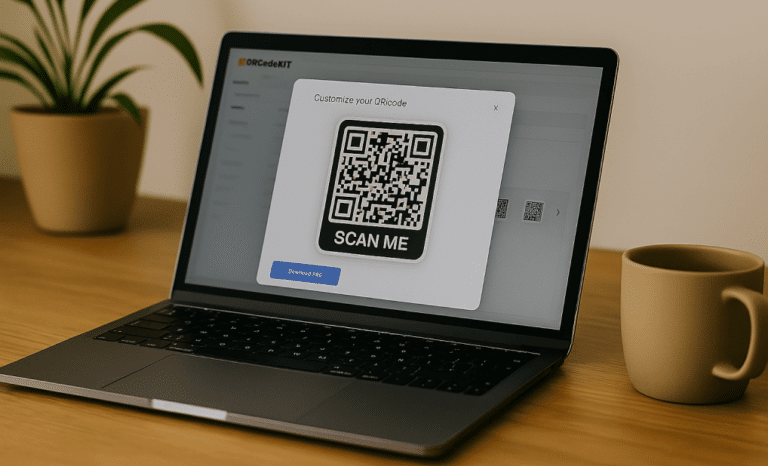
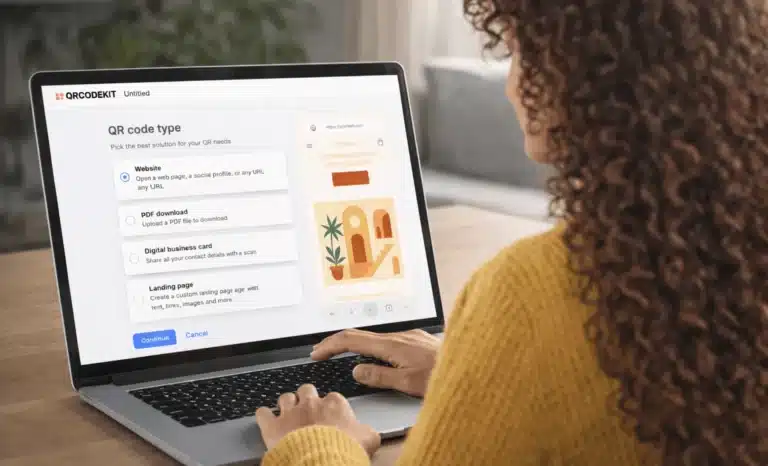
Platforms such as QRCodeKIT support dynamic QR workflows, allowing businesses to manage an own QR code strategy that evolves over time. The point is not the platform itself. The point is flexibility and insight.
For growing businesses, dynamic codes usually make more strategic sense.
Where to place your QR code to collect more reviews
Placement is often more important than design.
To collect reviews consistently, your QR code should appear where customers naturally finish their experience.
Common high impact placements include:
- Checkout counters and cash registers
- Printed receipts and service invoices
- Table tents or menus in hospitality settings
- Business cards
- Product packaging inserts
- Store windows in high traffic areas
The key principle is timing. Place your Google review QR code at the moment when customers are most satisfied and most likely to leave feedback.
A common mistake is placing the code in low visibility corners or on cluttered surfaces. High contrast, clear space around the code, and a minimum size of 2 x 2 cm help ensure seamless scanning.
Testing on multiple devices before printing is not a technical detail. It is a risk management step. A poorly scannable code damages trust and reduces participation.
The role of design in driving more positive reviews
Design does not just make a QR code look better. It affects engagement.
Customizing your QR code design with brand colors and your logo makes it more recognizable and visually appealing. When customers see a Google QR code that clearly belongs to your business, they feel safer scanning it.
A clear call to action is equally important. Phrases like “Scan to leave a review” or “Tell us how we did” guide the customer through the review process. Without a CTA, many customers will not understand the purpose of the code.
Decorate QR code elements carefully. Too much visual experimentation can compromise scanning reliability. The goal is balance: branded but functional.
Integrating QR codes across multiple touchpoints
If your goal is to improve local SEO and business visibility, one QR code in one location is rarely enough.
A multi QR mindset means placing your Google business review QR code across different channels:
- In store displays
- Printed materials
- Follow up emails
- Email signatures
- Digital newsletters
- Packaging inserts
Each additional touchpoint creates another opportunity for customers to scan and leave reviews.
Because Google uses customer reviews as a ranking factor in local search rankings, consistent collection over time is more important than short bursts of activity. QR codes make that continuity easier to manage.

What about negative reviews and review ethics
It is important to address the uncomfortable part. More reviews also mean the possibility of negative reviews.
Using QR codes to improve your Google reviews is not about filtering feedback. Google prohibits offering incentives specifically for reviews, and it expects authentic experiences from a verified business.
However, a transparent and hassle free review process signals confidence. When customers see that you invite feedback openly, it strengthens trust.
A common mistake is only asking visibly happy customers to leave reviews. Instead, design a consistent system. If some reviews are critical, they also provide valuable feedback and an opportunity to respond publicly, which can enhance your online reputation when handled well.
Measuring impact and adjusting your strategy
If you use dynamic QR codes with tracking capabilities, you gain visibility into how often customers scan, from which locations, and at what times.
This data helps answer strategic questions:
- Are your in store displays generating engagement?
- Do printed receipts drive more scans than product packaging?
- Are follow up emails effective?
If one placement generates more scans but fewer reviews, the issue may be in the review process itself, not the QR code.
Tracking allows you to optimize gradually instead of guessing.
Common mistakes businesses make with Google Review QR codes
Even well intentioned strategies can fail due to small oversights.
Some frequent mistakes include:
- Using a copied Google review link that leads to a generic business profile instead of the direct review form
- Printing a code too small to scan easily
- Forgetting to test across devices
- Omitting a clear CTA
- Placing the code where customers rarely pause
- Treating the QR code as a one time tactic instead of an ongoing system
The most effective businesses treat review collection as a process integrated into their customer experience, not as an afterthought.
How to decide if this strategy fits your business
Before implementing QR codes to improve your Google reviews, consider three questions:
- Do you have a steady flow of customers who could realistically leave reviews?
- Are there natural pause points where a quick scan feels appropriate?
- Is your Google Business profile optimized and verified?
If the answer to these questions is yes, a Google business QR code can become a low friction extension of your review requests.
If your business operates entirely online without clear moments of interaction, other review strategies may be more effective. In that case, QR codes might play a supporting role in email or digital campaigns rather than physical spaces.

Final thoughts on using QR codes to improve your Google reviews
Using QR codes to improve your Google reviews is not about technology. It is about reducing friction in the review process and aligning feedback collection with real customer behavior.
When placed thoughtfully, designed clearly, and managed strategically with dynamic flexibility, a Google review QR code can help you collect reviews consistently, strengthen your business’s visibility, and build trust with potential customers.
Platforms like QRCodeKIT provide the infrastructure to create and manage dynamic QR codes that support these strategies. The real value, however, comes from how you design the system around them.
If you approach QR codes as part of your broader customer experience and local SEO strategy, they become more than a code. They become a practical tool for sustainable growth.
All images and visual content in this article were created using RealityMAX.