If you are wondering how to choose the right QR code for your use case, you are already asking the right question.
Most businesses do not fail with QR codes because the technology does not work. They fail because they choose the wrong QR code type, the wrong size, the wrong format, or the wrong placement for their real-world context.
A QR code is not just a code image. It is a strategic decision that connects physical locations, digital platforms, marketing materials, and user behavior. Choosing correctly means balancing flexibility, design, scan reliability, and long-term management.
Let’s break down what actually matters when making that decision.
Start with the business goal, not the code
Before thinking about dynamic QR codes or static QR codes, file formats, or QR code design, ask one simple question:
What should happen after someone scans?
Are you sending users to a landing page that may change over time? Sharing fixed contact details on a business card? Linking to a PDF file? Driving traffic from product packaging to a campaign?
The right QR code depends on the lifecycle of that destination.
If the destination is permanent and unlikely to change, such as a fixed brochure PDF or static contact details, static QR codes can be enough. The data is embedded directly into the code and cannot be edited after printing.
If the destination may change, or if you want analytics on how many users are scanning, dynamic QR codes are the smarter option. They store a shorter URL that redirects to content, allowing you to edit the destination even after printing. That flexibility becomes critical for marketing campaigns, product packaging updates, or seasonal promotions.
Dynamic QR codes also allow businesses to manage QR codes at scale and create multiple QR codes that point to different landing pages depending on the campaign.
Choosing the right QR code starts with choosing the right level of flexibility.
Static vs dynamic QR codes: what trade-offs are you making?
The decision between static QR codes and dynamic QR codes is not about good or bad. It is about control versus simplicity.
Static QR codes are:
- Free and simple to create
- Widely compatible with all QR code scanners
- Ideal for fixed, permanent information
But they come with limits. If you print 10,000 flyers with a static QR code and later need to change the URL, you cannot update it. You must reprint.
Dynamic QR codes are:
- Editable after printing
- Trackable with scan analytics
- Easier to manage across multiple campaigns
- Better suited for marketing and growth
For example, a restaurant using QR codes for menus may want to update prices or seasonal items. A brand running digital ads connected to physical product packaging may need to adjust the landing page. In both cases, dynamic QR codes reduce risk and protect your printing investment.
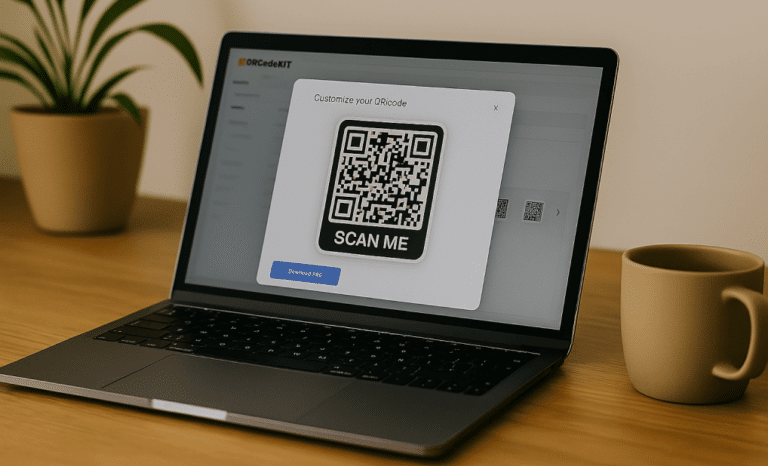
Platforms like QRCodeKIT support these strategies by enabling businesses to create and manage QR codes in a structured way, especially when working with multiple QR codes across teams or campaigns.
The trade-off is clear: static works for permanence. Dynamic works for growth.
Choosing the right QR code type for different use cases
Different QR code types serve different workflows. The right QR code type depends on what users expect when they scan.
Common business scenarios include:
- A business card sharing contact details
- Product packaging linking to a landing page
- A poster driving traffic to digital platforms
- A menu replacing printed versions
- A brochure offering a downloadable PDF file
In some cases, micro QR codes are used for very small items like electronics or medical packaging, where the smallest QR code matters. In others, frame QR codes allow embedding a logo in the center to strengthen brand recognition without harming scan reliability.
For internal operations or private data, SQRC codes add encryption for controlled access.
The decision is not about using the most advanced option. It is about matching the QR code type to the expected user behavior and context.

How size and scanning distance affect your decision
One of the most common mistakes in printing QR codes is ignoring scanning distance.
The minimum recommended QR code size is 2 x 2 cm. But that is only valid for very short scanning distances.
A practical rule is the 10:1 ratio. For every 10 units of scanning distance, the QR code size should be at least 1 unit. If users are scanning from 2 meters away, the code size should be around 20 cm.
If a QR code is too small for its scanning distance, it may become blurry or unrecognizable, especially for older devices or under poor lighting conditions.
Other technical considerations include:
- The quiet zone must be at least four modules wide on every side
- High data density requires a larger physical size
- The more data encoded, the denser the pattern becomes
- High error correction level improves reliable scanning but increases density
Choosing the right QR code size is about context. A business card requires a small but scannable code. Digital signage in physical locations requires a much larger, high resolution version.
Always test across different devices and real-world lighting. Reliable scanning is not theoretical. It is situational.
File format decisions: PNG, SVG, PDF, or EPS?
The file format you choose can directly impact image quality, scalability, and printing quality.
PNG QR codes use portable network graphics. They are ideal for digital use, social media, digital screens, and digital ads. PNG supports high quality images and transparency, but when scaled up, png formats can lose sharpness.
SVG files use scalable vector graphics. SVG scales cleanly to any size without losing clarity. For printing QR codes in marketing materials, product packaging, or large posters, SVG is often the better choice. SVG images remain crisp even at very large dimensions.
PDF files preserve layout and structure, which is useful when sharing multiple QR codes within one document.
EPS is another vector format frequently used in professional graphic design and large-scale printing.
If you plan to place QR codes across multiple channels, it is often wise to export both png files for digital platforms and vector files such as svg files or EPS for print.
Choosing the right QR code format ensures your code appears sharp and remains scannable, regardless of scale.
Design vs scannability: finding the right balance
Creative QR code design can enhance brand recognition. Logos, colors, and design elements can increase trust and make users more willing to scan.
However, design choices directly impact scan reliability.
Best practices include:
- Use a dark foreground on a light background
- Maintain a minimum contrast ratio of at least 4:1
- Avoid inverted colors, which some older QR code scanners cannot read
- Do not remove or shrink the quiet zone
- Avoid glossy or reflective surfaces that cause glare
- Enable high error correction level if you add logos
High quality QR codes balance aesthetics with usability. Overcrowding the code with long URLs or too much data increases density and may require a larger size to remain scannable.
Using a reliable QR code generator with customization features helps ensure that logos and colors do not interfere with scanning technology.
Design should never compromise reliable scanning. The code must work first. Then it can look good.
When you need multiple QR codes instead of one
Many users start with a single QR code and later realize they need multiple QR codes for different touchpoints.
For example:
- One code on product packaging
- One code for in-store displays
- One code for digital ads
- One code for a business card
- One code for post-purchase engagement
Trying to use one single code for every scenario can limit tracking and reduce insight. Dynamic QR codes allow you to create multiple codes pointing to different landing pages, measure scan performance separately, and manage QR codes at scale.
Analytics from scan codes can reveal which physical locations perform better, which marketing materials generate more engagement, and how many users scan from different devices.
If your strategy involves growth, iteration, or testing, a multi QR mindset often makes more sense than relying on a fixed size solution.
Testing before committing to print
One of the most overlooked decisions is testing.
Before printing thousands of copies, test your scannable code:
- On different devices
- Under different lighting conditions
- At the expected scanning distance
- With different QR code scanners
Check image quality. Verify that high resolution images remain sharp. Confirm that the quiet zone is intact and that the code appears clearly on both digital screens and printed surfaces.
Many businesses assume that if a code scans once, it is safe. Real-world environments are unpredictable. Poor lighting, low-quality cameras, and reflective materials can reduce scan reliability.
Testing is not optional. It protects your budget and your brand.

So how do you choose the right QR code for your use case?
To summarize strategically:
- Define the business goal and expected user behavior
- Decide between static and dynamic based on flexibility needs
- Select the right QR code type for the scenario
- Calculate the right QR code size based on scanning distance
- Choose the correct file format for print or digital use
- Balance qr code design with reliable scanning
- Consider whether multiple qr codes provide better tracking
- Test thoroughly before final printing
Choosing the right QR code is not about technical complexity. It is about alignment.
When businesses treat QR codes as strategic assets rather than decorative additions, they become more than a scannable code. They become measurable, adaptable bridges between physical and digital experiences.
Understanding how to choose the right QR code for your use case ensures that your code does not just exist. It performs.
Platforms like QRCodeKIT can support this structured approach by helping teams create, manage, and refine digital qr codes across campaigns and physical locations. But the real advantage comes from clarity in decision-making.
The right QR code is not the most advanced one. It is the one that fits your workflow, your environment, and your long-term goals.
All images and visual content in this article were created using RealityMAX.