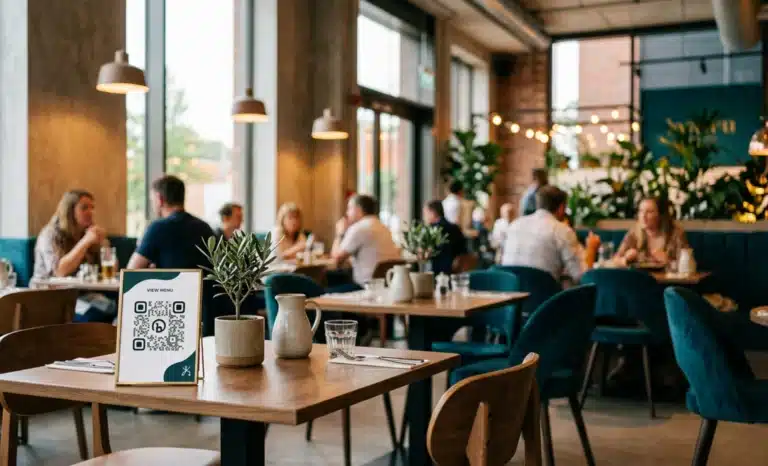
TL;DR
- The best QR code generators for restaurants are not the flashiest tools. They are the platforms built around restaurant workflows: fast menu updates, multilingual service, meaningful analytics, and accessibility compliance.
- Use the ten point checklist in this article to evaluate any platform against what a restaurant actually needs, from the dining room to the back office.
- Dynamic QR codes are the baseline. A static code locks you into one menu version and forces a reprint every time something changes.
- QRCodeKIT appears throughout as an example of a platform that meets each criterion, so you can judge the framework for yourself.
The best QR code generators for restaurants are the platforms designed around how a restaurant actually runs, not generic tools that happen to produce a menu code. A restaurant needs frequent menu changes, multilingual guest support, analytics it can act on, and accessibility compliance for EU customers. This guide gives you a clear framework to evaluate any platform against those real needs.
What makes the best QR code generators for restaurants?
A QR code generator for restaurants is a platform that lets owners create, customize, and manage QR codes built for restaurant workflows: digital menus, ordering, feedback, promotions, and multilingual guest experiences. The best options support the daily reality of a busy dining room, not only the moment of first setup.
Choosing one is not about picking the tool with the most features on a landing page. It is about the operational realities behind service: menus that change by season and by day, allergen questions from guests who speak another language, print costs, and the limited time your staff has during a rush. Keep those in mind as you read, because they are the real test.
Why do restaurants need dynamic QR codes?
Restaurants need dynamic QR codes because a static code fixes the menu to one version permanently. A dynamic code lets you change dishes, prices, and specials behind the same printed code, with no reprinting. For a business where the menu shifts by season, by day, and by service, that flexibility is the baseline, not a bonus.
This is where a platform’s roots matter. QRCodeKIT has worked on dynamic QR technology since 2009, and every code it creates is dynamic by default. That means the code on the table tent stays the same while the menu behind it updates the moment you save a change.
Can non-technical staff update the menu?
The menu editor should be usable by anyone on the team, not only the person who first configured it. Prices move, dishes sell out, and specials appear daily. A manager should be able to add tonight’s special from a phone in under a minute, without a training session or a support ticket.
Look closely at the editing experience during a trial. If updating a single price feels like a project, that friction will compound across a hundred small changes a month. The best platforms treat menu management as a quick, everyday task rather than a technical one.
How should a restaurant QR handle multilingual guests?
International guests ask about ingredients, allergens, and portion sizes. A conversational AI layer that answers directly in the guest’s own language beats a static menu with a language dropdown, because the guest asks a question instead of hunting through a translated file. Cleo, the conversational AI built into QRCodeKIT, is one example of this approach.
The difference matters most at the table. A guest with a nut allergy does not want to scroll a PDF in a second language. They want to ask, “Does this dish contain nuts?” and get a clear answer in seconds. That kind of exchange turns a menu into a service.
What analytics actually matter for a restaurant?
Scan count on its own tells a restaurant almost nothing. Analytics that inform decisions show scan times, device types, geographic origin, and language preferences, so an owner can see which menus perform, which hours drive the most engagement, and which languages guests use most. Data should guide the offering, not just decorate a dashboard.
With that view, patterns become useful. If half your evening scans come from one language, a dedicated section makes sense. If a QR by the entrance outperforms the one on the table, you learn where guests actually look. Analytics earn their place when they change what you do next.
Do branded QR codes still scan reliably?
Yes, when the platform is built for it. A generic black-and-white code looks out of place on a carefully set table, so a capable platform lets you add a logo, brand colors, and artistic styling while keeping the code scannable. Design flexibility should never come at the cost of a reliable scan.
QRCodeKIT, for instance, generates artistic QR codes through its in-house AI, so a code can carry the restaurant’s identity rather than sit on the table as a plain gray square. The rule to remember is simple: if a branded code does not scan on the first try in low light, the branding has failed.
How does the European Accessibility Act affect restaurant menus?
The European Accessibility Act has applied to digital services, including digital menus, since 28 June 2025. A restaurant serving EU guests needs QR destinations that meet accessibility standards: screen reader friendly pages, sufficient color contrast, and WCAG aligned design. For restaurants in scope, this is a requirement rather than a nice touch.
When you evaluate a platform, ask what the scanned page actually delivers. A menu that renders as an image, or as a low contrast PDF, can exclude guests who rely on assistive technology. The platform behind the code should make accessible destinations the default, not an afterthought.
Can the platform scale across multiple locations?
Restaurant groups need to manage many menus from one place. The platform should let you compare performance across locations, run localized promotions, and update multiple menus centrally without rebuilding each one by hand. A tool that works well for a single cafe often breaks down at five sites.
Scale also touches roles and permissions. A regional manager may need to edit one location’s menu while head office keeps oversight of all of them. If a platform assumes a single owner doing everything, it will slow a group down as soon as it grows.
What should you look for in restaurant QR pricing?
Pricing should be transparent, and the features restaurants use daily should be included without complex tier gymnastics. Some platforms charge extra for analytics, custom branding, or multiple menus, none of which are luxuries in a restaurant. Look for clear plans where the baseline already covers real restaurant needs.
The trap is judging a platform by its headline price alone. A cheap plan that hides menu analytics or caps you at one menu can cost more in workarounds than a fair plan that includes them. Read what each tier actually gives a restaurant, not just the monthly number.
Should you be able to try before you pay?
A restaurant owner should be able to test a platform without a credit card, generate a working QR code, and see whether it fits the workflow before paying for anything. A free tier removes the risk of committing to a tool that turns out to be wrong for a dining room. QRCodeKIT, for example, offers a free plan with dynamic QR codes so you can start without a commitment.
Use a trial the way service will use the code. Print it, scan it in the light you actually have, update a price, and check the guest view on a phone. A platform that feels right in that quick test is far more likely to hold up during a full shift.
How should a QR platform handle guest data?
A restaurant is responsible for its guests’ privacy, so the platform behind its QR codes should support that responsibility. Look for GDPR compliance, clear data retention policies, no reliance on third party cookies, and no reselling of guest data. Good data handling protects both the restaurant and the people who scan its codes.
This is easy to overlook until it becomes a problem. Ask where scan data is stored, how long it is kept, and whether any of it is shared with third parties. A platform that cannot answer those questions plainly is not one to trust with your guests’ information.

The restaurant QR checklist at a glance
When you evaluate any platform, run it against these ten features:
- Dynamic QR codes as standard, so menus update without reprinting.
- A menu editor simple enough for non-technical staff to use daily.
- Multilingual support, ideally through a conversational AI layer.
- Analytics that go beyond raw scan counts.
- Branded design that keeps the code fully scannable.
- Accessibility compliance for EU guests, covering the EAA and WCAG.
- Multi-location management from a single account.
- Transparent pricing that includes the features restaurants use daily.
- A free tier to test the workflow before committing.
- Privacy first data handling, with GDPR compliance and no third party cookies.
A platform that satisfies all ten is built for restaurants, not merely usable by them.
Where restaurants get it wrong
A few mistakes come up again and again when restaurants choose a QR platform:
- Picking a generic QR generator that is not built for restaurants, then hitting its limits six months in.
- Focusing on price above features, and ending up with static codes that force a menu reprint every season.
- Ignoring accessibility, and later fielding complaints from EU guests who cannot use the menu.
- Never testing the mobile experience the QR actually links to, and discovering problems only after guests do.
Each of these is avoidable with a short trial and the checklist above. The cost of getting it wrong is rarely the subscription. It is the reprints, the lost data, and the guest who left without ordering.
Why the platform matters more than the code
The QR code itself is just a symbol. What matters is the platform behind it: what happens after the scan, what content is served, what data is captured, and how the whole experience feels to a guest. Restaurants that treat the code as the product tend to miss the point.
Think of it this way. The code is the door, and the platform is the room behind it. A beautiful door on an empty room disappoints. The best QR code generators for restaurants put their effort into the room, so every scan leads somewhere genuinely useful.
Is a dynamic QR code better than a static one for a restaurant menu?
Yes. A dynamic QR code lets a restaurant update the menu behind the same printed code at any time, so seasonal changes, price updates, and daily specials never require a reprint. A static code fixes the destination permanently, which rarely suits a menu that changes as often as a restaurant’s does.
Can a QR code menu work in more than one language?
It can. Some platforms offer a language selector, while others use a conversational AI layer that responds directly in the guest’s own language. The second approach usually feels more natural, because guests ask about allergens or ingredients out loud rather than searching a translated document for the answer.
Do I need to reprint my QR code when the menu changes?
Not with a dynamic QR code. The printed code stays the same while the menu behind it updates instantly. This is one of the main reasons restaurants move away from static codes, which lock the destination in place and turn every menu change into a printing job.
Are QR code menus compliant with EU accessibility rules?
They can be, if the destination meets accessibility standards. Since the European Accessibility Act took effect on 28 June 2025, digital menus served to EU guests should be screen reader friendly, offer sufficient contrast, and follow WCAG guidance. Compliance depends on the platform and on how the menu itself is built.
What analytics can a restaurant get from a QR code menu?
Beyond total scans, a capable platform reports scan times, device types, geographic origin, and language preferences. This helps a restaurant understand peak hours, see which menus perform best, and learn which languages guests use, turning simple menu access into useful operational data.
How much does a QR code generator for restaurants cost?
Costs vary by platform and by the features included. Many offer a free tier for basic use, with paid plans that add analytics, branding, and multiple menus. The more useful question is whether the features a restaurant relies on daily are included in a given plan, rather than the headline price on its own.
All images and visual content in this article were created using RealityMAX.