How to train AI on your menu, products and FAQ
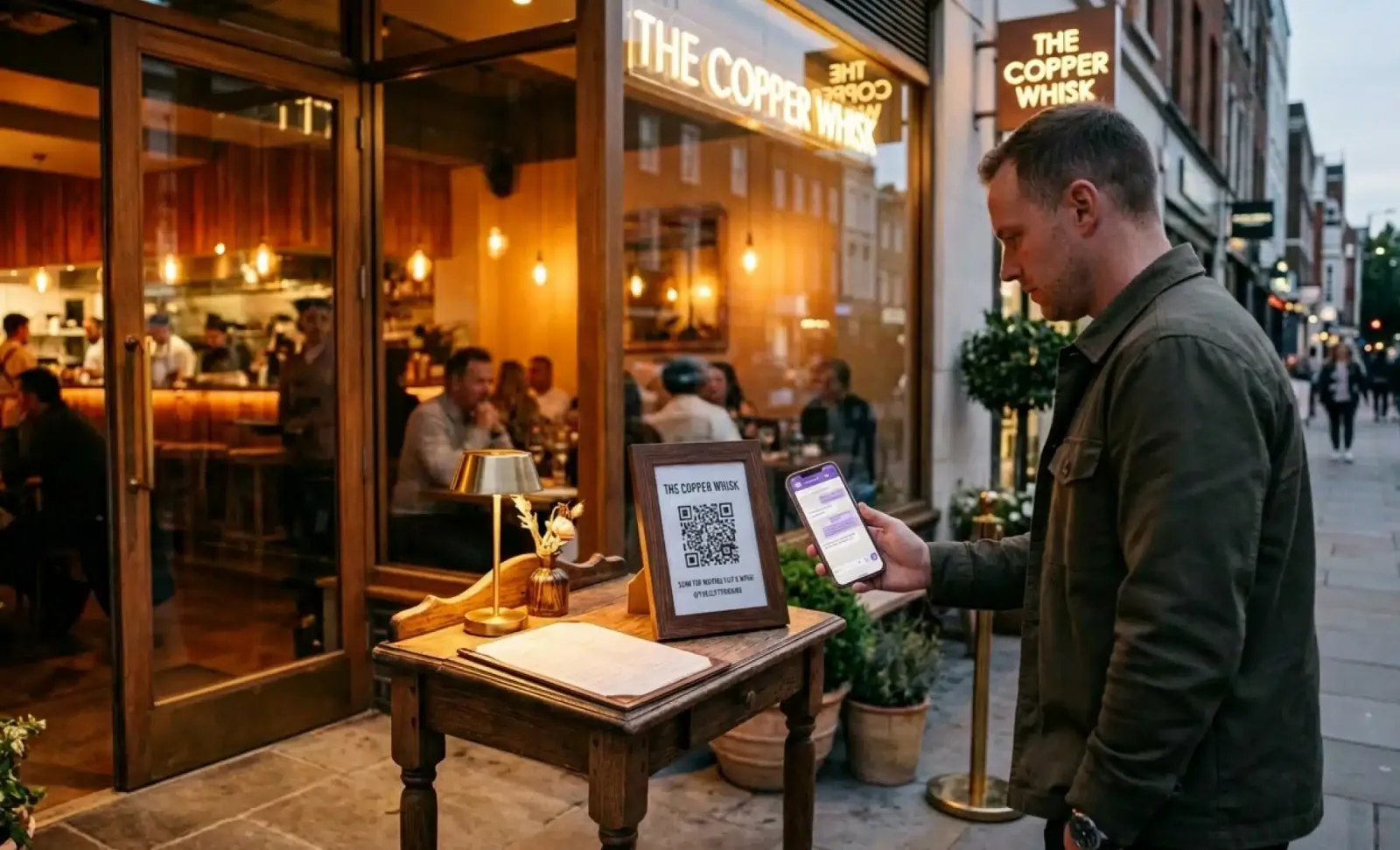
A customer stands in front of your restaurant at 10 p.m. The kitchen closed an hour ago. They scan the QR code on the window, ask whether you have gluten-free pasta, and within seconds they have an answer. They book a table for tomorrow.
That moment only works if the AI behind the QR code knows what you serve, how you serve it, and what your customers actually ask. This is what people usually mean when they say “training AI” for a restaurant or retail business, even though the phrase is a little misleading. You are not building a model from scratch. You are giving an existing conversational AI the structured knowledge it needs to answer well.
This guide walks through how to train AI on your menu, your product catalogue, and your FAQ section in a way that actually works for real customer interactions. We will use Cleo by QRCodeKIT as the working example. The same principles apply across the restaurant industry, retail, hospitality, and any business where customers stand in front of something physical with a question.
What does how to train AI on your menu actually mean?
How to train AI on your menu, in the context of an AI QR code, means writing and organizing the information the AI will draw on when a customer scans and asks a question. It is closer to writing a structured internal manual than to programming or machine learning. You provide the content. The AI handles the conversation.
This distinction matters because many restaurant owners hear “AI training” and picture data science teams, code, and weeks of work. The reality is different. With Cleo, you upload your menu, your FAQs, your hours, your policies. Cleo reads from that knowledge base every time a customer asks something. If the information is clear and complete, the answers are clear and complete. If the information is vague or missing, the AI will struggle in exactly the places your knowledge base is weak.
So the work is editorial, not technical. You are deciding what your AI should know, how it should phrase things, and where the boundaries of its knowledge are. That is the real meaning of AI training in this context. It does not require natural language processing expertise, speech recognition setup, or computer vision pipelines. It requires good content.
Why the knowledge base is the foundation of any AI tool for restaurants
Everything Cleo says to your customers comes from the knowledge base you set up. There is no magic layer underneath that fills in the gaps. If a customer asks whether your beef is grass-fed and you never mentioned it, the AI will say it does not have that information rather than guess. This is good for trust. It is also a reminder that completeness matters when you are choosing an AI tool that interacts directly with customers.
A useful knowledge base for many restaurants typically includes:
- Menu items with full descriptions, ingredients, and allergen information
- Dietary tags such as vegan, vegetarian, gluten-free, nut-free
- Pricing and any variations by size or option
- Opening hours, including holidays and seasonal changes
- Reservation policy, cancellation terms, and group size limits
- Location, parking, accessibility details
- Common FAQs your staff already answers every day
- Information about local events, partnerships, and seasonal trends that affect availability
A retail business or service operation will adjust this list, but the logic stays the same. Whatever a customer might reasonably ask in front of your product or storefront should live somewhere in the knowledge base. This is the part of the tech stack that most directly shapes customer satisfaction.
How to structure menu content for AI driven menu optimization
Menu content for a conversational AI is not the same as the menu printed on a card. The printed menu is designed to be skimmed by a person who already understands food categories. The AI version needs more context because customers ask questions a printed menu does not anticipate. Done well, this structured content also opens the door to AI driven menu optimization later, since you start collecting data on what customers actually ask about.
For each menu item, include:
- The name as it appears on the menu, plus any common variations or translations
- A short description that mentions key ingredients, not just the dish name
- A complete allergen list, including cross-contamination notes if relevant
- Preparation notes that matter to customers, such as cooked-to-order, spice level, or whether something contains alcohol
- Dietary tags written consistently across the menu
- Price and contribution margin notes for internal use if you want to track menu performance
- Seasonality, if the item rotates in and out of the menu
The goal is to anticipate the questions a server would normally answer during phone orders or in person. A customer asking “is the carbonara safe for my dairy-free friend?” should receive a clear answer immediately, not a vague “please ask the staff.”
Pairing suggestions and personalized menu recommendations also belong here when they are part of how you serve. If your sommelier always pairs the duck with a specific red, write that down. Cleo can suggest it during the conversation, which extends a small piece of staff training to every scan, at any hour.
This kind of menu engineering work pays off in two ways. Customers get better answers in the moment, and you build the foundation for deeper menu analysis later, when you start reviewing which items get asked about most and how customer demand shifts across seasons.
How to structure product content for retail AI implementation
For retailers and product-based businesses, the equivalent of menu items is the product catalogue. The principles are similar. Customers in front of a product on a shelf or display ask very specific questions, and the AI needs the specifics to answer. A thoughtful AI implementation here means treating product data the same way you treat menu data, with discipline and consistency.
Useful fields for each product include the full name and SKU, the materials or composition, dimensions and weight, care instructions, warranty terms, country of origin, availability across sizes or variants, related accessories, and any usage tips that staff would normally share. If a product has compliance information, certifications, or country-specific limitations, include those as well.
This is where existing systems matter. If you already maintain a product database, much of this content can flow into the AI knowledge base without being rewritten from zero. The same applies to restaurant systems that hold inventory counts and supplier information. The AI does not need direct integration with every back-office tool to be useful, but it does need accurate inputs.
The rule is simple. Write down what your best salesperson would say. The AI will use it.

How to structure FAQ content to answer customer inquiries
The FAQ section is where most knowledge bases either succeed or fail. The mistake is to write FAQs the way a marketing team writes them, in polished and slightly formal language. Real customers do not ask “what are the establishment’s policies regarding canine companions?” They ask “can I bring my dog?” If you want the AI to handle customer inquiries well, you have to anticipate the actual phrasing.
Write the questions the way your customers actually phrase them. Cleo handles variations naturally, but the closer your FAQ entries are to real customer feedback and real phrasings, the better the matching works.
Useful FAQ topics include:
- Reservations, walk-ins, and waitlists
- Dietary accommodations and allergen handling in the kitchen
- Group bookings, private events, and minimum spend
- Payment methods and tipping practices
- Pets, children, accessibility, and dress code if relevant
- Parking, public transport, and arrival instructions
- Gift cards, loyalty programs, and special occasions
- Questions about ingredients, sourcing, and food quality
For each question, write a clear answer first, then add context if needed. Include edge cases when they come up often. For instance, if you accept dogs on the terrace but not inside, say exactly that.
Also define where the AI should stop. Some questions need a human. A complaint about a previous visit, a request to modify a booking made through a third party, or a sensitive allergy question may be better routed to staff. Cleo can collect the inquiry and pass it along. The point is not replacing humans. It is filtering the routine so your team can focus on what matters. Decide this in advance and write it into the knowledge base.
Put it into practice
Create a dynamic QR code free and see it work. No credit card required.
Get started freeMultilingual setup and brand voice trade-offs
Cleo handles multiple languages natively. A customer can scan the same QR code and have the conversation in English, Spanish, French, or another language without you setting up a separate version. This is one of the practical advantages of an AI QR code over static translations, and it directly enhances customer experiences for visitors who would otherwise struggle with a paper menu in a second language.
That said, you have a choice to make. You can write your knowledge base in one language and let the AI translate at conversation time, or you can write key entries in multiple languages yourself. The first option is faster and works well for most content. The second option is worth the effort for anything where nuance matters, such as allergen warnings, signature dish descriptions, or anything tied to your brand voice.
A reasonable middle path is to write everything in your primary language, then review the AI’s responses in your top two or three customer languages and refine the originals when something does not translate well. The knowledge base only needs to be excellent in the languages your customers actually speak.
Common mistakes in AI training for restaurants
Most problems with conversational AI in a restaurant setting come from the knowledge base, not the AI itself. AI training, in this context, is really content training. The most common mistakes include:
- Vague menu descriptions that say “fresh seasonal ingredients” instead of listing what is in the dish
- Missing or incomplete allergen information, which is a safety issue not just a content issue
- Contradictory entries, such as an FAQ that says you accept walk-ins and a policy section that says reservations only
- Treating setup as a one-time project, then leaving the knowledge base untouched as the menu changes
- Writing FAQs in formal language no real customer uses
- Forgetting to update hours during holidays or special closures
- Adding products or dishes without their accompanying details
- Mixing tone and brand voice across entries, so the AI sounds inconsistent
Another quiet mistake is ignoring data privacy. When customers share contact details or preferences through a conversation, you are now handling personal information. Be clear internally about what is stored, for how long, and who has access. Customers care, and the law cares.
The thread running through all of these is simple. The AI cannot fix a knowledge base that is incomplete or inconsistent. It will reflect whatever you give it.
Writing AI prompts that match your brand voice
When you set up Cleo, you also get to shape how it speaks. This is where AI prompts come in. A short instruction telling the AI to be warm and concise, to recommend the chef’s specials, or to always offer reservation help, will steer every conversation in the direction of your brand.
Keep prompts short and specific. “Speak like a friendly host. Always confirm dietary needs before recommending dishes. Offer to book a table when the customer asks about availability.” This kind of guidance shapes tone without rewriting every answer. It is one of the few places where a small amount of editorial work has an outsized effect on customer interactions.
If your restaurant has a strong identity, write the prompt the way you would brief a new host on their first day. The AI will pick up the cues.
How AI technologies fit into existing restaurant operations
It helps to be clear about what AI technologies do and do not do in this setup. Cleo does not replace your point of sale, your reservation platform, or your inventory management software. It sits in front of the customer, answering questions and routing intent. The rest of your restaurant operations keep working the way they already do.
This matters because some restaurant owners worry that adding AI means rebuilding their entire tech stack. It does not. The conversational layer is additive. If you already use a reservation system, Cleo can hand off to it. If you already track inventory counts and demand forecasting in a separate tool, the AI does not need access to that data unless you want it to share availability with customers.
For operators thinking longer term, the data the AI collects becomes useful input for demand forecasting and identifying trends. Over time, patterns in customer questions tell you which menu items spark curiosity, which dietary needs come up often, and which local events drive specific kinds of requests. That information feeds menu planning, menu development, and decisions about which menu items deserve more visibility.
This is where leveraging AI starts to compound. You begin with a conversational layer that handles customer inquiries. You end with a continuous stream of insight into customer preferences, seasonal trends, and operational efficiency opportunities. Done well, it helps save money on missed bookings and reduces food waste through better forecasting.
Maintenance, ownership, and data analysis
A knowledge base for an AI QR code is a living resource. Menus change, products rotate, hours shift around holidays, and new FAQs emerge from real conversations. Someone needs to own it internally.
For a single restaurant, this is often the owner or general manager. For a small chain, it might be the operations lead. For a retail business, the store manager or merchandising lead is usually closest to the product information.
A good rhythm is a quick weekly check, a deeper monthly review, and a full refresh whenever the menu or catalogue changes. Cleo’s analytics give you the data analysis you need to prioritize. They show which questions customers ask most often, which conversations stall, and where the AI says it does not know something. Those are your update priorities. If three different customers asked about gluten-free options in a week and the AI gave a weak answer each time, the fix is in your knowledge base, not in the AI.

When an answer goes wrong, the workflow is the same as fixing any internal document. Find the entry that produced the bad answer, rewrite it, save. The next scan reflects the change immediately because every QR from QRCodeKIT is dynamic. The printed code on the window does not need to be reprinted, which is the practical reason restaurants choose this over static signage.
Over months, this maintenance loop turns into something more valuable. You start to see what customers really want, how their questions shift across seasons, and where your menu and service could be sharper. The AI solution becomes a quiet research tool as well as a customer-facing one.
How does training AI improve the dining experience?
A well trained AI improves the dining experience by removing the small frictions that used to cost you bookings or leave customers unsure. Questions about dietary restrictions, opening hours, parking, or whether a table is free get answered immediately, in the customer’s own language, without anyone having to pick up the phone. Staff get fewer interruptions during service, which means they can focus on the customers already inside.
How does computer vision relate to AI QR codes?
Computer vision is a different branch of AI, used in some restaurant setups for things like tracking plate-level waste or analyzing footfall. It is not part of how Cleo works. An AI QR code uses text-based conversation, drawing on the knowledge base you provide. The two technologies can coexist in a restaurant, but they solve different problems.
How often should we update the AI knowledge base?
A weekly glance at analytics and a monthly content review work well for most restaurant operators. Anything that changes more often than that, such as daily specials or limited availability, can be updated in real time. The dynamic nature of QRCodeKIT QR codes means every change reaches the next customer who scans without any physical reprint.
Can the AI handle allergens and dietary questions safely?
It can, as long as the underlying information is complete and accurate. The responsibility for allergen data sits with the kitchen and the person maintaining the knowledge base. The AI will report exactly what is written. For severe allergies, it is standard practice to confirm with staff on arrival, and Cleo can be set up to recommend this.
Does training Cleo require any technical skill?
No. Setting up the knowledge base is editorial work, done through the QRCodeKIT interface. You write and organize content the way you would write training materials for new staff. There is no code, no model training, no developer needed. If you can keep an internal handbook, you can train Cleo.
All images and visual content in this article were created using RealityMAX.
Related articles

How to add a QR code in notion?
Notion is where a lot of work actually happens. Meeting notes, project hubs, internal wikis, public portfolios, product catalogs. At some point, you want to…

How to use a QR code for recall management?
When a product issue surfaces, the speed and precision of the response decides everything. The size of the loss. The damage to consumer trust. The regulatory…
AI QR code for accessibility
A QR code on a wall is a small promise. Point your camera, get the information you need. For most people that promise holds. For someone who is blind,…
Two free dynamic QR codes. Yours forever.
No credit card. No expiry. The original dynamic QR platform since 2009.