May 13, 2026
AI QR code vs chatbot: which one fits your use case?

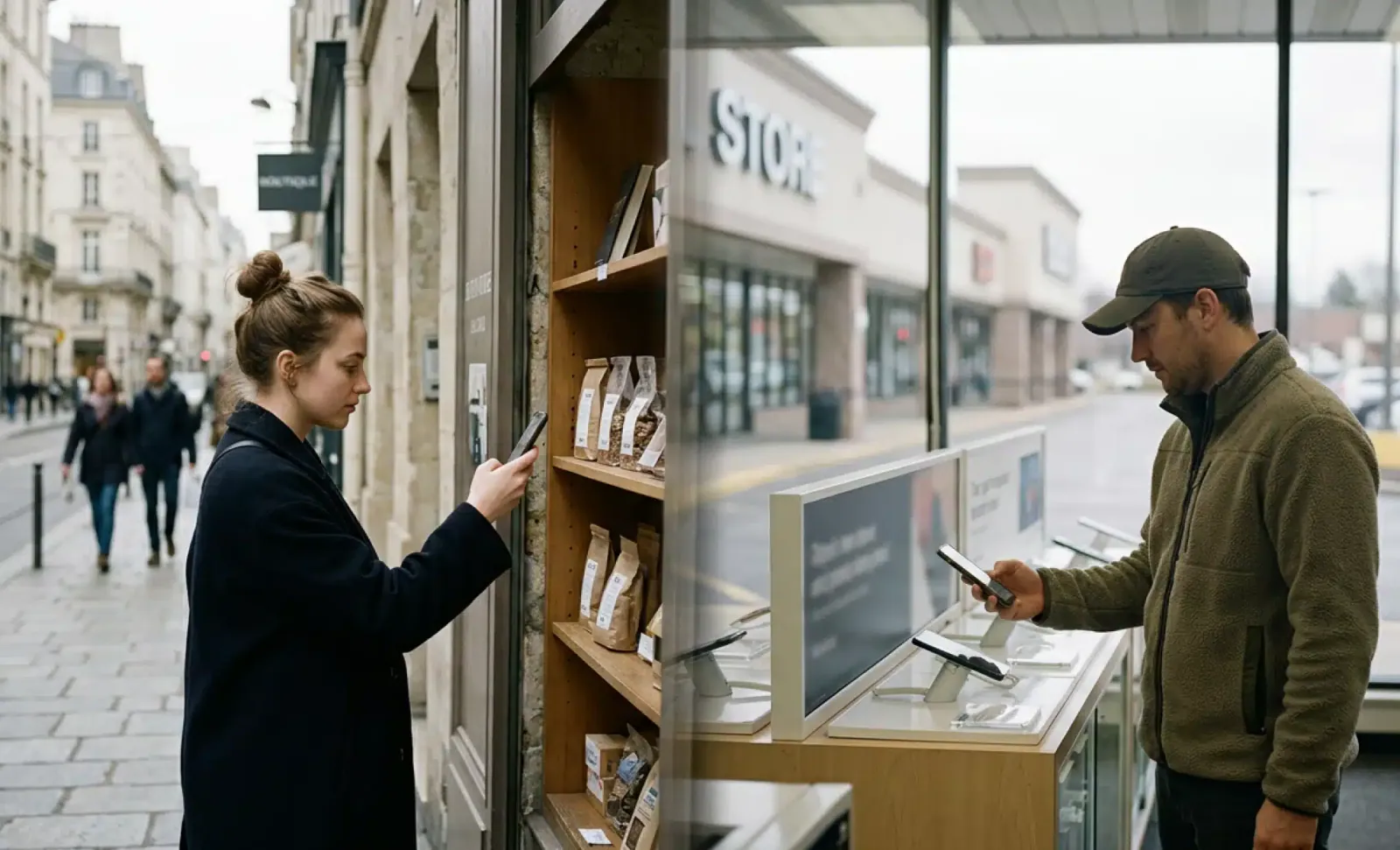
A customer stands in front of your product on a shelf. Another customer sits at their laptop comparing options across three browser tabs. Both have questions. Both want answers in seconds. The tool that should respond to each one is not the same.
This is the practical decision behind the AI QR code vs chatbot question. They look similar on the surface. Both use conversational AI. Both answer in natural language. Both can capture contact details, support lead qualification, and improve customer engagement. The difference is not what they do. It is where they start, and that one shift changes how you should think about customer interaction across the physical world and digital channels.
This article walks through that difference and helps you decide which one fits your business needs. In most cases, the honest answer is that you need both, used for the jobs each one does best.
What an AI QR code actually is
An AI QR code is a dynamic QR code with a conversational AI layer waiting at the destination. The scan still leads to a landing page chosen by the owner, a product page, a menu, a property listing, or an event schedule. What changes is what happens once the user arrives. A conversation bubble is ready, loaded with the relevant content, and the visitor can ask follow up questions in their own language.
Cleo by QRCodeKIT is the reference example. The owner provides the source content, descriptions, FAQs, pricing, availability, and Cleo handles the conversation from there. No app to install. No login. No staff intervention required for every scan.
Because the QR is dynamic, the content behind Cleo can be updated at any time without reprinting the physical code. The sign stays the same. The information evolves.
What an AI chatbot actually is
An AI chatbot is a conversational interface embedded in a digital surface. A website corner widget, an in-app assistant, a support thread on a SaaS dashboard, a Messenger bot. The user gets to it by navigating online. They are already typing, clicking, scrolling, and the chatbot meets them inside that flow.
A chatbot lives where users already are when they are online. It catches them at moments of hesitation in a browsing session, on a pricing page, in a help center, or during checkout.
What is the difference between an AI QR code and a chatbot?
The difference is the entry point. An AI QR code starts from a physical object, a menu, a wine bottle, a real estate sign, a museum label, a trade show booth banner. The user is standing somewhere with a mobile phone in hand and a question in mind. They scan, and the conversation begins. A chatbot starts from a digital surface, a website, an app, or a social channel. Both are conversational AI, but they meet the user in different moments.
Everything else flows from this one distinction. The kind of questions asked, how long the conversation lasts, what intent the user carries, and what outcome makes sense all depend on where the interaction begins.
Why the entry point shapes everything
Someone scanning a wine bottle in a store asks about pairings, allergens, and pricing. Someone chatting on a SaaS dashboard asks how to reset their two factor authentication. Different worlds, different tools, different design choices. The AI QR code is a new interface for the physical world. The chatbot is the standard interface for the digital one.
This also affects customer satisfaction. A user who scans a QR code expects a quick response right there. A user in a chat widget tolerates more back and forth because they are already settled in front of a screen.
Where the AI QR code shines as a product assistant
The AI QR code is the right choice when the customer is physically present with a product, in a venue, or in front of marketing materials, and needs information at that moment. Used this way, an AI QR code becomes a product assistant attached to the physical object itself.
Think of a diner staring at a foreign language menu, unsure whether the dish contains nuts. A buyer walking through an open house at nine in the evening after the agent has gone home. A shopper holding a skincare product, wondering if the formula is fragrance free. A trade show visitor standing in front of a booth, curious about a demo unit but not ready to flag down a salesperson.
In each case, the value comes from collapsing the distance between a physical object and the answer the user needs. A static FAQ page sends them to a wall of text where they have to scroll and search. An AI QR code lets them just ask.
Multilingual moments
Multilingual settings amplify the advantage. A hotel lobby with guests from a dozen countries. A museum with international visitors. A restaurant in a tourist district. Cleo handles each conversation in the user’s own language without anyone behind the counter switching modes. The same QR code, one scan, many users, many languages.

Operational efficiency for physical touchpoints
Beyond customer experience, there is an operational angle. A QR code chatbot experience at every table, every shelf, or every property listing absorbs the repetitive questions that staff would otherwise answer one by one. That frees the team to focus on higher value customer interaction and improves operational efficiency across the location.
Where the AI chatbot shines
The chatbot is the right choice when the customer is already inside a digital flow. A visitor on a SaaS pricing page who needs to understand the difference between two plans. A returning customer checking the status of an order. A prospect filling out a demo request who has one last question before submitting. A user inside a product trying to find a setting buried three menus deep.
These moments happen on screens. The user is not standing in front of a physical object. They are typing in a URL, clicking through navigation, comparing tabs. Adding a QR code to that workflow would be strange. A chatbot fits because the user is already in the digital world where it lives.
Use case mapping with clear winners
Here is how the choice plays out across common scenarios.
The pattern is consistent. Physical entry point, AI QR code. Digital entry point, AI chatbot. The same logic applies to physical products on a shelf, museum exhibits, transit ads, and almost any printed surface where a person might pause and want to know more.
Put it into practice
Create a dynamic QR code free and see it work. No credit card required.
Get started freeHow AI QR codes connect the physical world and digital link experiences
AI QR codes sit at the seam between print materials and digital channels. The physical object is the trigger. The conversation is the value. The data captured during that conversation, the questions asked, the language used, the contact details left behind, feeds back into the same systems that track customer behavior across the rest of the brand.
This is what makes an AI QR code a real direct link between physical touchpoints and digital follow up, not just a QR that opens a webpage. The scan analytics tell the owner how many people scanned, when, and from where. The conversation analytics tell them what those users actually wanted. Together they give a much richer picture than a unique QR code that simply redirects to a URL.
The concept overlaps with the broader idea of digital link standards on packaging, where a single scan can unlock product information, support content, and traceability data. Adding a conversational layer turns that direct link from a one way redirect into a two way exchange.
How AI QR codes and chatbots work together
Treating these as rivals misses the point. Most growing businesses end up needing both, and the smart way to run them is on shared foundations.
One knowledge base, two surfaces
The same knowledge base can power both surfaces. Product descriptions, FAQ content, pricing rules, booking logic. Write it once and let both the AI QR code and the AI chatbot draw from it. When you update the source, both surfaces stay current.
The same conversational logic
The same conversational logic can serve both entry points. The way Cleo qualifies a lead at a real estate sign is not fundamentally different from the way a chatbot qualifies a lead on a landing page. Same questions, same data capture, same handoff to a human when needed. The conversation only differs in the context that surrounds it.
Avoiding duplicated content
A unified platform avoids the slow rot of duplicated content. Teams that maintain a chatbot script in one tool and a QR code chatbot FAQ in another spend more time syncing than improving. One source of truth, two entry points, fewer mistakes, and a more consistent brand identity across every channel where users meet the company.
What an AI QR code is not
This is where confusion creeps in. Three clarifications worth keeping in mind for anyone evaluating innovative ways to create QR codes for their business.
An AI QR code is not a chatbot grafted onto a generic QR landing page. The conversational layer is native to the QR code creation workflow. The owner does not bolt a third party widget onto a hastily built page after the fact. The experience is designed from the scan to the conversation as one continuous flow.
An AI QR code is not an app the user has to download. The visitor does not install anything. The entire experience runs in the browser after the scan, on whatever phone they happen to be holding.
An AI QR code is not a static FAQ hiding behind a code. A static FAQ is a wall of text. An AI QR code is a conversation. The visitor asks the specific question they actually have, in whatever wording feels natural, in their own language, and gets a direct answer.
How to decide for your business
Start with the moment of need. Picture the exact second your customer wants to ask a question. Where are they standing? What are they holding? What surface is in front of them?
If the answer is a physical object, a menu, product packaging, a property, a piece of printed material, or a sign, the AI QR code is built for that moment. If the answer is a screen they are already navigating, your website, your app, your support portal, the chatbot fits the moment better.
If both moments matter to your business, and for most companies they do, you can start building on a platform that lets the same content serve both. The AI QR code on the package, the chatbot on the product page, the same conversational brain behind both. That is what the new era of conversational customer engagement looks like in practice.
Frequently asked questions
Can an AI QR code replace a chatbot on my website?
Not really, and that is not the goal. The AI QR code is built for the scan moment in the physical world. A chatbot on your website serves users who never see your packaging or signage. Most businesses benefit from running both, ideally connected to the same knowledge base and the same brand identity.
Do I need separate content for the AI QR code and the chatbot?
You should not. The smart approach is to maintain a single source of content, product info, FAQs, policies, availability, and connect both surfaces to it. When you update the source, both stay accurate. Duplicated content drifts apart over time and creates contradictions.
How long does it take to create QR codes with an AI layer?
Minutes, not days. The owner provides the relevant content, generates the dynamic QR code through QRCodeKIT, and the AI layer is ready. No developer, no separate AI chatbot subscription, no integration project. The same workflow scales whether you need one QR code or thousands across product packaging and marketing materials.
Can an AI QR code handle bookings and lead qualification, like a chatbot does?
Yes. Cleo can qualify visitors, capture contact details, and handle scheduling for viewings, reservations, or appointments directly inside the conversation. The mechanics are the same as a website chatbot. The difference is the entry point and the physical context that came before it.
What happens if I want to change what the AI answers after I place QR codes on printed materials?
The QR code is dynamic, so the content behind it can be updated at any time. The physical code on the sign, package, flyer, or other print materials never needs to be reprinted. Whatever you change in the platform takes effect immediately for every future scan.
All images and visual content in this article were created using RealityMAX.
Related articles
QR code adoption
The two largest consumer markets in the Western world treat the same square pattern very differently. In Europe, QR code adoption is increasingly shaped by…

Eaa compliance for small businesses
The European Accessibility Act entered into force on 28 June 2025, and a lot of small business owners are still trying to figure out what it actually means for…

QR code on podcast cover art
The short answer is: sometimes. A QR code on podcast cover art can drive new listeners, sponsor conversions, and real engagement, but only in the right…
Two free dynamic QR codes. Yours forever.
No credit card. No expiry. The original dynamic QR platform since 2009.