May 13, 2026
EAA compliance for small businesses: a checklist

The European Accessibility Act entered into force on 28 June 2025, and a lot of small business owners are still trying to figure out what it actually means for them. Some assume it is a problem for large corporations only. Others have read alarming articles online and now worry they are one audit away from disaster. Both reactions miss the mark. EAA compliance for small businesses is more manageable than the noise suggests, but it does require attention, especially if you sell online or run digital services that touch EU customers.
This guide walks you through what the European Accessibility Act expects, whether it applies to your situation, and a practical checklist you can work through at your own pace.
What is the European Accessibility Act and who does it cover?
The European Accessibility Act, often shortened to EAA, is a piece of EU legislation that sets common accessibility requirements for specific products and services placed on the EU market. The goal is straightforward: make sure people with disabilities can use everyday digital products and services on equal terms with everyone else.
The EAA focuses on a defined list, not on every business in Europe. Covered services and consumer products include ecommerce websites and mobile applications, banking services, electronic communications, ebooks and ereader software, passenger transport services, audio visual media services, and self service terminals like ATMs and ticket machines. If your business operates in one of these areas and serves EU consumers, the law applies to you in some form.
What it does not do is impose accessibility rules on every website in Europe. A small portfolio site, a local plumber’s contact page, or a personal blog falls outside the scope. The EAA is targeted, and that distinction matters when you are deciding how much attention to give it.
Does EAA apply to my small business?
For most small businesses, the answer comes down to two questions. First, do you sell products or offer services on the covered list, particularly ecommerce? Second, do those products or services reach EU consumers? If yes to both, the EAA applies in principle, but the microenterprise exemption may change the picture for service providers.
A microenterprise under EU definitions is a business with fewer than 10 employees and an annual turnover or annual balance sheet total not exceeding €2 million. If you meet both conditions and you provide a service covered by the EAA, you are exempt from the accessibility requirements for that service. The exemption is important and often misunderstood, so it deserves its own section.
The microenterprise exemption explained
The microenterprise exemption applies to services, not products. This is the single most important nuance in the law for small businesses operating in the EU.
If you run a small online shop with three employees and €400,000 in annual revenue, and you sell physical products you manufacture or import yourself, the exemption for services does not cover those products. Consumer products on the covered list still need to meet accessibility requirements regardless of company size. On the other hand, if you provide a covered service such as an ecommerce platform, banking, or passenger transport, and you qualify as a microenterprise, you are exempt from the EAA’s service obligations.
Two practical points. First, exempt does not mean invisible. EU member states can still ask exempt microenterprises to notify authorities when relevant. Second, exempt does not mean you should ignore accessibility. Many businesses that legally qualify for the exemption still choose to follow accessibility standards because the work overlaps almost entirely with good user experience, SEO, and reducing legal risk if they grow past the threshold or expand abroad.
If you are unsure whether you qualify, consult a compliance professional who knows your national law. Some EU member states transposed the directive with small variations.
A practical EAA compliance checklist
Below is a checklist you can copy, print, and work through. It is organized by area so you can focus on whichever part of your business needs attention first. Not every item will apply to every business. Skip what is irrelevant, document what you do, and revisit the list yearly.
Website and ecommerce accessibility
- Verify your site meets the core principles of WCAG 2.1 AA, which is the technical standard the EAA aligns with for digital content.
- Check color contrast on text, buttons, and form fields. A free contrast checker takes minutes per page.
- Add descriptive alt text to all meaningful images. Decorative images can use an empty alt attribute.
- Make sure every interactive element, including menus and modals, can be reached and operated with a keyboard alone.
- Confirm screen reader compatibility by testing key flows with a screen reader such as NVDA, JAWS, or VoiceOver. Manual testing reveals issues automated scanners miss.
- Label form fields clearly and associate labels with their inputs in the code.
- Provide visible focus indicators so keyboard users can see where they are on the page.
- Avoid relying on color alone to communicate information, such as red text only to indicate an error.
- Make sure videos have captions, and provide transcripts where practical.
- Build error messages that explain what went wrong and how to fix it.

Digital documents and content
- Audit your PDFs. If you publish menus, brochures, terms, or invoices as PDFs, make sure they are tagged correctly and not just scanned images.
- Provide an accessible alternative format alongside any PDF that is critical for the customer journey, such as an HTML version of your menu or terms.
- Avoid putting essential information inside an image with no text equivalent.
- Use real headings in your documents and pages, not bold text styled to look like a heading.
- Write in plain language where possible. Plain language helps users with cognitive disabilities and also helps everyone else.
QR code destinations
- When a QR code links to a digital service covered by the EAA, the destination page must meet accessibility requirements. The QR itself is just a pointer, but what it points to is in scope.
- Test the landing page on mobile, since most QR scans happen on phones.
- Make sure the destination works without forcing app downloads or sign-ups that block access.
- If the QR replaces a paper menu or printed information, the digital version needs to be at least as usable as the paper one for someone with visual or cognitive barriers.
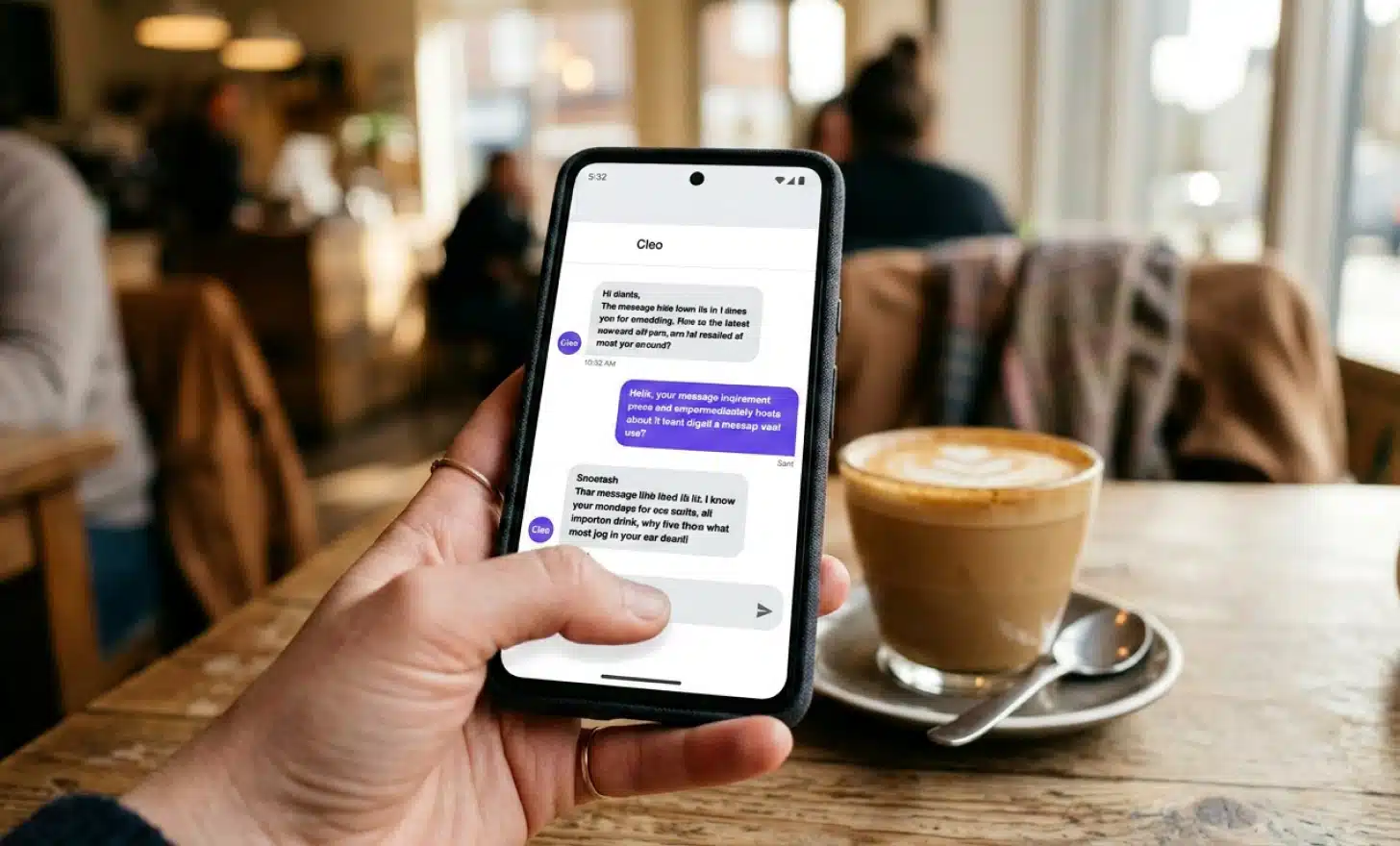
This is where a conversational layer like Cleo becomes practical rather than theoretical. When someone scans a QR code at a restaurant or hotel and lands on a page powered by Cleo, they can ask questions in their own language, get answers read out loud through the browser, and avoid scrolling through dense PDF menus. For users with low vision or cognitive load, a short conversation removes friction that a static page cannot.
Customer-facing communication
- Offer at least one accessible alternative to any digital-only flow. If customers can only book by app, provide a phone number or email as a fallback.
- Make sure your contact channels themselves are accessible. Forms should be keyboard navigable, phone lines should be answered, and chat widgets should support screen readers.
- Document your accessibility approach somewhere on your site, even briefly. An accessibility statement signals intent and gives users a way to report issues.
Accessible alternatives
- For any self service flow, ask yourself whether a customer with limited tech access, a vision impairment, or a cognitive disability could complete it independently.
- If the answer is no, design an alternative path before someone files a complaint or asks why.
Put it into practice
Create a dynamic QR code free and see it work. No credit card required.
Get started freeThe role of QR codes in digital accessibility
QR codes themselves are a tool, not a service in the EAA’s sense. What matters is what the QR code opens. If it leads to your ecommerce store, an ebook, a banking interface, or a covered consumer service, the destination needs to comply.
This is worth thinking about for any small business that uses QR codes on packaging, in restaurants, in hotels, or in retail. A QR code that opens an inaccessible PDF menu is not a good experience for a user with low vision, and after June 2025 it may also be a compliance problem if your business is in scope.
Conversational AI layers can help here. Cleo, the AI assistant built into QRCodeKIT, answers questions about whatever is behind the code in plain language. A customer who cannot easily read small text on a menu can ask “what vegetarian options do you have?” and get a direct answer. A guest at a hotel can ask “where is the gym and when does it open?” without navigating a slow PDF. This kind of interaction supports users with visual, cognitive, or language barriers, and it happens entirely in the browser without an app to download.
It does not replace formal accessibility work on your site, but it does reduce friction in places where small businesses traditionally relied on static documents.
Common mistakes small businesses make
A few patterns come up repeatedly when small businesses look at accessibility for the first time.
The first is assuming compliance is “for big companies”. The EAA’s covered list includes ecommerce, which means even a one-person shop selling to EU customers can be in scope depending on size and structure. The microenterprise exemption helps, but it does not erase the obligation entirely.
The second is treating PDFs as a complete solution. PDFs are convenient for the business but often unreadable for assistive technologies, especially when they are scanned images or built from design tools without tagging.
The third is poor color contrast. Brand designers love light gray text on white backgrounds. Screen reader users do not care, but everyone with average vision in a sunny window cares a great deal, and so does WCAG.
The fourth is ignoring screen reader compatibility entirely. A site can look perfect and still be completely unusable for a blind customer because nothing is labeled.
The fifth is treating accessibility as a one-off project. Sites change. New pages appear. Ongoing compliance is the only real compliance.
Where to start if this feels overwhelming
If the checklist looks long, start with three things this week.
First, run an automated accessibility scan on your main pages using a free tool such as WAVE or Lighthouse. It will not catch everything, but it will surface the most common issues quickly.
Second, fix color contrast and missing alt text on your homepage and your top-selling product or service page. These two fixes alone resolve a large share of accessibility issues for most small sites.
Third, write a short accessibility statement. Acknowledge what you have done, what you are working on, and give visitors a way to contact you about accessibility issues. This signals good faith, which matters both for users and for any future review.
Everything else can wait a few weeks. Document your decisions as you go, because if questions come up later, written evidence of your reasoning is much more useful than memory.
Is full accessibility realistic for a very small business?
The honest answer is that full accessibility is a direction, not a destination. The EAA recognizes this through limited exemptions and the concept of disproportionate burden, which allows businesses to argue that certain requirements would impose costs out of proportion to the benefit. This is not a free pass, and it requires documented reasoning, but it acknowledges reality.
For a small business, the realistic goal is steady, documented progress. Fix the obvious issues. Build accessibility into how you make new pages and new content. Use tools that default to accessible output. Ask for feedback from real users. Treat the checklist as a living document rather than a one-time exercise.
If you do that, you will be in a strong position regardless of which side of the exemption line your business falls on, and your customers, all of them, will have an easier time doing business with you.
All images and visual content in this article were created using RealityMAX.
Related articles

QR code on podcast cover art
The short answer is: sometimes. A QR code on podcast cover art can drive new listeners, sponsor conversions, and real engagement, but only in the right…

QR codes for bars
Friday at 10:47pm. Three deep at the counter. One bartender shaking a drink, the other taking an order from a group who can’t agree on what to get. Someone in…
What is an AI QR code generator?
The phrase “AI QR code generator” has been used to describe almost every product launch in this category over the past eighteen months. Most of those launches…
Two free dynamic QR codes. Yours forever.
No credit card. No expiry. The original dynamic QR platform since 2009.