
Most QR codes end the interaction the moment someone scans them. They deliver a URL, open a page, and then disappear from the picture. The customer is left to figure things out on their own. If the page does not answer their question, they either leave or contact someone for help. That contact costs time and money. Conversational QR codes change this pattern entirely.
Instead of pointing to a static destination and stepping aside, a conversational QR code opens a dialogue. Someone scans, lands on a page, and finds a conversation interface ready to answer their specific question in that specific moment. The support load that used to accumulate from that friction simply does not build up in the same way.
What makes a QR code conversational
A standard dynamic QR code is a delivery mechanism. It takes someone from the physical world to a digital destination. It can be updated, tracked, and redirected, but the experience ends the moment the page loads. The QR itself has no awareness of what the visitor needs.
A conversational QR code adds an AI layer on top of that destination. When someone scans, they reach the intended page, and a conversation interface is available alongside it. The page is not replaced. The content is not stripped away. The conversational layer is additive, there to assist when the visitor has a question that the static content does not immediately answer.
The AI draws on a knowledge base the owner configures: product details, pricing, availability, FAQs, policies. When a visitor asks a question, it responds in natural language, in the visitor’s own language, at any hour. No staff involved. No app required. The entire interaction happens in the mobile browser after a single scan.
Where support load actually comes from
It is easy to assume that support volume is driven by complex problems. In reality, a significant portion of inbound queries are simple and repetitive. What are your hours? Is this item in stock? Does the apartment allow pets? What is included in the reservation? These questions are asked dozens of times a day, often by people standing in front of a physical product, sign, or space.
The common pattern is this: someone encounters a physical object, has a question, finds no immediate answer, and then reaches for the phone or leaves. The QR code was supposed to bridge that gap. But if it only opens a webpage, and the webpage does not address their specific question, the gap remains.
Conversational QR codes address this at the exact moment the question forms. The visitor does not need to hunt through a menu or scroll a product page. They ask. They get an answer. The interaction that would have become a support ticket or an abandoned visit resolves itself in seconds.
Real contexts where this plays out
Restaurants and hospitality
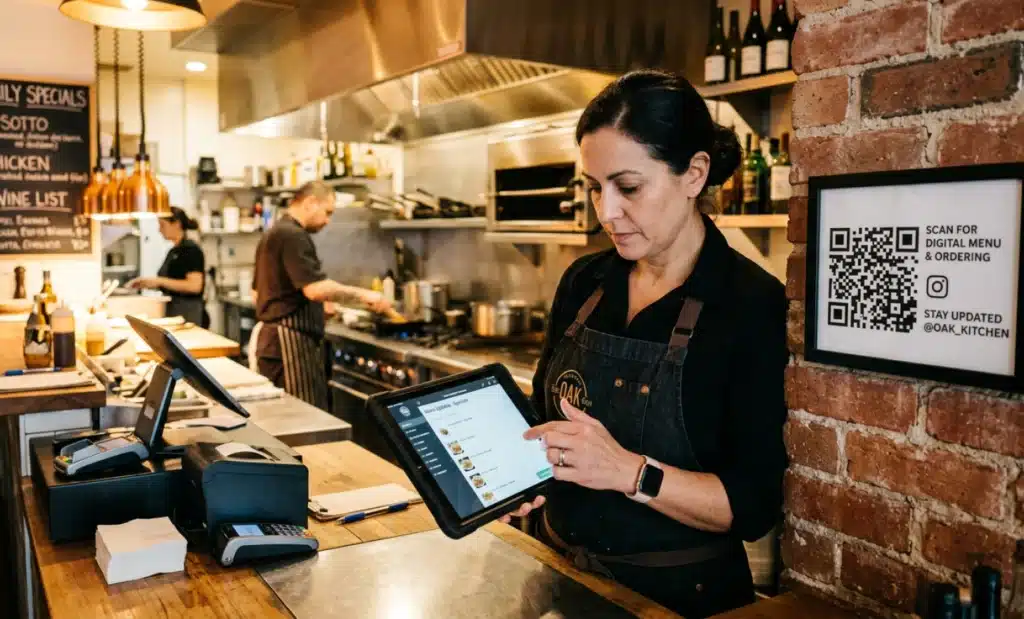
A diner scans a QR code on the table to view the menu. They have an allergy. The menu lists ingredients in general terms. Normally they would flag down a server, interrupt the flow of service, and wait for someone to check with the kitchen. With a conversational layer, they ask directly: does the mushroom risotto contain dairy? The AI answers immediately, drawing from the information the restaurant has already provided. The server is free to focus elsewhere. The guest feels taken care of without creating any demand on staff time.
Retail and product packaging
A customer in a store picks up a product and scans the QR code on the packaging. They want to know if it is compatible with a specific model, or how it compares to another version on the shelf nearby. A static page would give them the same general description they already read on the box. A conversational interface can take the question and address it with precision, using the product knowledge the brand has already documented. What would have been an unanswered question, possibly leading to no purchase, becomes a completed decision.
Real estate
A prospective buyer walks past a property and scans the QR code on the for-sale sign. They can see the listing online, but they have specific questions. What direction does the main bedroom face? Is there parking included? When is the property available? Without a conversational layer, these questions go unanswered until a human is available. With it, the visitor gets immediate clarity. The agent gets a qualified lead instead of an unresolved inquiry.
The connection between conversation and lead quality
Reducing support load is only part of the equation. The conversations themselves generate data. Every question asked through a conversational QR code is a data point about user behavior and intent. Which questions come up most often? At which point in the conversation do people ask for more details? What do they want to know before taking the next step?
This is information that static QR codes cannot produce. A standard scan tells you that someone clicked. A conversational scan tells you what they were trying to figure out. Over time, that understanding lets businesses update their messaging, refine their knowledge base, and anticipate the questions that slow decisions down.
The conversation can also capture contact details and scheduling interest naturally. Someone who asks whether a venue is available on a specific date and then books a viewing through the same interface is not just a visitor. They are a qualified lead who has already moved through part of the decision process without any human involvement.
Dynamic content keeps the conversation accurate
One of the persistent challenges with physical marketing is that printed materials go out of date. A sign stays up. A brochure circulates. But the information behind it changes. Prices shift. Availability changes. Menus are updated. When a QR code leads to a static page or a fixed destination, that content can quietly become incorrect.
Because conversational QR codes are built on dynamic QR infrastructure, the knowledge base behind the AI can be updated at any time. The physical code on the wall does not need to change. The conversation it enables reflects whatever the owner has set as current. A restaurant that changes its menu on Tuesday can update Cleo that same afternoon. Any scan from that point forward draws from the new information.
This matters for support load because outdated information is one of the most common sources of customer confusion. When the information is always current, fewer questions arise from discrepancies between what someone expected and what they found.
Language as a friction point
Physical spaces attract people from many different places. A tourist scanning a QR code in a museum may not read the local language fluently. A traveler checking into a short-term rental may prefer to ask questions in their own language. A customer in a retail environment may never feel confident enough in a second language to call a support line.
Conversational QR codes handle this without requiring the owner to create separate versions for different languages. The knowledge base is configured once. The AI responds in whatever language the visitor uses. The interaction is natural, not forced through translation tools or approximation.
This dramatically reduces the number of queries that reach a human just because of a language barrier. The visitor gets a clear answer. The business avoids the overhead of multilingual support staff for every touchpoint.
How QRCodeKIT approaches this
QRCodeKIT has built conversational AI directly into the QR code creation and management workflow through Cleo, its AI assistant layer. Cleo is not a separate tool added after the fact. It is native to the QR code itself. When a business creates an AI QR code through QRCodeKIT, the conversational experience is part of the setup, not a third-party integration they need to manage on the side.
The practical effect of this is that the same platform used to generate and track QR codes is also where the business defines what Cleo knows. Descriptions, FAQs, pricing, availability, policies. All of it lives in one place, updates immediately, and shapes every conversation that follows from a scan.
For businesses already using dynamic QR codes, adding a conversational layer through Cleo does not require a developer, a separate chatbot subscription, or a technical integration. It is an extension of infrastructure they are already using.
Is a conversational QR code right for every use case?
Not every QR code needs a conversational layer. A QR code on a business card that links to a contact page does not generate the kind of visitor questions that benefit from an AI response. A code used to send someone to an app store has a single, clear job to do.
The use cases where conversational QR codes deliver the most value are those where:
- The visitor has a question that the destination page may not answer immediately.
- The decision being made has multiple variables, like price, availability, compatibility, or timing.
- The scan happens in a physical context where calling or emailing is inconvenient.
- Support volume from repetitive questions is already a recognizable cost.
- The business wants to capture intent data from the physical world and act on it.
Restaurants, real estate, retail, events, museums, and educational spaces all fit this profile well. In each case, people encounter something physical, form questions, and need answers before they move forward.
What does the shift from static to conversational actually look like?
The most concrete way to think about it is through the before and after. Before: a QR code on a product leads to a webpage. The visitor reads what is there, finds no answer to their specific question, and either contacts support or leaves. After: the same code leads to the same page, but a conversation bubble is present. The visitor types their question. Cleo answers immediately. The visit resolves with a decision rather than a departure or a support ticket.
The physical code does not change. The printing does not need to be redone. The URL encoded in the QR code stays the same. What changes is the quality of the experience on the other side of the scan, and the volume of interactions that previously required a human to resolve.
That is the real value proposition: not that QR codes are smarter, but that the gap between physical presence and informed decision gets smaller. The next wave of QR use is not about pointing people at pages. It is about answering the question they already have.
All images and visual content in this article were created using RealityMAX.