TL;DR
- A QR code for Airbnb hosts should cover eight essentials: Wi-Fi, the house manual, check-in instructions, appliance guides, local recommendations, emergency information, a feedback form, and a review reminder.
- The feedback QR is the most strategic piece. It catches problems during the stay, before they reach a public review that threatens your 4.8 Superhost average.
- Summer brings international guests. A conversational AI layer answers their questions in any language without you touching your phone at midnight.
- Dynamic QR codes let you update Wi-Fi passwords, house rules, and recommendations at any time without reprinting a single welcome card.
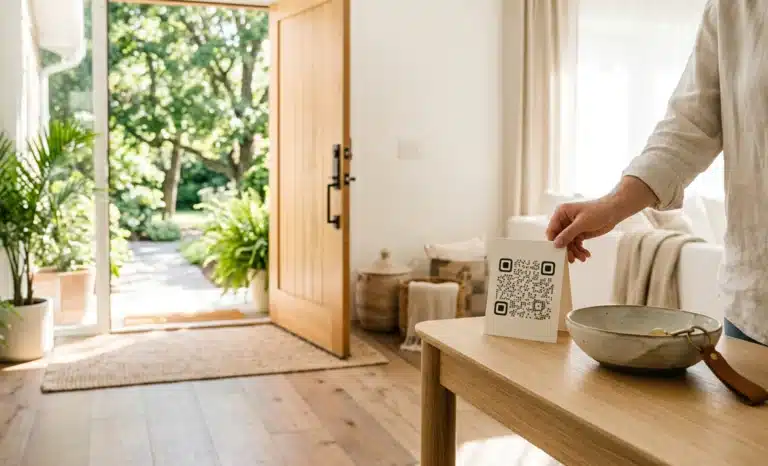
A QR code for Airbnb hosting is a scannable code placed inside your rental that gives guests instant access to essential information, from Wi-Fi credentials and house rules to local recommendations and feedback forms, without printed binders or endless message threads. This summer, it should cover eight specific things. Here is the list, and why each one matters.
Peak season changes the math of Airbnb summer hosting. More bookings mean more check-ins, more late arrivals, and more guests asking the questions you answered last week. Experienced hosts absorb that volume with a small set of well-placed QR codes, without dropping their response rate or their rating. This article covers what those codes should contain, where to place them, and which one quietly protects your Superhost badge.
Why do Airbnb hosts need QR codes more than other hosts?
Airbnb hosts need QR codes because the platform creates three pressures that generic vacation rentals do not face: communication funnels through the Airbnb app, Superhost status depends on a rolling 4.8 rating, and guests can only review after checkout, when it is too late to fix anything.
Start with the messaging system. Airbnb channels guest communication through the app and restricts certain links in early message threads. So once guests are inside your property, the property itself is where information needs to live. A code on the wall answers instantly.
Then there is the Superhost math. As of 2026, Airbnb evaluates hosts quarterly against a 4.8 or higher average rating over the past year, at least 10 completed stays, a response rate above 90 percent, and a cancellation rate below 1 percent. Those thresholds can change with Airbnb policy updates, but the logic holds: every unanswered question is a small push from 5 stars toward 4, and with few stays, one weak review moves your average significantly.
Finally, the review cycle. Guests review after checkout, within a 14 day window. Anything that went wrong and was never surfaced during the stay goes straight into the public record.
For the broader strategy behind QR codes in short-term rentals, see our guide to QR codes for rental properties and vacation homes. This article stays focused on the realities of hosting on Airbnb.
What should a QR code for Airbnb include this summer?
Every Airbnb QR code deployment should cover eight content areas. The first six answer questions before guests ask them. The last two protect your rating:
- Wi-Fi credentials. The single most common message hosts receive. An Airbnb Wi-Fi QR code that connects the phone automatically ends this entire class of questions, including the 11 PM ones.
- House manual and house rules. Airbnb expects hosts to publish clear rules. A house manual QR code opens a mobile-friendly version of everything, replacing the paper binder nobody reads.
- Check-in and check-out instructions. Essential for self-check-in properties, where guests arrive late and tired, sometimes without a working SIM.
- Appliance instructions. The coffee machine, the dishwasher, the air conditioning, the TV remote. The most common category of mid-stay Airbnb messages, and every one of them avoidable.
- Local recommendations. Restaurants, transit, pharmacies, the bakery that opens early. Living content that changes with the season, so it should never be printed.
- Emergency information. Nearest hospital, fire procedure, your emergency contact. Rarely scanned, but the one guests remember you for when they need it.
- Feedback form. The strategic one. A private channel that catches problems while you can still fix them. The next section explains why.
- Review reminder. A gentle Airbnb review QR at checkout that points guests toward leaving their review. It converts satisfied guests into completed 5 star reviews without pestering anyone.
For a broader arrival-day checklist that applies beyond Airbnb, our article on the guest welcome QR code covers it in depth.
Why is a feedback QR the smartest way to protect Superhost status?
A feedback QR protects Superhost status because it intercepts complaints before they become reviews. Guests can only review after checkout, so every problem you never hear about during the stay surfaces for the first time in public, where you cannot fix it and where it counts against your 4.8 average.
It is also the QR code Airbnb hosts overlook most. The shower drains slowly. The air conditioning struggles on the hottest afternoon of July. The guest notices, says nothing, and mentions it two weeks later in the review. You would have fixed it in an hour if you had known.
A feedback QR gives that guest a frictionless private channel. Place it where problems typically surface: the kitchen, the bathroom, next to the Wi-Fi router. Link it to a simple form, or to a conversational AI that captures the issue and notifies you immediately. Either way, you get to resolve the problem while the guest is still inside the property, the only moment it can still influence the review. In practice, this is your Superhost QR code: its entire job is protecting the rating.

How do you handle guests who ask questions in five different languages?
The most scalable way to handle multilingual guests is a conversational AI layer behind your QR codes. Summer guests on Airbnb are disproportionately international, especially in European markets, and no solo host can answer questions in German, Korean, and Portuguese at any hour.
This is where Cleo, the conversational AI from QRCodeKIT, changes the shape of the workload. You load your property information once: the manual, the appliance quirks, the local tips. When a guest scans the code, they land on your page and simply ask, in their own language. Does the espresso machine take pods? Is the beach walkable with a stroller?
No app download, no login, nothing for the guest to install. And nothing for you to translate, because answers adapt to whatever language the question arrives in. It is the attention of a boutique hotel concierge, running quietly behind a code on your fridge.
Why do dynamic QR codes matter for Airbnb hosting?
Dynamic QR codes matter because Airbnb properties change constantly and printed materials do not. A dynamic code can be updated after printing, so the sticker on the wall stays the same while everything behind it evolves.
Consider what changes in a single season. The Wi-Fi password rotates, sometimes between guests for security. House rules get refined after a difficult booking. Your favorite recommended restaurant closes for August. With static codes, still common across the industry, each of those changes means reprinting and replacing cards. With dynamic codes, you edit the content from your phone and every code in the property is instantly current.
This is the model QRCodeKIT has built on since 2009: all codes are dynamic, editable at any time, with scan analytics included. The free plan is enough to test the approach in one property before rolling it out further.
Where should each QR code go in your property?
Placement follows one principle: put each code where its question naturally arises. An Airbnb welcome QR at the entrance should carry the master link to everything, because arrival is when guests are most willing to scan. The Wi-Fi code belongs next to the router or on the coffee table, where people sit when they want to connect. House rules work best in a visible common area, where they read as information rather than accusation.
Appliance codes go on or near each appliance, at the exact moment of confusion. The feedback code earns its keep in the kitchen or bathroom, where problems typically surface. And the review reminder belongs near the exit or inside the checkout instructions, when the impression is fresh.
One caution from experience: keep the total under six codes. Beyond that, the property feels like a scavenger hunt and guests stop scanning.
How do multi-listing hosts manage QR codes across properties?
Multi-listing hosts manage QR codes centrally through a single dashboard, updating content once and letting the change propagate everywhere. This is the difference between QR codes as decoration and QR codes as Airbnb host tools that actually scale.
Say your emergency contact changes across five apartments. With centrally managed dynamic codes, one edit updates every listing at once. No reprinting, no visiting each property, no wondering whether apartment three still shows last year’s phone number. For co-hosts and property managers juggling a dozen calendars, this is the only version of the system that survives peak season.
What mistakes do Airbnb hosts make with QR codes?
The most common mistakes come from treating QR codes as decoration rather than infrastructure:
- Too many codes scattered everywhere. Ten codes create friction, not help. Guests tune them out entirely.
- Static codes that break. When the Wi-Fi password changes, a static code becomes a printed error message stuck to your wall.
- PDF welcome books behind the code. A 20 page PDF that requires pinch-zooming on a phone is worse than no manual at all. Content must be mobile-friendly.
- No feedback QR. Without a private channel, every complaint takes the only route available: the public review.
- No multilingual setup. Forcing international guests to screenshot and translate your manual undermines the Airbnb guest experience you are trying to build.
- Set-and-forget content. Recommendations from two summers ago tell guests nobody is paying attention.
What should you leave out of your Airbnb QR content?
Leave out anything that serves you rather than the guest. Marketing for your other properties reads as an upsell in a space guests already paid for. Long personal stories about your hosting journey belong on your profile, not in the house manual. Amenity lists and property descriptions already live in your Airbnb listing, and booking details already live in the Airbnb app. The QR content has one job: answering the questions this property raises, at the moment it raises them. Everything else is noise.

Can guests scan a QR code for Airbnb without downloading an app?
Yes. Every modern smartphone scans QR codes natively through the camera, and the content opens in the browser. No app, no login, no download. This matters because international guests often arrive with limited data plans and no patience for installing anything.
Does an Airbnb Wi-Fi QR code connect guests automatically?
Yes. A Wi-Fi QR code carries the network name and password inside the code, so scanning it prompts the phone to join the network directly. Guests never type a 16 character password from a laminated card, and you never receive that message again.
Can a house manual QR code replace the printed welcome book?
For most properties, yes. It opens a mobile-friendly page guests can search, translate, and revisit from anywhere in the property. Keep a one page printed summary for guests who prefer paper, and let the code carry everything else in depth.
Is an Airbnb review QR allowed under Airbnb’s rules?
Yes, as long as you make the review easy rather than conditioning it. A neutral reminder pointing guests toward their review is standard hosting practice. Offering discounts or gifts in exchange for positive reviews violates Airbnb’s review policy, so keep the ask honest and unconditional.
How many QR codes should one Airbnb property have?
Between four and six, placed where each question naturally arises. A master welcome code, Wi-Fi, appliances, and feedback cover most properties. Beyond six, scanning fatigue sets in and guests default back to messaging you.
What happens to my QR codes when something changes mid-season?
With dynamic QR codes, nothing visible happens at all. You edit the content behind the code, and the printed code keeps working with the updated information. Wi-Fi changes, new house rules, and fresh recommendations go live without reprinting anything during your busiest weeks.
All images and visual content in this article were created using RealityMAX.