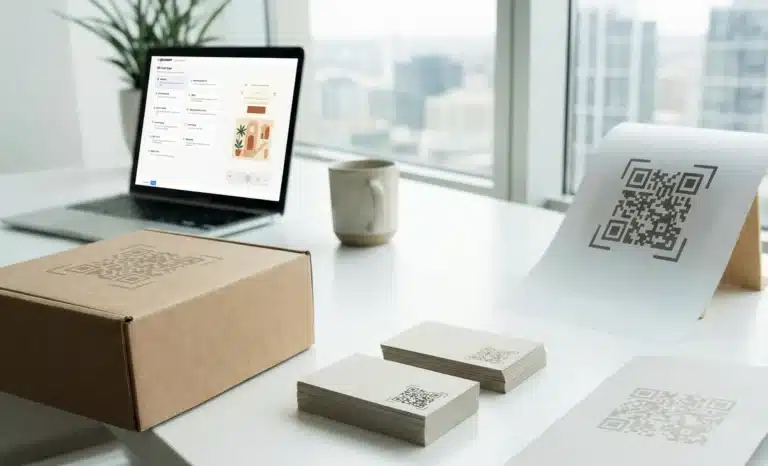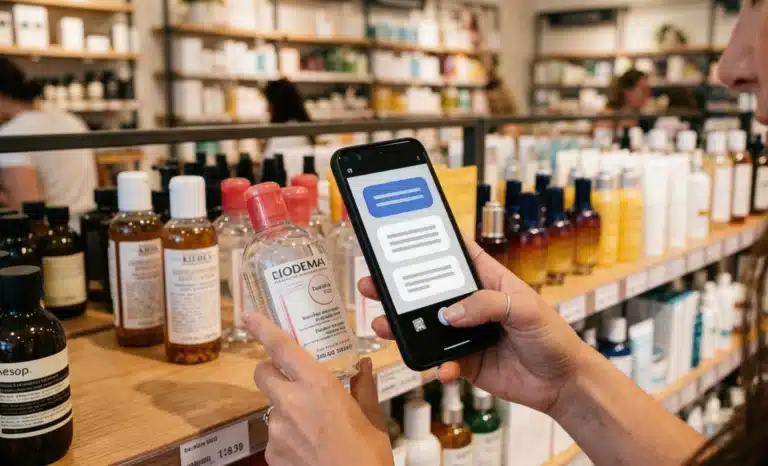
A shopper stops in front of a display. They want to know if the product contains allergens, whether it comes in a different size, and what other customers say about it. There is no staff nearby. There is no app to download. There is just a QR code on the shelf.
That moment, repeated thousands of times a day across retail floors, is where AI QR codes for retail change the equation. Not by replacing the store or the product, but by giving every item the ability to answer.
This is not about adding a link to a product page. It is about placing a conversational layer directly at the point of decision, one that responds to what the customer actually asks, in the moment they need it.
What makes an AI QR code different from a standard one
Standard QR codes are links. Scan the code, land on a page. That page may be well-designed or poorly designed, informative or thin, but the interaction ends there. The shopper reads what is in front of them and either stays or leaves.
AI QR codes work differently. When someone scans one, they arrive at a destination where a conversational AI assistant is ready to respond. The AI draws on content the retailer has configured: product details, FAQs, inventory notes, care instructions, nutritional data, anything relevant. Instead of scrolling through a static page, the shopper asks a question and gets a direct answer.
The experience requires no app. It runs in the browser. And because these are dynamic QR codes, the information behind them can be updated at any time without reprinting the physical code.
Platforms like QRCodeKIT build this AI layer directly into the QR code creation workflow. The conversational capability is not bolted on afterward. It is native to the code itself, part of how it is created and managed.
The retail problem these codes actually solve
Retail has always had an information problem. Staff cannot be everywhere. Product labels have limited space. Customers want more than packaging copy, especially when the purchase involves any complexity: ingredients, compatibility, size comparisons, assembly, return policies.
The traditional response has been to redirect customers online, toward a website, a PDF, or a support line. But that breaks the in-store momentum. The shopper is standing in front of the product. Sending them to a separate resource means asking them to context-switch mid-decision.
AI QR codes keep the conversation where the customer already is. The shelf becomes the touchpoint. The product label or display triggers an interaction that can answer, guide, and even convert, all without pulling the shopper out of the physical environment.
This matters especially in categories where hesitation is common: skincare, electronics, supplements, specialty food, furniture. Anywhere the shopper has questions before committing, an accessible answer at the shelf removes friction.
Where AI QR codes fit in the in-store shopping journey
Customer journeys in physical retail are not linear. Some shoppers arrive with intent. Others browse without a plan. Many fall somewhere in between: they know roughly what they want but need reassurance before buying.
AI QR codes are useful at multiple stages of that journey.
At the discovery stage, a code on a window display or entrance signage can orient the visitor before they begin shopping. At the consideration stage, a code on a product label or shelf tag gives them the depth of information they need to compare and decide. At the transaction stage, the same code can handle reservations, loyalty sign-up, or contactless ordering, depending on the retail format.
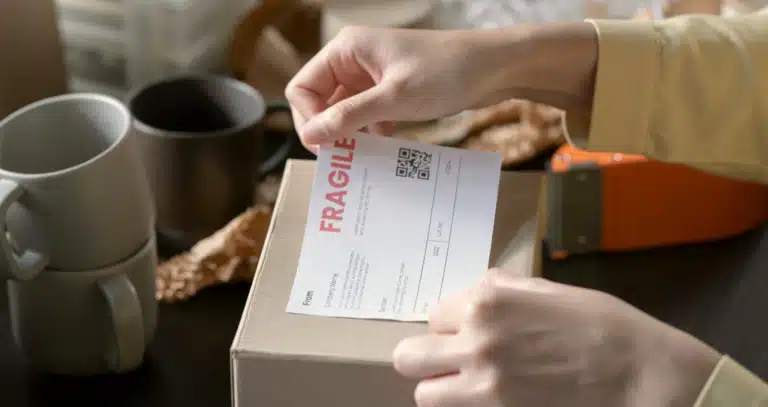
After the purchase, a code on a receipt or product box becomes a channel for care instructions, reorder links, feedback collection, or warranty registration. The physical product and the digital conversation remain connected.

Personalization and multilingual service at scale
One of the more practical advantages of AI QR codes is language. A single code, configured once by the retailer, can respond in multiple languages depending on how the customer chooses to interact. There is no need to print separate codes or maintain parallel sets of materials for different language groups.
For retailers operating in multilingual cities, tourist areas, or across multiple regions, this removes a genuine operational burden. The same shelf tag works for every customer.
Beyond language, the conversational format itself is a form of personalization. Two customers scanning the same code will ask different questions based on different needs. One wants nutritional information. Another wants to know if the product ships internationally. A third is comparing it to a competitor. Each receives a response shaped by their own question, not a generic information dump designed for an average visitor.
Loyalty programs, lead capture, and customer data
Retail loyalty programs often fail at the enrollment step. Sign-up flows are long, staff are not always available to assist, and customers in the middle of a shopping trip are rarely in the mood to fill out a form. A QR code at the point of sale, or attached to a product, can handle the entire enrollment through a short conversation.
The same logic applies to collecting contact details from interested shoppers who are not yet ready to buy. Through the conversation, the AI can ask for a name and email, note preferences, and pass that data to the retailer without requiring any manual follow-up.
This kind of lead qualification, happening at shelf level, before any human sales interaction, means that the conversations a retailer’s team eventually has are with people who already expressed specific interest. The quality of those leads is higher because the context was already established.
What scan analytics reveal about in-store behavior
Every scan is a data point. Every question asked through the AI is a signal. When aggregated across a store, a product category, or a campaign, this data tells retailers something they rarely have access to: what shoppers want to know, where they hesitate, and which products generate the most questions.
A product that generates high scan volume but low conversion may have a messaging problem. A product that generates many questions about a specific ingredient may need that information on the packaging itself. A display location that consistently drives engagement may warrant a permanent installation rather than a temporary placement.
Scan analytics from AI QR codes also capture device types, scan timing, and geographic patterns for retailers managing multiple locations. This makes it possible to compare performance across stores or regions and make placement decisions based on observed behavior rather than assumption.
Branded QR codes and visual identity in retail
The appearance of a QR code sends a signal before the scan happens. A black-and-white grid on a product label communicates nothing about the brand. A code that incorporates brand colors, logo elements, and a recognizable visual pattern communicates that the experience behind it was designed with intention.
Research consistently shows that visually distinctive codes generate higher scan rates. QRCodeKIT offers AI-generated artistic QR codes that merge functional reliability with branded aesthetics, allowing retailers to place codes that reinforce visual identity at every touchpoint rather than interrupting it.
For product packaging in particular, a branded code can become part of the design rather than an afterthought. It signals transparency, interactivity, and care for the customer experience before a single question is asked.
Dynamic content and the operational case for AI QR codes
Printed materials age. A price change, a reformulation, a seasonal promotion, an inventory update: any of these can render a physical display inaccurate the moment it goes out.
Dynamic QR codes solve this. The physical code stays the same. The content behind it can be updated at any time from a management dashboard. A retailer running a weekend promotion does not need to reprint shelf tags. A brand that reformulates a product does not need to recall its packaging. The information is simply updated, and the next scan reflects the change.
For retailers managing multiple locations or large product catalogs, this flexibility matters. It removes the print-and-replace cycle that has historically made physical retail slower to adapt than its online counterpart.
How does Cleo fit into retail QR codes?
Cleo is the AI assistant built by QRCodeKIT and embedded natively into its QR code experience. When a customer scans a QR code powered by Cleo, they arrive at the destination page the retailer configured, and find a conversation bubble ready to answer their questions.
The retailer provides the content: product descriptions, FAQs, availability notes, pricing context, anything relevant to the category. Cleo draws on that content to respond to whatever the customer asks, in whatever language they choose, at any hour.
Cleo does not replace the landing page. It enhances it. The product information, images, and links the retailer has set up remain visible. Cleo adds the ability to have a real conversation on top of that page, answering specific questions without asking the customer to search for answers themselves.
Setup requires no technical knowledge and no developer involvement. The AI layer is built into the QRCodeKIT workflow from the moment a code is created.

Is an AI QR code right for every retail format?
Not every product or retail environment benefits equally from conversational AI at the shelf. Low-consideration purchases, commoditized items, and contexts where speed is the primary priority may not warrant the added layer.
AI QR codes are most effective in the following scenarios:
- Products with complex specifications or ingredients where shoppers regularly need more detail than the label provides.
- Environments with limited floor staff where customers cannot easily ask a person for help.
- Formats that serve multilingual customer bases where a single physical display needs to work in multiple languages.
- Retailers running frequent promotions or updating product lines regularly, where dynamic content management reduces operational effort.
- Brands that want to capture customer interest and intent data directly from physical retail touchpoints.
The common thread is complexity: complexity in the product, the customer base, the promotional calendar, or the information environment. Where those conditions exist, a QR code that can think and respond is more useful than one that can only redirect.
What should a retailer configure to get the most from Cleo?
The quality of the conversational experience depends on the quality of the content the retailer provides. An AI assistant is only as useful as the knowledge it can draw on.
Retailers who get the most from AI QR codes tend to approach setup with the same care they give to good product copy. They anticipate the questions their customers actually ask, not the questions they wish customers would ask. They include the information that hesitation is usually about: allergens, sizing, compatibility, materials, shipping, returns.
They also update the knowledge base when things change. A price that has been revised, a variant that has sold out, a promotion that has expired: keeping that information current means the AI always gives accurate answers. Because the codes are dynamic, the update takes minutes and takes effect immediately.
The retailers who treat the AI knowledge base as a living document, rather than a one-time configuration, see the strongest results.
Retail intelligence that starts with a scan
The shelf has always been a silent salesperson. AI QR codes give it a voice.
Not the voice of a generic FAQ page or a product description written for the broadest possible audience. A voice that listens to a specific question and gives a specific answer. In any language. At any hour. Without requiring staff, a download, or a separate device.
That is what AI QR codes for retail actually are: not a technology feature, but a response to a real moment in the shopping experience. The moment someone stands in front of a product with a question and no one nearby to answer it.
Point. Scan. Ask.
All images and visual content in this article were created using RealityMAX.