TL;DR
- A voice-enabled QR code covers two distinct technologies: audio QR codes that play a pre-recorded file, and voice-interactive QR codes that let users speak and receive answers.
- Audio QR codes suit one-way content like museum audio guides, voice messages in holiday cards, and product information read aloud.
- Voice-interactive QR codes rely on conversational AI, such as Cleo by QRCodeKIT, and work best where visitors have real questions.
- Dynamic QR codes are the foundation for both, because audio files and AI knowledge bases change while the printed code stays the same.
Search for “voice-enabled QR code” and you will find two very different technologies described with the same words. One plays sound. The other listens and responds. Both matter, both have real business applications, and confusing them leads to choosing the wrong tool for the job. This article separates the two clearly, explains how each works, and shows where each one fits, from museum galleries to restaurant tables.
What is a voice-enabled QR code?
A voice-enabled QR code is any QR code that delivers a voice or audio experience after scanning. In practice the term covers two technical realities: audio QR codes, where users scan and listen to a pre-recorded file, and voice-interactive QR codes, where users scan, speak, and receive answers from a conversational AI. The distinction determines everything that follows.
The confusion is understandable. Both experiences start the same way. Someone points a smartphone camera at a code, scans, and hears a voice. But what happens behind that voice could not be more different. In the first case, the voice is a recording. In the second, the voice is a response generated for that specific user and that specific question.
Think of it as the difference between a recorded message and a phone call. Both involve sound. Only one involves a conversation.
How do audio QR codes work?
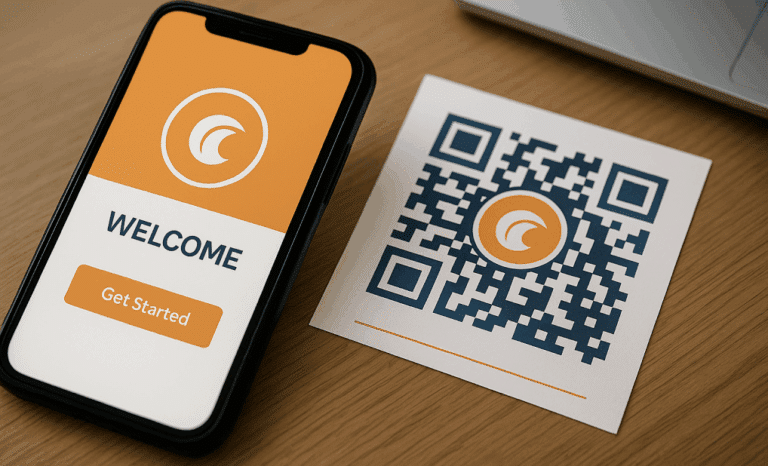
An audio QR code is a standard QR code that links to a hosted audio file. When users scan the code, the file opens and plays in the default browser of their device. No app is required, no download, no login. The technology is simple because a QR code can point to any web-accessible URL, and an MP3 or WAV file hosted online is exactly that.
This simplicity is the strength of audio QR codes. You do not need a special generator to create one. Any dynamic QR code platform that lets you set a destination URL can point to an audio file. You record the audio, upload it to cloud storage or your own server, and create a QR code with that link as the destination.
The use cases are everywhere once you start looking. Museums print audio QR codes next to exhibits so visitors can listen to curated commentary. Families add a voice recording to original holiday cards, turning written text into a personal voice message. Brands place audio QR codes on packaging so product information can be read aloud in various languages.
The limitation is equally clear. The user only listens. There is no interaction, no follow-up question, no personalization based on what that person actually wants to know. If the recording covers ingredients but the listener wants allergen details, the experience ends in frustration. Audio QR codes broadcast. They do not converse.
How do voice-interactive QR codes work?
A voice-interactive QR code links to a destination where the user can speak or type a question and receive a spoken or written response. The destination loads a conversational AI interface directly in the browser. The user asks, the AI interprets the question against a knowledge base, and the AI responds. It is a two-way exchange rather than playback.
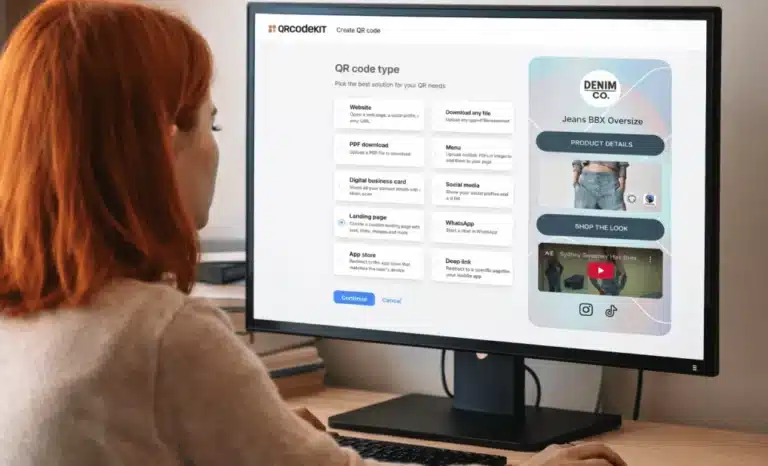
This requires more than a link to a file. Three pieces have to work together. First, a dynamic QR code that points to the destination. Second, a destination with conversational AI capability, which is exactly what Cleo provides on QR codes created with QRCodeKIT. Third, a knowledge base the AI can draw on: descriptions, FAQs, pricing, availability, whatever information matters for that context.

The owner configures the content once. From that moment, anyone who scans the code lands on the destination page and finds a conversation ready to start. The page itself remains; Cleo appears on it as a layer for questions. Voice input is increasingly supported by modern browsers through the Web Speech API, so users can ask aloud rather than type, and responses can be read back to them.
Voice-interactive QR codes shine wherever people stand in front of something physical with a question the signage cannot anticipate. A visitor in front of a painting wondering about the technique. A diner wondering whether a dish contains nuts. A prospective buyer outside a property wondering about morning light in the bedroom.
The honest limitation: voice input quality depends on the device’s microphone and the browser’s speech recognition support. In a noisy environment, typing the question remains the reliable fallback, which is why a good voice-interactive destination always supports both.
| Audio QR codes | Voice-interactive QR codes | |
|---|---|---|
| What happens after scanning | A pre-recorded audio file plays | A conversational AI answers questions |
| Direction | One way, listen only | Two way, ask and receive |
| Content | Fixed recording | Generated from a knowledge base |
| Personalization | Same audio for everyone | Each answer matches the question |
| Languages | One recording per language | AI responds in the user’s language |
| What you need | Hosted audio file plus a QR destination | Dynamic QR plus conversational AI like Cleo |
| Best for | Guided narration and voice messages | Open questions and assistance |
Why do voice-enabled QR codes matter for accessibility?
Voice-enabled QR codes turn printed information into something people can hear and speak to, which makes physical spaces more usable for people with disabilities. Visually impaired users benefit from audio output instead of small printed text. Users with motor disabilities benefit from voice input instead of tapping through menus. Users with reading difficulties benefit from a conversational interface over dense written text.
This goes beyond the compliance checklist, although the regulatory context is real. The European Accessibility Act, in force since 28 June 2025, requires digital services placed on the EU market to be navigable with assistive technologies. Voice-driven experiences play a meaningful role in meeting that bar, because they remove the assumption that every user can read a screen comfortably.
The practical difference shows up in small moments. A visually impaired guest at a restaurant does not need a companion to read the menu aloud. A traveler with low vision scans a code at a transit stop and hears what everyone else reads on a sign. Designing for these moments tends to enhance accessibility for everyone, because audio content also serves people whose hands are full or who simply prefer to listen.
How do voice QR codes handle multiple languages?
A single voice-enabled QR code can serve users in their preferred language without printing separate codes per language. With audio QR codes, this means hosting recordings in several languages and routing users to the right one. With voice-interactive codes, the conversational AI detects or asks for the user’s language and continues the entire exchange in it.
The second approach scales far better. An audio guide in six languages means producing and maintaining six recordings for every exhibit. A conversational AI with multilingual voice capabilities draws on one knowledge base and responds in whatever language the visitor chooses. The owner writes the content once. Cleo handles the rest, whether the question arrives in English, Japanese, or Portuguese.
For international venues, this is the difference between translation as a production project and seamless multilingual scanning as a built-in property of the experience.
Which industries use voice-enabled QR codes?
Voice-enabled QR codes appear wherever a physical object or place generates questions. The strongest deployments today include:
- Museums and cultural venues, with audio QR codes for narrated guides and voice-interactive codes that let visitors ask about an artwork in their own language.
- Hospitality, where voice-driven menus answer ingredient and allergen questions in multiple languages without staff involvement.
- Retail and FMCG, with product information read aloud from packaging or asked through voice, useful for object identification and usage guidance.
- Real estate, where listings respond to spoken questions from prospective buyers standing outside the property.
- Public spaces, transport, and healthcare, where accessibility-focused deployments guide users who cannot rely on printed signage.
The pattern across all of them is the same. Someone stands in front of something physical. They have a question. The code gives them a voice channel to the answer.
Why are dynamic QR codes the foundation for voice experiences?
Voice-enabled experiences change constantly, and dynamic QR codes absorb those changes without reprinting anything. Audio files get re-recorded, knowledge bases evolve, new languages get added, and seasonal information rotates. A dynamic QR code keeps the printed code identical while everything behind it updates.
This matters more for voice than for almost any other QR application. An audio guide gets corrected, a conversational AI gets new FAQs every week, and a property listing changes the moment the price does. Lock that content to a printed code and you are reprinting signage every time the information moves.
Every QR code created with QRCodeKIT is dynamic, so the destination behind a voice experience can be replaced or refined at any moment. The sign on the wall, the sticker on the bottle, and the plaque next to the painting never need to change.
What mistakes should you avoid with voice-enabled QR codes?
Most failed deployments trace back to a handful of avoidable decisions:
- Confusing audio QR codes with voice-interactive QR codes when choosing a platform, then discovering the chosen tool cannot answer questions.
- Printing codes with no visual indicator that scanning will play audio or open a voice interface, which surprises users and lowers engagement.
- Hosting audio files on unstable links that break over time, leaving a printed code that leads nowhere.
- Launching voice-interactive experiences without a quality knowledge base, which produces vague answers and erodes trust quickly.
- Treating the experience as set-and-forget instead of reviewing what users actually ask and updating the content accordingly.
Each of these is cheap to prevent and expensive to fix after thousands of codes are in the wild.

Frequently asked questions
Can a QR code play a voice message without an app?
Yes. The user scans the code with the smartphone camera, the browser opens the hosted audio file, and playback starts. The entire experience happens in the default browser, with no app to install and nothing to configure on the user’s side.
What is the difference between an audio QR code and a voice-interactive QR code?
An audio QR code plays a fixed recording; the user listens and the experience ends. A voice-interactive QR code opens a conversational AI that interprets questions and generates answers. The first delivers content, the second holds a conversation.
Do voice-enabled QR codes work in multiple languages?
Audio QR codes need a separate recording per language. Voice-interactive codes powered by a conversational AI respond in the language the user chooses, drawing on a single knowledge base, which makes multilingual support far easier to maintain.
How do visually impaired users scan QR codes?
Smartphone accessibility features announce when a QR code is detected in the camera view, and consistent placement at predictable heights helps users locate codes. Once scanned, an audio or voice destination removes the need to read the screen at all.
Can I change the audio or the AI behind a printed QR code?
With a dynamic QR code, yes. The destination can be updated at any time, so you can replace the audio file, expand the knowledge base, or add languages while the printed code stays exactly the same.
All images and visual content in this article were created using RealityMAX.