May 22, 2026
Smartwatch QR scanner: Scan codes from your wrist
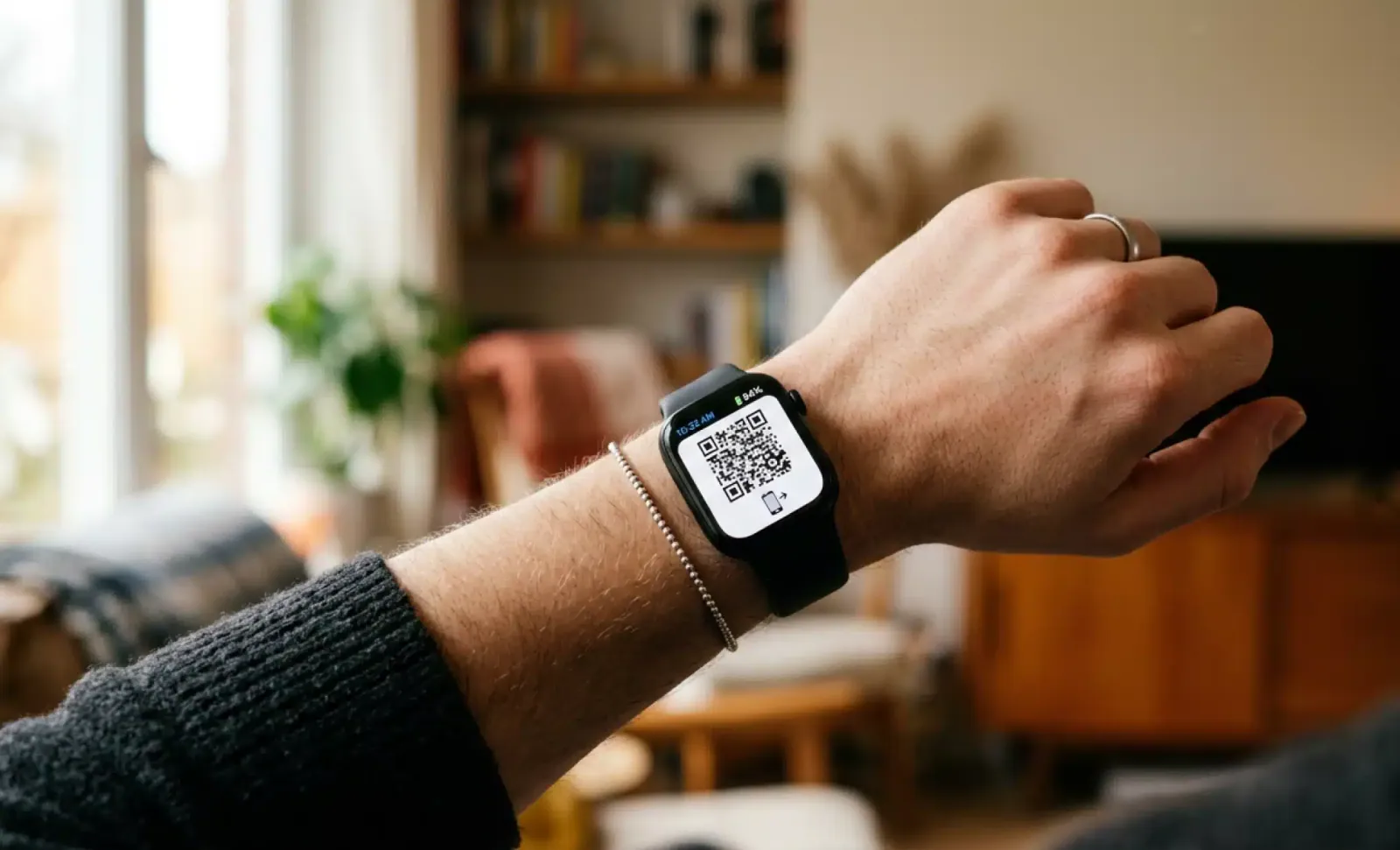
The smartwatch has quietly become one of the most personal devices we own. It tracks our heart rate, delivers messages, pays for coffee, and increasingly, it scans QR codes. What started as a fitness accessory now sits at the intersection of identity, payment, and information access. And in 2026, the question is no longer whether you can scan a QR code from your wrist, but how often you should.
This guide walks through how a smartwatch QR scanner actually works across the major ecosystems, where it makes sense, and where it still falls short. It also covers a newer angle that most articles ignore: how conversational AI is changing what happens after the scan, and why dynamic QR codes are particularly suited to the small screens we wear.
How does smartwatch QR scanning actually work?
Smartwatch QR scanning works through the watch’s built-in camera or, more commonly, through paired apps that use the watch as a display and trigger device. Most smartwatches do not yet ship with a native QR scanner that mirrors the smartphone camera experience. Instead, scanning happens through third-party apps, paired phone interactions, or through QR codes generated by services like wallets and ticketing platforms that the watch then displays for someone else to scan.
This distinction matters. There are two directions of QR interaction on a smartwatch. The first is outbound, where the watch shows a code to be scanned by an external reader at a turnstile, a coffee shop, or a boarding gate. The second is inbound, where the watch itself reads a code printed on a poster, a menu, or a product label. Outbound scanning is mature and widespread. Inbound scanning is where the experience is still evolving.
QRCodeKIT works seamlessly on both directions because all its codes are dynamic. Whether the QR is displayed on a watch face for someone else to scan, or scanned from a physical surface by a wearable device, the destination behind the code can be updated at any time without changing what the user sees.
Which smartwatches support QR code scanning?
The major smartwatch platforms approach QR scanning differently, and capabilities depend on the operating system, the installed apps, and the specific hardware.
Apple Watch and QR codes
Apple Watch does not include a built-in QR scanner app. The watch can display QR codes through Apple Wallet for boarding passes, event tickets, loyalty cards, and store credit. Third-party apps from the App Store can also generate and display QR codes on the watch face. For reading external QR codes, users typically rely on the paired iPhone, although some third-party watchOS apps offer limited scanning functionality through the watch camera on models that support it.
The most common Apple Watch QR moment happens at airports, gyms, and coffee chains, where the watch becomes the credential the reader scans.
Samsung Galaxy Watch and Wear OS
Samsung Galaxy Watch supports QR scanning through third-party apps available in the Google Play Store. Because Wear OS is built on Android, the ecosystem of QR-capable apps is broader. Some apps offer direct scanning using the watch’s camera on supported models, while others link to the paired phone for the actual scanning step.
Samsung Pay and Google Wallet both use QR codes for in-store payments in markets where this is the standard, and the Galaxy Watch displays these codes natively without needing the phone to be unlocked.
Garmin and Connect IQ
Garmin watches focus on fitness and outdoor activity, but the Connect IQ store includes apps that handle QR codes, mostly for storing and displaying user-generated codes like contact information, gym memberships, or race bibs. Garmin is less suited to inbound scanning, but works well as a passive credential carrier.
Where smartwatch QR scanning actually helps
The use cases that benefit most from wrist-based QR interactions share a common pattern. They involve a moment where the user’s hands are partially occupied, the phone is inconvenient to reach for, or the interaction is fast enough that pulling out a phone feels disproportionate.
Travel and transit
Airports, train stations, and metro turnstiles are the most mature environment for smartwatch QR scanning. Boarding passes saved to Apple Wallet or Google Wallet display on the watch face with a quick wrist flick. Passing through security or boarding becomes a single gesture. No phone, no paper, no fumbling with a wallet.
International travelers benefit even more. Many transit systems now accept watch-based QR tickets without requiring the local payment app, which removes a layer of friction for visitors.
Fitness and gym access
Gym chains have moved heavily toward QR-based check-ins. The member opens the app on the watch, the QR appears, the reader at the door scans it, the gate opens. The whole interaction takes a few seconds. This works particularly well because the user is often already dressed for exercise and not carrying a phone in a pocket.
Retail and loyalty
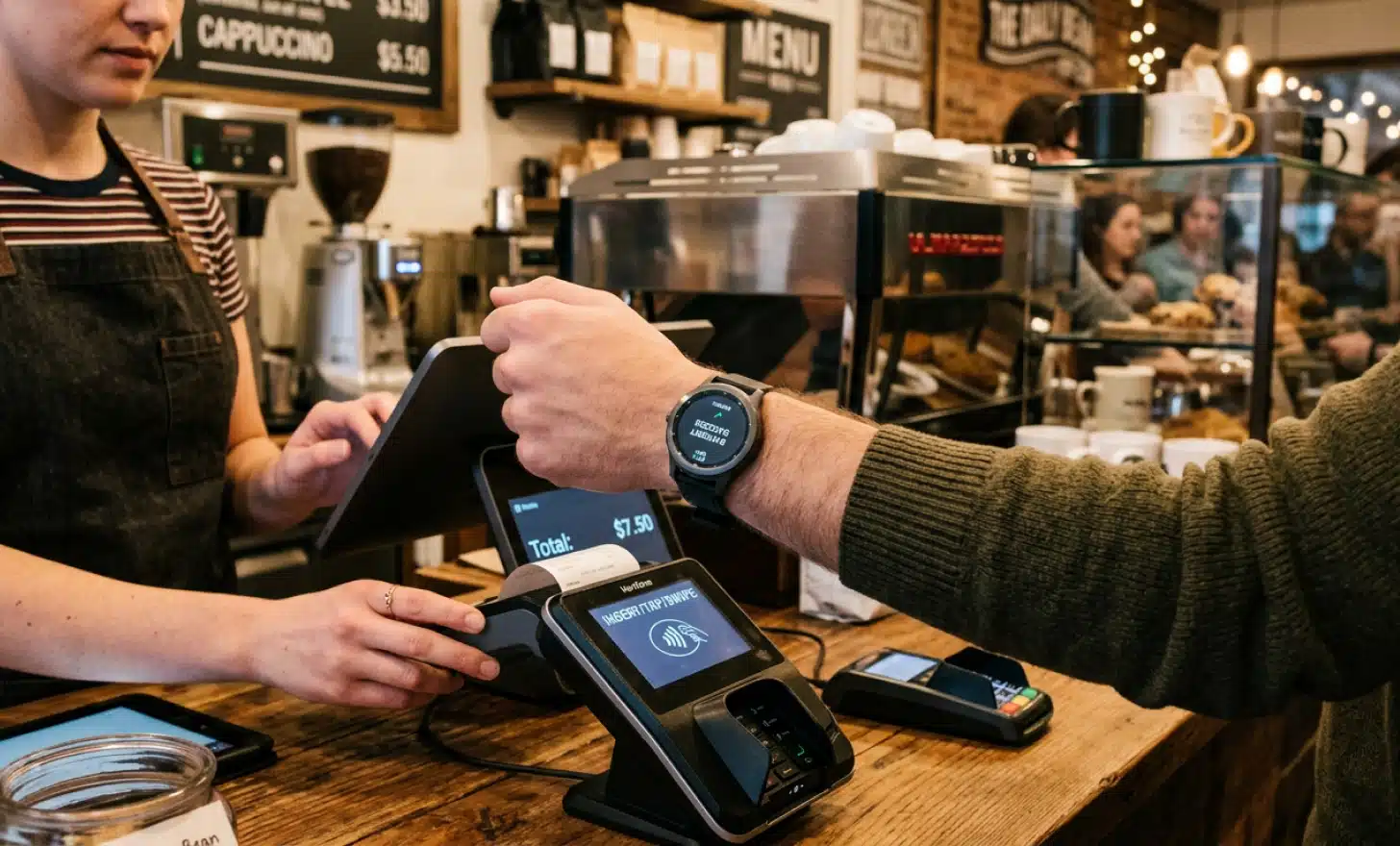
Coffee chains, supermarkets, and pharmacies increasingly accept loyalty QR codes displayed on smartwatches. The user shows the code at checkout, points accumulate, discounts apply. The watch becomes the loyalty wallet, and the phone stays in the bag.

Networking and contact sharing
Some professionals use smartwatch apps to display a personal QR code that links to a digital business card. At conferences and events, this becomes a quick way to share contact details. The other person scans, the contact lands on their phone, the conversation continues without typing names into a notes app.
This works particularly well with dynamic QR codes from QRCodeKIT, where the card behind the code can be updated whenever the user changes jobs, adds a new social profile, or wants to highlight a different project, without ever needing to update what is displayed on the watch.
Payments
In markets where QR-based payments are standard, including much of Asia and parts of Europe, smartwatches function as full payment devices. The user opens the wallet app, the QR appears, the merchant scans it, the transaction completes. The watch never leaves the wrist.
Put it into practice
Create a dynamic QR code free and see it work. No credit card required.
Get started freeCleo on your wrist: how AI changes the smartwatch QR experience
Smartwatch screens are small. That is the central design constraint. A QR code that leads to a long landing page with multiple sections, images, and forms is a poor fit for a wrist display. The user either has to scroll endlessly or transfer the experience to the phone, which defeats the point of using the watch in the first place.
This is where Cleo, the conversational AI built natively into QRCodeKIT, changes the equation. When a smartwatch scans a Cleo-powered AI QR code, instead of navigating a long page, the user can simply ask a question. A short input, a short answer. The format matches the device.
Imagine standing in front of a product display in a store, scanning a QR code with a Galaxy Watch, and instead of waiting for a full product page to load on a screen the size of a postage stamp, a conversation bubble asks what you want to know. Is this gluten free? What sizes are in stock? Can I see this in another color? The answer comes back in two sentences. The interaction is over in fifteen seconds.
The same logic applies in hospitality, real estate, museums, and any environment where someone scans a code and has a specific question rather than a need to browse. The conversational format compresses the experience into something a wrist can actually handle.
Because every QRCodeKIT QR is dynamic, the content behind Cleo can be updated at any time without changing the physical code. A restaurant can update its menu, a gallery can update its exhibition information, a retailer can update product availability, and every smartwatch scan from that moment forward reflects the new content.
Healthcare and safety: where the wrist matters most
Healthcare is where smartwatch QR scanning moves from convenience to genuine impact. The wrist is always with the patient. The phone is not.
Medical ID QR codes stored on the watch can give first responders immediate access to critical information when someone is unconscious or unable to speak. Blood type, allergies, current medications, emergency contacts, existing conditions. The paramedic scans the code displayed on the watch and sees what they need before the ambulance reaches the hospital.
Allergy and medication information is particularly valuable in this format. A child with a severe peanut allergy can wear a smartwatch that displays a QR code at the lock screen, scannable by any teacher or caregiver. A diabetic adult can do the same with insulin information. The code is always accessible, always current if the underlying QR is dynamic, and never depends on someone finding a phone and unlocking it.
Hospital check-in flows benefit too. Patients arriving for appointments can display their identification QR on the watch, the front desk scans it, the record opens. No paper forms, no fumbling for an insurance card, no juggling a phone while signing in.
Accessibility is the other major dimension. People with mobility limitations, arthritis, tremors, or reduced grip strength often find smartphones harder to manipulate than a watch on the wrist. A wrist gesture to display a QR code requires less fine motor control than navigating a phone screen. For users with these conditions, smartwatch QR scanning is not a convenience. It is the access method that actually works.
Smartwatch QR scanning and the EU Accessibility Act
The European Accessibility Act, in force since 28 June 2025, sets requirements for the accessibility of products and services across the EU, including digital content and the means of accessing it. The law recognizes that users have different needs, different devices, and different ways of interacting with information.
Smartwatch QR scanning fits naturally into this framework. By offering an alternative access point to the same content, wearable scanning extends the reach of digital information to users who cannot or prefer not to rely on a smartphone. A QR code that works equally well when scanned by a phone, a watch, or a tablet, and that leads to content optimized for each, supports the spirit of the EAA without requiring separate implementations.
Dynamic QR codes are the technical foundation that makes this possible. The same physical code can serve a phone with a full landing page, a watch with a Cleo conversation, and an assistive device with a simplified output, depending on what the user needs at the moment of the scan.
What dynamic QR codes bring to the wearable equation
Static QR codes break when anything behind them changes. The destination is locked into the printed pattern. For a smartwatch context, where the user expects fast, current, contextual information, this is a serious limitation.
Dynamic QR codes from QRCodeKIT solve this. The physical pattern stays the same. What the code points to can change at any time. A gym membership card displayed on a watch can have its expiration updated without issuing a new code. A medical ID can have allergies added or removed. A loyalty program can update its rules. A product label can update its instructions. The watch face never needs to change.
This matters more on a smartwatch than on a phone, because the watch is often the only device involved in the transaction. The user does not have a backup phone in their pocket to fall back on if the code is outdated.
Frequently asked questions
Can my Apple Watch scan QR codes natively?
Apple Watch does not include a built-in QR scanner app in the standard watchOS experience. The watch can display QR codes through Apple Wallet and third-party apps, but to scan an external QR code, most users rely on their paired iPhone or install a third-party watchOS app that offers scanning. The functionality depends on the watch model and the apps installed.
What apps let me scan QR codes from a smartwatch?
On Wear OS devices like the Samsung Galaxy Watch, the Google Play Store offers several third-party QR scanner apps that work directly on the watch. On Apple Watch, the App Store has watchOS apps that handle QR codes, though most focus on displaying codes rather than scanning external ones. Checking the app store on the specific watch model gives the most accurate picture, since availability changes frequently.
Are smartwatch QR scans secure?
Smartwatch QR scans inherit the security properties of the underlying operating system, app, and QR code itself. The watch does not introduce new vulnerabilities compared to a phone scan, as long as the user trusts the source of the code. As with any QR scan, the main risk is scanning codes from untrusted sources that could lead to phishing pages. Dynamic QR codes from reputable platforms add a layer of trust because the destination is controlled by the code owner and can be updated if compromised.
Can I create QR codes on a smartwatch?
Creating QR codes directly on a smartwatch is unusual and limited by the screen and input size. Most users create QR codes on a desktop or phone through a platform like QRCodeKIT, then sync them to the watch via the paired app or wallet. The watch is the display and scanning device, not the creation device.
Do dynamic QR codes work better on smartwatches than static ones?
Dynamic QR codes are better suited to smartwatch use because the destination behind them can be updated without changing the visible code. A static QR code locks the destination forever, which is problematic for use cases like loyalty programs, medical IDs, event tickets, or product information that change over time. On a small wrist display, the user expects fast and current content, and dynamic codes deliver that without forcing the user to acquire a new code each time something changes.
A final thought on wearables and dynamic codes
The smartwatch is not trying to replace the phone. It is trying to handle the moments where the phone is the wrong tool. Quick credentials, fast payments, glanceable information, hands-free access. QR codes fit naturally into these moments, and dynamic QR codes fit even better, because the destination can evolve while the experience on the wrist stays consistent.
Wearables reward simplicity. Dynamic QR codes from QRCodeKIT, especially when paired with the Cleo conversational layer, deliver exactly that. The user scans, asks, knows, and moves on with their day. No app to install. No long page to scroll. Just the answer they came for.
All images and visual content in this article were created using RealityMAX.
Related articles
QR codes vs NFC vs rfid
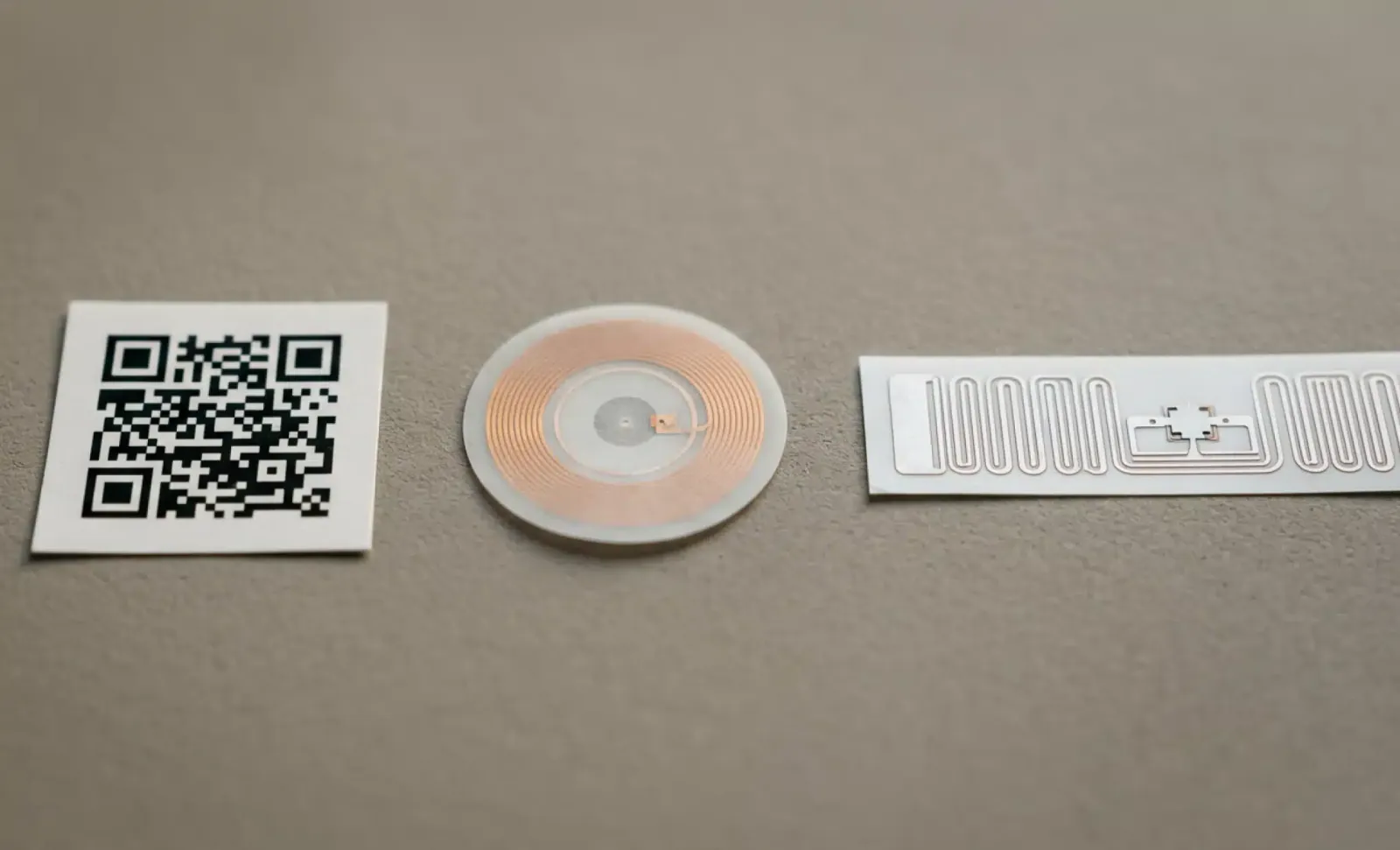
The conversation around QR code vs NFC vs RFID cost has been framed too narrowly for too long. Buyers evaluating auto-ID technologies are routinely pushed into…

Cookieless tracking
The cookie was never a great proxy for marketing reality. It was a side effect of how the web happened to be built, repurposed into the foundation of modern…
Eaa compliance for restaurant menus
If your restaurant serves customers in the European Union and offers any kind of digital menu, the European Accessibility Act now applies to you. It entered…
Two free dynamic QR codes. Yours forever.
No credit card. No expiry. The original dynamic QR platform since 2009.