
Create and manage dynamic QR codes from Claude
Connect QRCodeKIT to Claude with the Model Context Protocol (MCP) to list your QR codes, create new dynamic QRs, update destinations, and render an interactive QR gallery with shortlinks, scan totals, and PNG/SVG downloads.
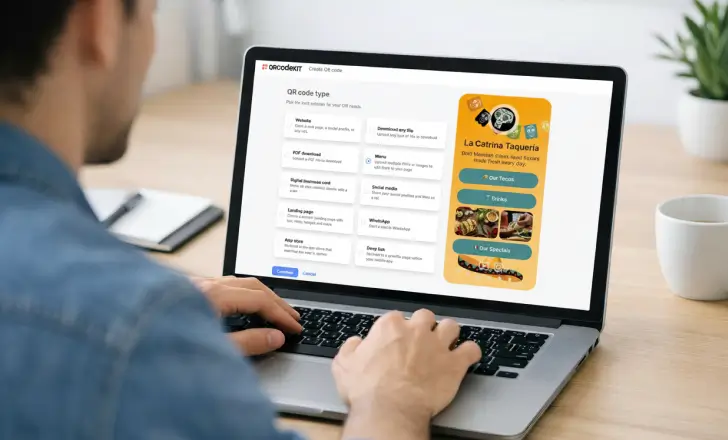
Your QR destinations stay editable after printing
Because QRCodeKIT dynamic QRs use permanent shortlinks, you can ask Claude to update where a QR points without regenerating or reprinting the code. Change the destination as many times as you need, the printed square never has to change.
Try it freeWhat you can do through MCP
The connector currently supports website, WhatsApp, email, App Store, and static HTML page QRs.
List your QR codes
Ask Claude to show your latest QR codes, complete with titles, shortlinks, and scan totals at a glance.
Create dynamic QRs
Generate website, WhatsApp, email, App Store, and static HTML page QR codes straight from your conversation.
Update destinations
Repoint any dynamic QR to a new URL on the fly, the shortlink and printed code never change.
Render a QR gallery
Get an interactive gallery with shortlinks, scan counts, and PNG/SVG downloads rendered right in chat.
See scan totals
Bring your scan analytics into the conversation so you can spot what's working without switching tabs.
Move QRs to trash
Clean up your workspace by asking Claude to move QR codes you no longer need to the trash.
Example prompts
Talk to Claude in plain language, it handles the rest.
- Show me my latest QR codes.
- Create a website QR titled Spring Campaign that points to https://example.com/spring.
- Create a WhatsApp QR for +1 202 555 0123 with the message Hi, I am interested in your offer.
- Update the destination of my Spring Campaign QR to https://example.com/spring-updated.
How to connect QRCodeKIT to Claude
Add the connector once, then request QR operations any time.
Open Connectors
In Claude, go to Settings → Connectors to add a new custom connector.
Add QRCodeKIT
Name the connector "QRCodeKIT" and enter the MCP URL https://mcp.v2.qrcodekit.com/mcp.
Sign in & approve
Authenticate with OAuth and approve the scopes Claude should be allowed to use.
Start creating
Ask Claude to list, create, or update your QR codes right inside the conversation.
Your all-in-one QR code solution
Create, track, and update dynamic QR codes, now right from Claude.
Get started free// Claude Desktop MCP config
{
"mcpServers": {
"QRCodeKIT": {
"type": "http",
"url": "https://mcp.v2.qrcodekit.com/mcp"
}
}
}OAuth, not passwords
Claude receives an authorized access token, never your QRCodeKIT password. You approve exactly what the connector can do, and you can revoke access at any time from Claude settings or your QRCodeKIT account.
Frequently asked questions
Can I edit a QR code after printing it?
Yes. QRCodeKIT dynamic QRs use permanent shortlinks, so you can ask Claude to update where a code points without regenerating or reprinting it.
Which QR types are supported in Claude?
The connector currently supports website, WhatsApp, email, App Store, and static HTML page QRs. Not every type available in the web app is exposed through the connector.
Does Claude receive my QRCodeKIT password?
No. QRCodeKIT uses OAuth. Claude receives an authorized access token, never your password.
Can I revoke access?
Yes. You can revoke access at any time from your Claude settings or from your QRCodeKIT account.
Security and privacy
When you connect QRCodeKIT to Claude, QRCodeKIT asks you to authorize only the scopes needed to manage QR codes:
mcp:qr:read to list and render QR codes.
mcp:qr:create to create new dynamic QR codes.
mcp:qr:update to update existing QR codes.
mcp:qr:delete to move QR codes to the trash.
Claude does not receive your QRCodeKIT password. Access is granted through OAuth and can be revoked from your QRCodeKIT account at any time.
QRCodeKIT processes only the QR data you choose to send through Claude, such as QR titles, destination URLs, phone numbers, email recipients, email subjects, app store URLs, and HTML content for static page QRs. That data is used to create, list, update, render, or delete QR records in your account. QRCodeKIT does not receive your Claude conversations, files, or memory. The connector only receives the tool inputs needed to complete the QR action you request.
You can read the full privacy policy, and reach the team any time at [email protected].
Your QRs now answer questions
Meet Cleo, the AI that lives inside your QR codes. She answers questions, recommends products, and guides your users, in any industry, any language.