

QR codes for agencies that need proof, not promises.
Run print, packaging, events and out-of-home campaigns for every client from one place. Change what any code opens mid-flight, and report the scans your client asks for.
No credit card required•GDPR-compliant•Hosted in the EU
By continuing you agree to our Terms and Privacy Policy.
Trusted by agencies such as Ogilvy · Publicis · DDB · Saatchi & Saatchi · AKQA
Stress-tested at the Oscars, Super Bowl and MotoGP
Leading agencies rely on QRCodeKIT when reliability, scale and control matter.
- Companies of all sizes
- 1M+
- QR visits processed
- 1.2B
- Platform uptime
- >99%
- Platform monitoring
- 24/7
What do agencies use QR codes for?
Agencies use dynamic QR codes to connect their clients’ print, packaging, out-of-home, screens and events to a measurable digital experience: a microsite, an offer, a sign-up, an app or a video. Because the code is dynamic, the agency can change the destination mid-campaign and report every scan by place, device and day. QRCodeKIT, launched in 2009 as uQR.me, is the dynamic QR code platform agencies use to run them, hosted in the EU.
Who it’s for
Wherever your client’s campaign meets people
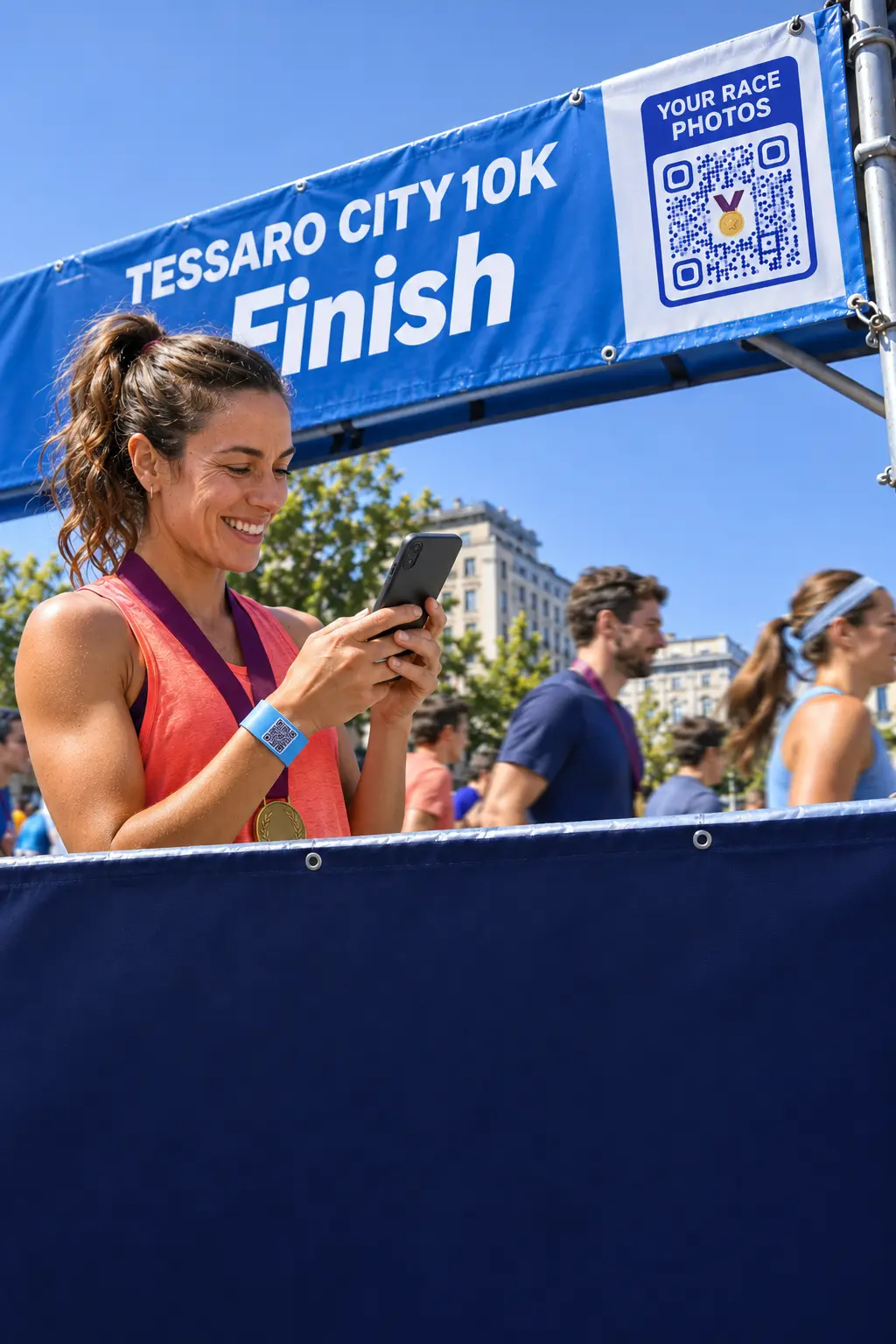 Events & sponsorship
Turn the crowd into measurable reach
Codes on gantries, screens and wristbands that hold up at peak traffic, with live scan counts during the event.
QR code analytics →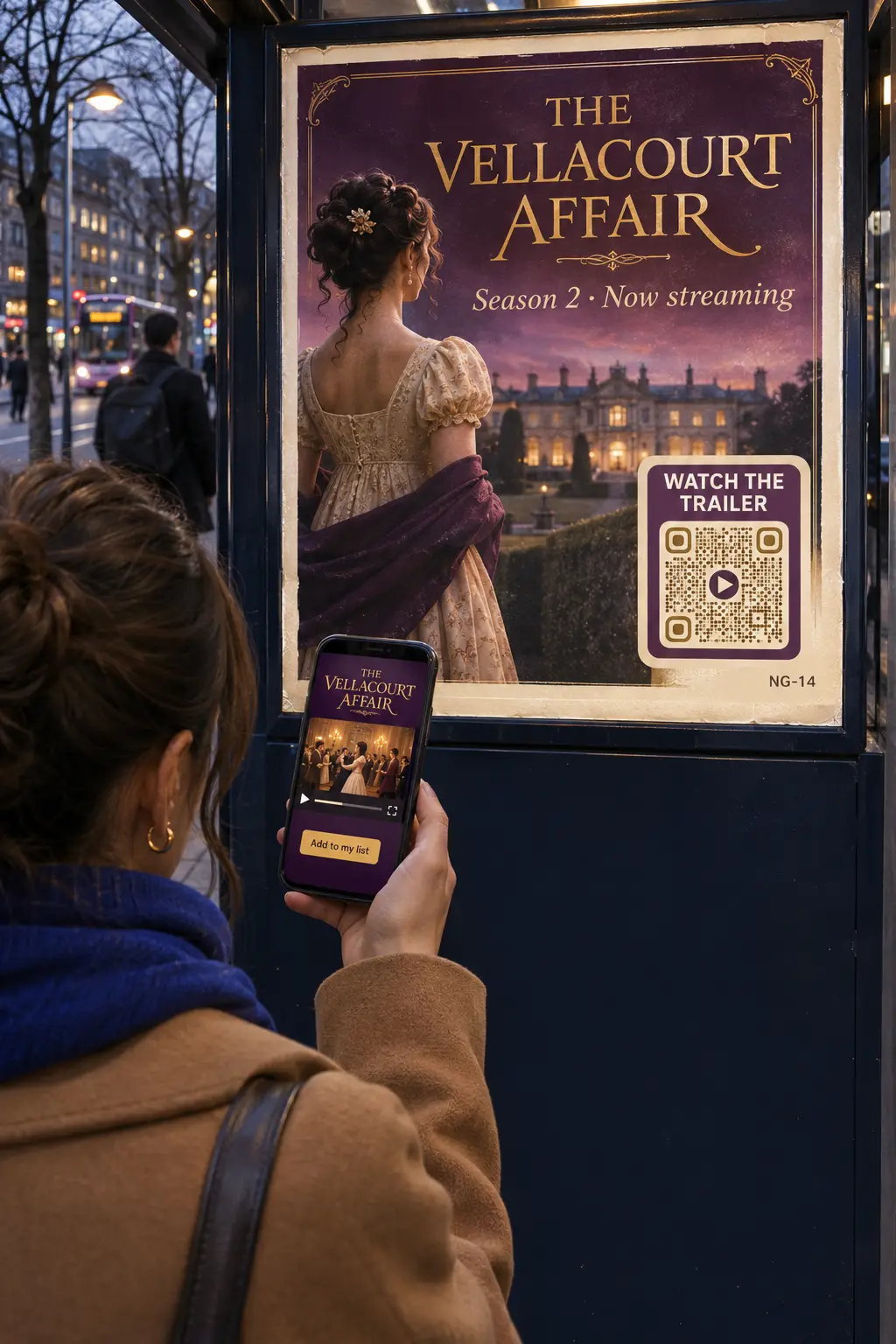 Out-of-home & retail
Prove what the poster did
One code per site, city or format, so you can compare placements and move budget to what works.
Bulk QR code creation →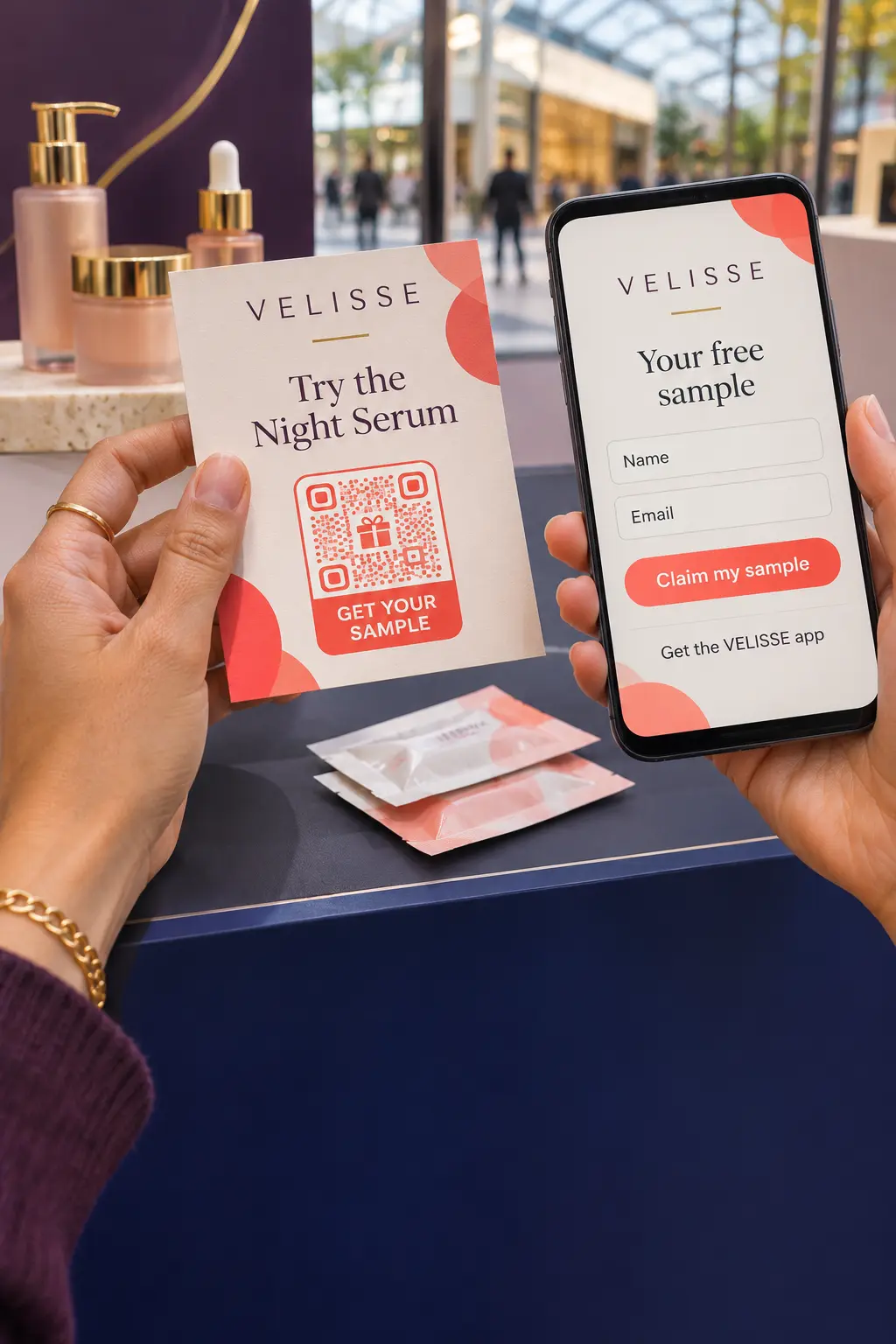 Brand & experiential
Campaign pages live in minutes
Microsites, coupons, sign-ups and app downloads from the landing page builder, in the client’s branding.
Landing page QR codes →See it in action
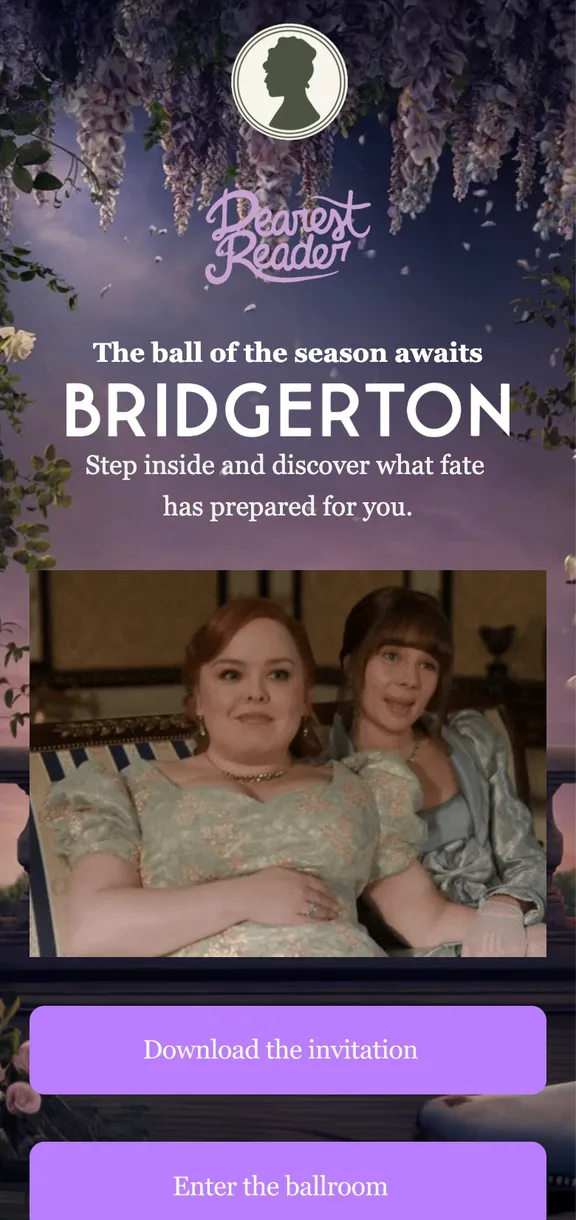
This agency is using QR codes to invite viewers to discover the new season of Netflix's blockbuster show Bridgerton ↓

Platform
One account for every client and campaign
Create
Every client, campaign and location, in order
Organise codes by client, campaign or region, add your team and clients with the access they need, and create codes in bulk from a spreadsheet. Change any destination mid-flight: the printed code stays.
Bulk creation →23 dynamic QR code types →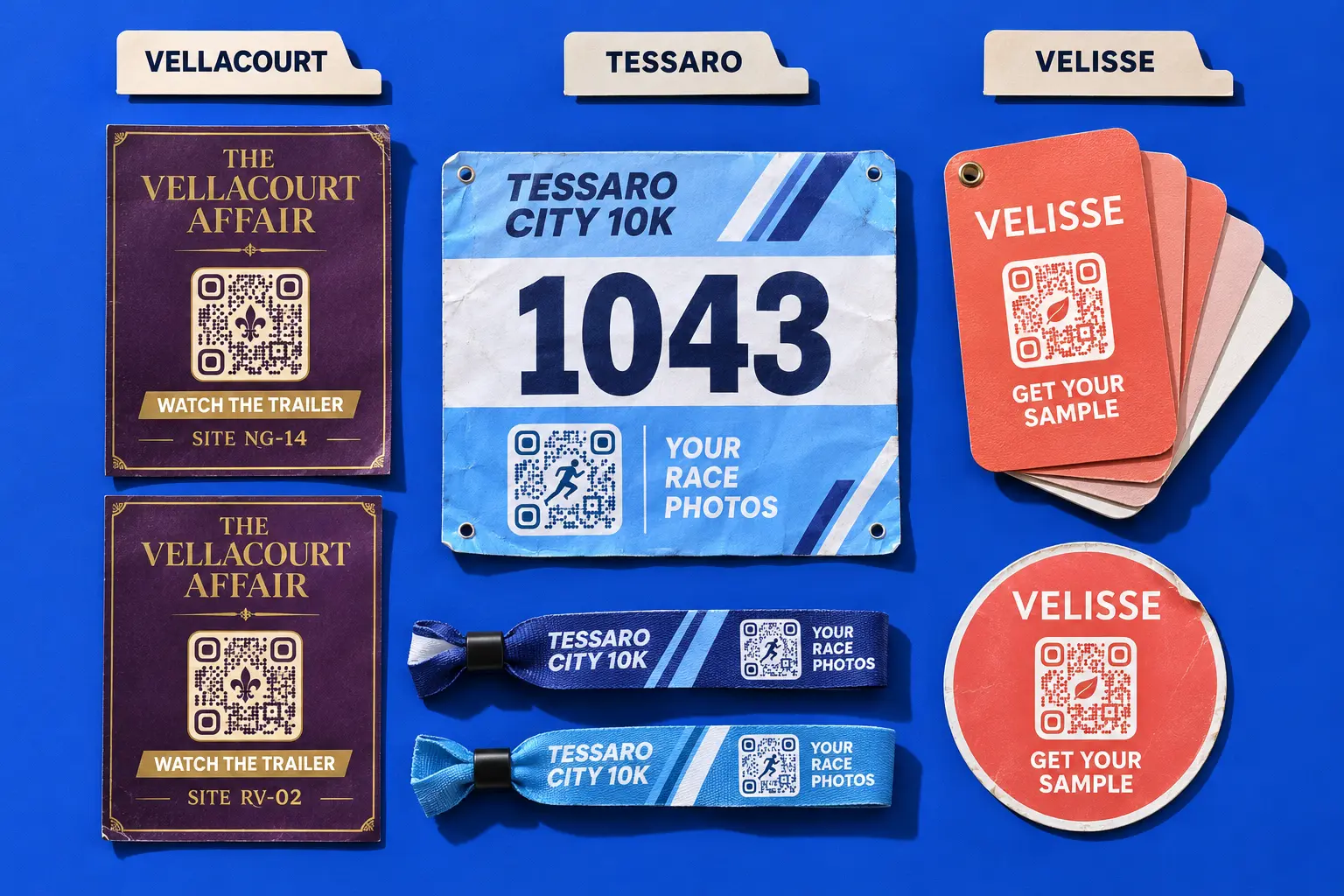
Design
Codes that belong in the creative
The client’s logo, colours, shapes and frames, with a live check that the code still scans. For campaigns that need more, artistic QR codes generated with AI or invisible codes that blend into the visual.
Artistic QR codes →Invisible QR codes →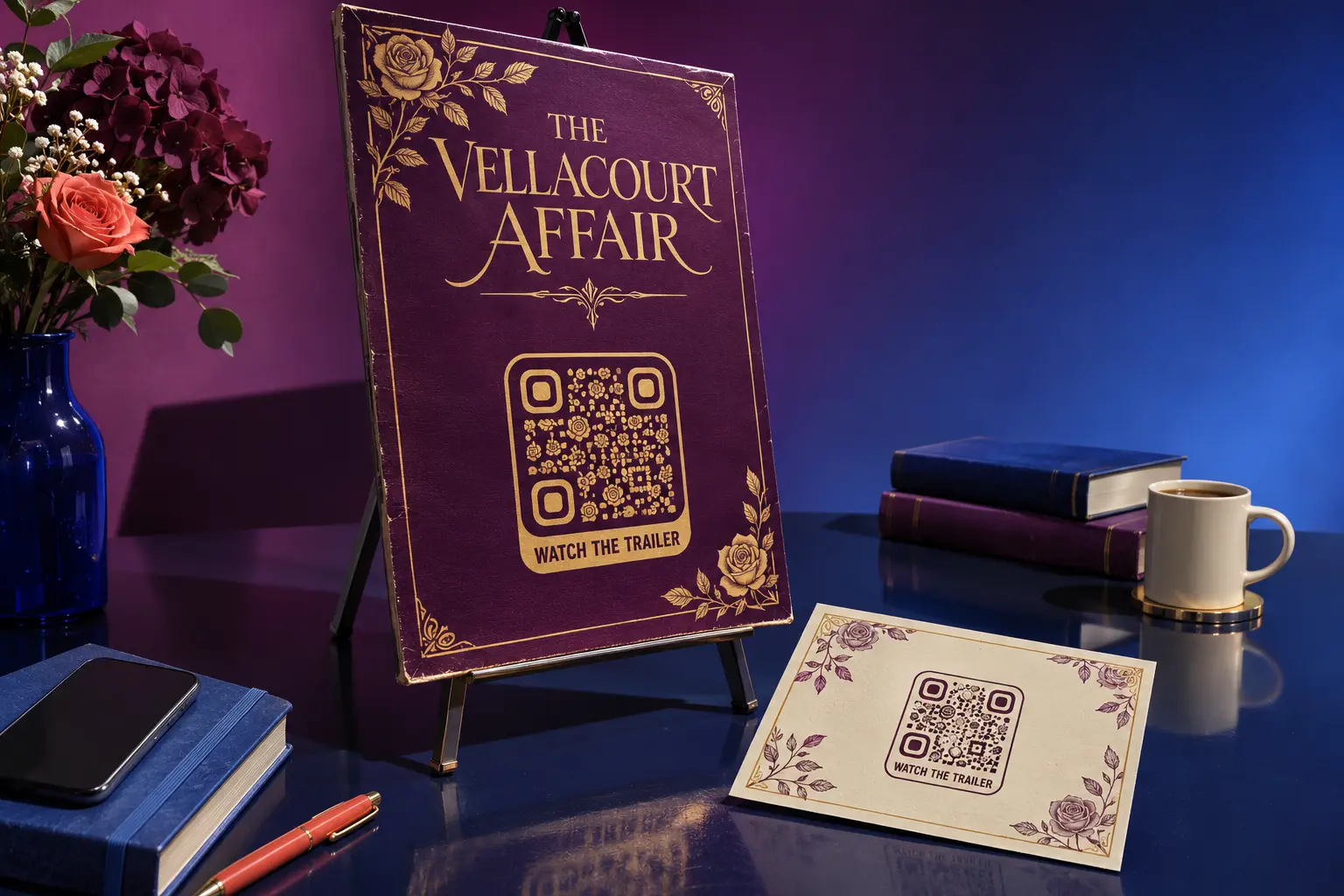
Track
The report your client asks for
Scans in real time by country, city and device, first visits apart from repeat ones. Add UTMs, connect GA4, export the report, or send every scan to the client’s CRM through the API and webhooks.
QR code analytics →QR code API →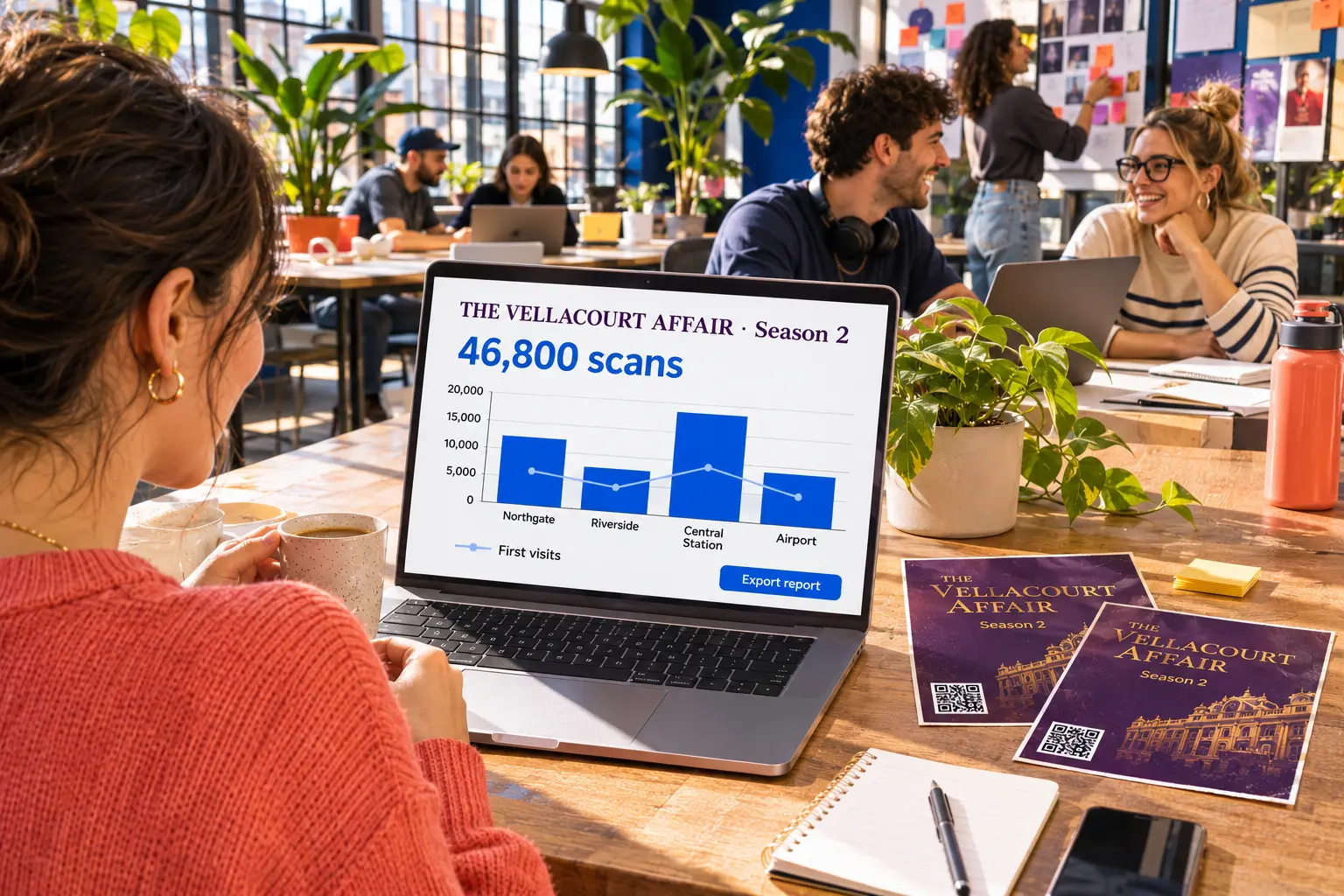
Cleo · AI agent
Campaigns that answer back
Cleo is the AI agent that lives inside your QR codes. Train her on the campaign brief, the T&Cs and the client’s FAQs, and she answers every scan in the person’s own language, at any hour.
- Answers with no staff needed
- 24/7
- Languages supported
- 40+
Cleo answers from the documents you give her, so every answer stays on-brief and on-brand.

How do I enter the giveaway?
Scan the code on the can, add your email and keep the receipt. The draw is on 30 November, and you can enter once a day. Want me to remind you?


Control
Built to sit in front of your clients
Your agency’s name is on the campaign. QRCodeKIT keeps each client’s codes, data and domain apart, and runs on infrastructure built for high-traffic moments.
- The client’s own domain. Personalise the link with the client’s domain, so shoppers trust the code they scan. On Pro and Enterprise.
- White label. Package QR codes as part of your own service offering and resell them to your clients.
- Teams, roles and SSO. Up to 10 team members on Pro; SSO and up to 50 members on Enterprise.
- Hosted in the EU. GDPR-compliant, with European-based infrastructure.
- Built for peak moments. Tested during events such as MotoGP and Champions League matches, with 24/7 monitoring.
- GDPR
- EU hosting
- ISO 27001 framework
- SSO
Questions agencies ask us
QRCodeKIT is a dynamic QR code platform launched in 2009 as uQR.me and hosted in the European Union. Advertising, media and experiential agencies use it to run QR campaigns for their clients and report on them.
Can I manage QR codes for several clients in one account?
Yes. Organise codes by client, campaign or region, and give each team member or client the access level they need. Pro includes up to 10 team members; Enterprise up to 50, with SSO.
Can I use my client’s domain in the QR code link?
Yes. On Pro and Enterprise you can personalise the link with your client’s own domain, so people can see the code belongs to the brand.
Can I change a campaign after the material is printed or on air?
Yes, if it is a dynamic QR code. The printed or broadcast code stays the same and you change the page, offer or video it opens from the dashboard, as many times as the campaign needs.
How do I report QR code results to a client?
Every scan is counted by country, city and device, with first visits apart from repeat ones. Add UTMs, connect GA4, export reports, or send scans to the client’s systems through the API and webhooks.
Can QRCodeKIT handle a high-traffic moment like a TV spot or a stadium event?
Yes. The platform has been tested during peak events such as MotoGP and Champions League matches, has processed 1.2 billion QR visits and is monitored 24/7.
Can I resell QR codes as part of my agency’s services?
Yes. The white label option lets you package QR codes as your own service offering and resell them to clients.
Can the QR code match the campaign’s creative?
Yes. Add the client’s logo, colours, shapes and frames with a live check that the code still scans, or go further with artistic QR codes generated with AI.
Is there a free trial?
Yes. Every new account starts with a 7-day free trial of Pro, with no credit card required, with up to 100 QR codes and 100 scans each. Teams that need SSO, API access or higher limits can compare the plans or book a demo.