How to change my account's language
This article corresponds to QRCodeKIT's legacy app. For more information, click here.
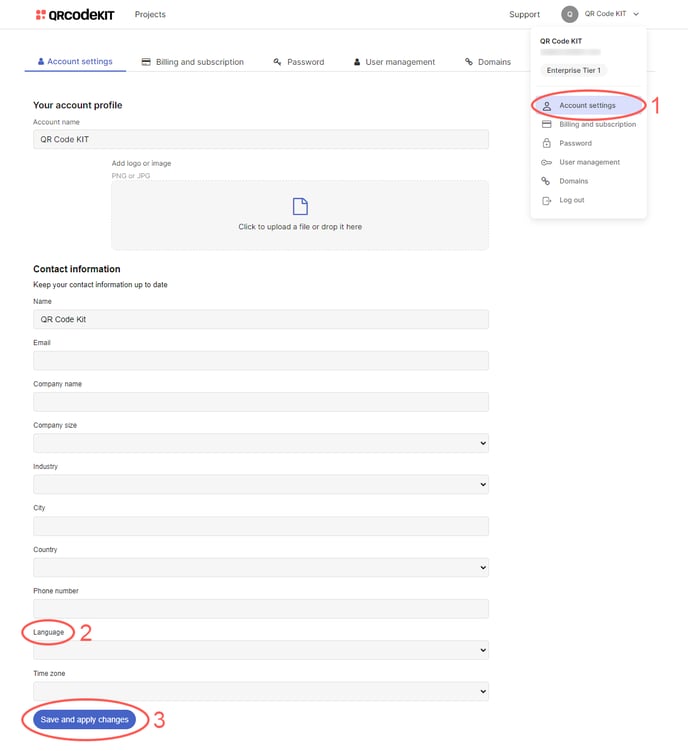
1) Click your user name in the top-right corner of your dashboard and click Account settings
2) Click the Language dropdown menu to select English, Spanish, Italian or Portuguese
3) Click Save and apply changes