
How to download my invoices
This article corresponds to QRCodeKIT's modern app. For more information, click here.
From your dashboard, click your user name in the bottom of the sidebar, click Billing and click View invoice in the "Billing history" section.
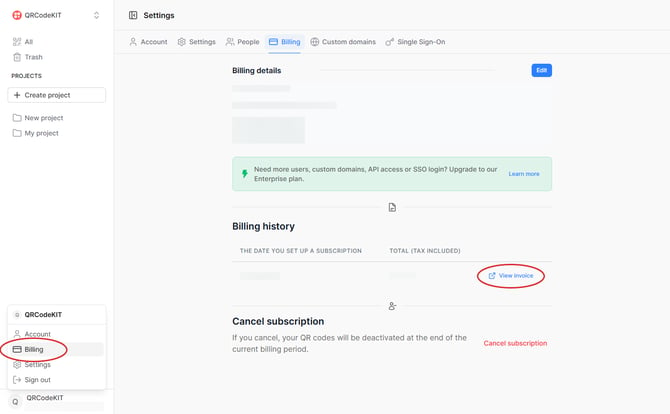
If you cannot see your invoices, click either Add a billing address in the "Billing history" section or Add in the "Billing details" section.
