How to add billing contacts
Send any billing-related messages to other contacts
This article corresponds to QRCodeKIT's legacy app. For more information, click here.
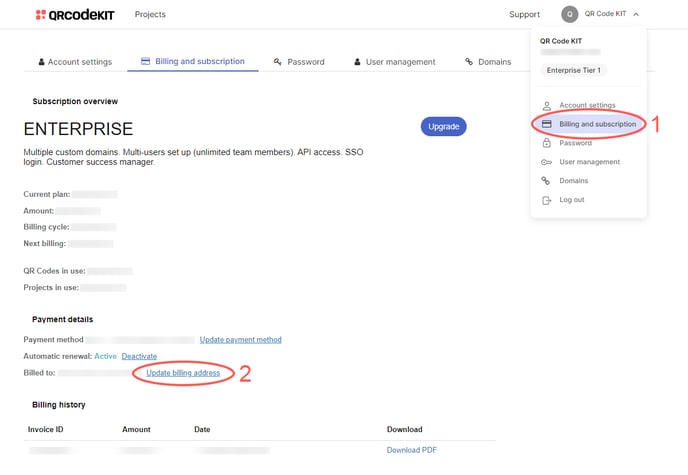
1) Click your user name in the top-right corner of your dashboard and click Billing and subscription
2) Click Update billing address
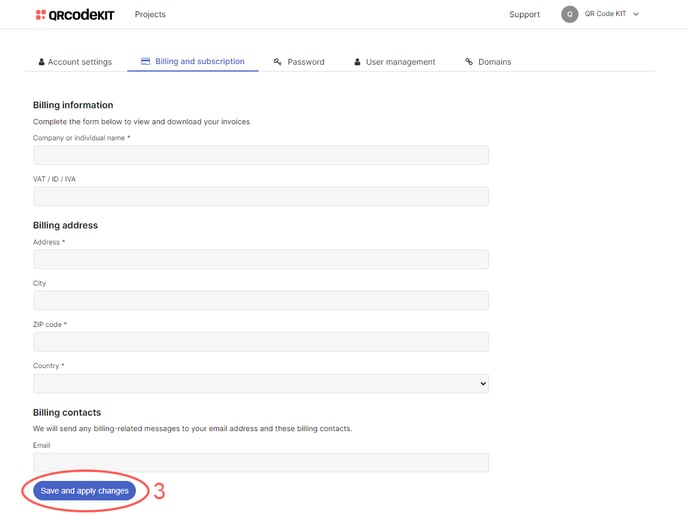
3) Under "Billing contacts", enter email addresses separated by commas and click Save and apply changes