
How to deactivate the auto-renewal of my subscription
This article corresponds to QRCodeKIT's legacy app. For more information, click here.
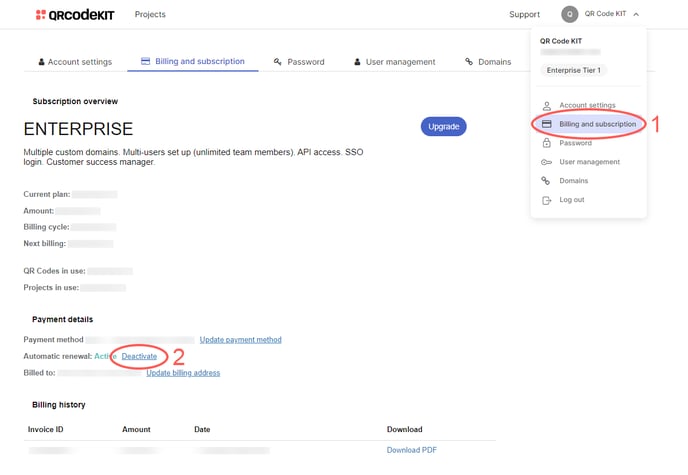
1) Click your user name in the top-right corner of your dashboard and click Billing and subscription
2) Click Deactivate next to "Automatic renewal"
NOTE: If you choose to deactivate the automatic renewal of your subscription, your QR Codes will be deactivated upon reaching its expiration date. You can reactivate your QR Codes by renewing your subscription manually.
