
How to create a Dynamic QR Code
Create a Dynamic QR Code and select its type of content
This article corresponds to QRCodeKIT's legacy app. For more information, click here.
Log in to your account, or register here if you do not have one, and follow these steps:
1) Click Create QR
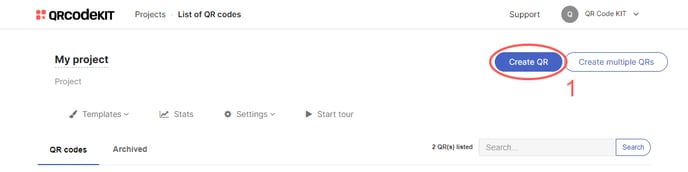
2) Select the type of content you want to use and enter the required information on the next screen. If you want to know what types of QR we offer, click here
3) Click Save to apply changes or Save and download to download the QR Code
Done!
If you want to know how to customize the dynamic QR code, its page, or how to download it, check the following articles:
- How to customize a QR Code
- How to customize the page template of a QR Code
- How to download a QR Code
