How to create an artistic QR code
Beautify your QR code with AI-Powered magic
This article corresponds to QRCodeKIT's modern app. For more information, click here.
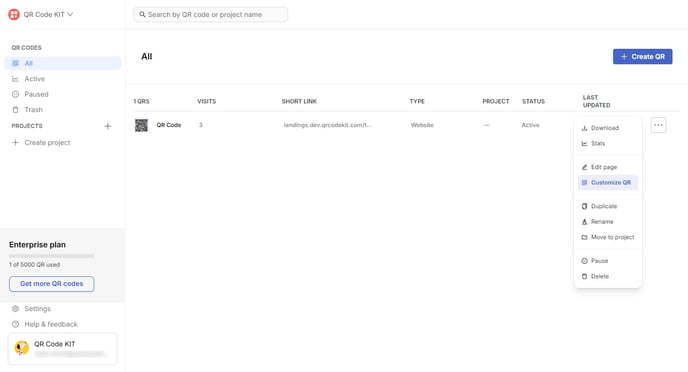
Create a QR code or find an existing one, click its three-dot menu and click Customize QR.
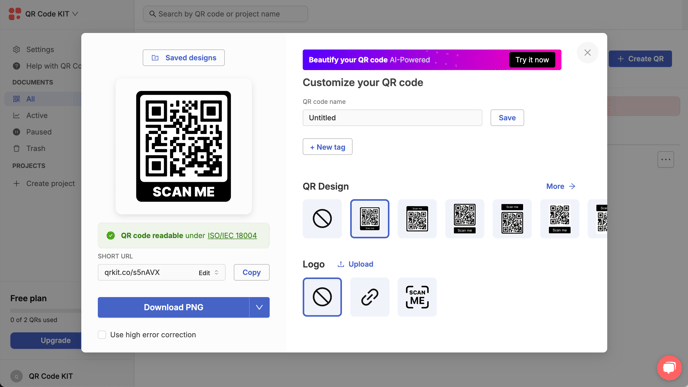
Click Try it now in the "Beautify your QR code AI-Powered" banner.
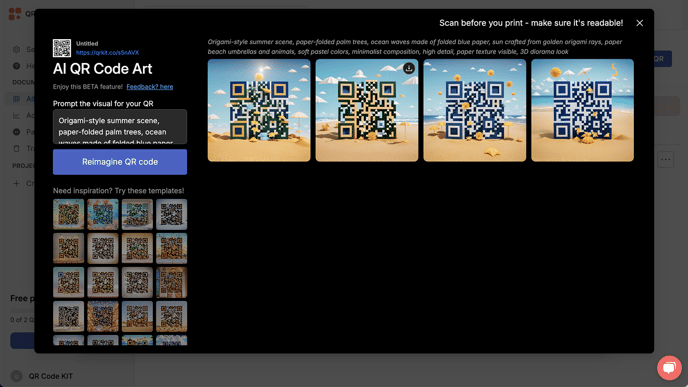
Enter a creative prompt. To know how to structure your prompt for best results, click here. You can experiment with different styles or themes to match your brand or campaign. When ready, click Reimagine QR code. Wait for the magic to happen and you will get four samples for you to choose from. If you want to download one, click its download icon.