How to create multiple QR Codes at once
Bulk create blank (empty), URL or Digital business card QR Codes
This article corresponds to QRCodeKIT's legacy app. For more information, click here.
If you have subscribed to the STANDARD, PROFESSIONAL or ENTERPRISE plan, you can create up to 1,000 QR Codes at once by using a provided CSV file.
Log in to your account and follow these steps:
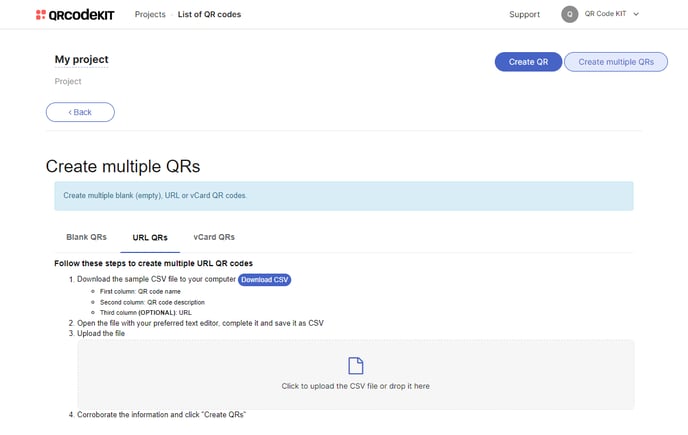
1) Click Create multiple QRs
2) Select the type of QR Codes you want to create (Blank QRs, URL QRs or Digital business card QRs)
3) Click Download CSV
4) Open the file with your preferred text editor, complete it following the example in the first line, save it as CSV and upload it
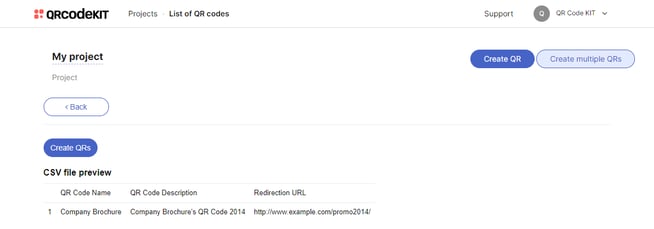
5) Corroborate the information and click Create QRs