
With Conditional redirection, one Website QR code can open different links depending on who scans it: their country, device type, operating system or browser language. People who match no rule go to your default link.
Steps
- Create a Website QR code, or edit one with the pencil icon in your dashboard.
- In Enter link, enter the default link.
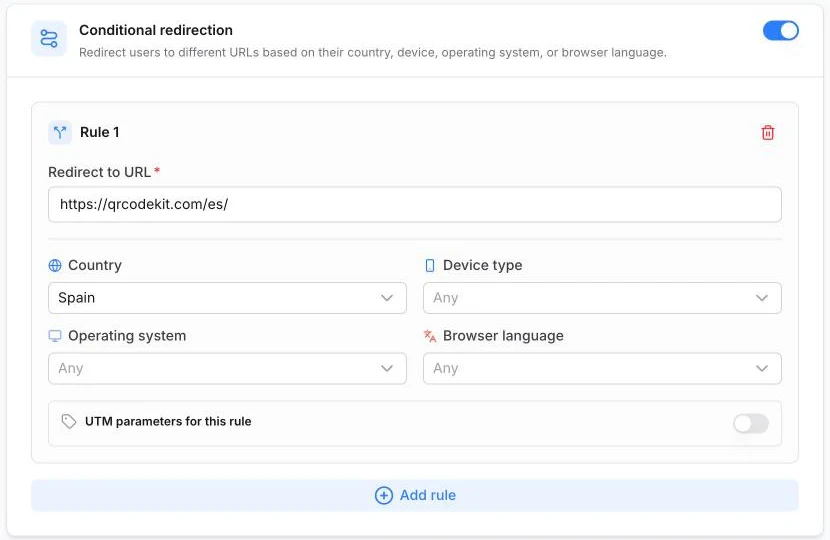
- Turn on Conditional redirection and click Add rule.
- Enter the link for this rule under Redirect to.
- Set the conditions: Country, Device type, Operating system and Browser language. Leave a condition on Any to ignore it.
- Add more rules the same way, then click Next: Design to save.
Ideas
- One QR code on international packaging that opens each country’s website.
- A product page in the visitor’s language.
- Different links for phones and desktop computers.
Good to know
- You can add up to 50 rules to a QR code.
- Each rule can have its own UTM parameters, so you can compare traffic from each audience.
