
QRCodeKIT has 15 QR code types. Every one is dynamic: you can change its content after printing and see how often it’s scanned.
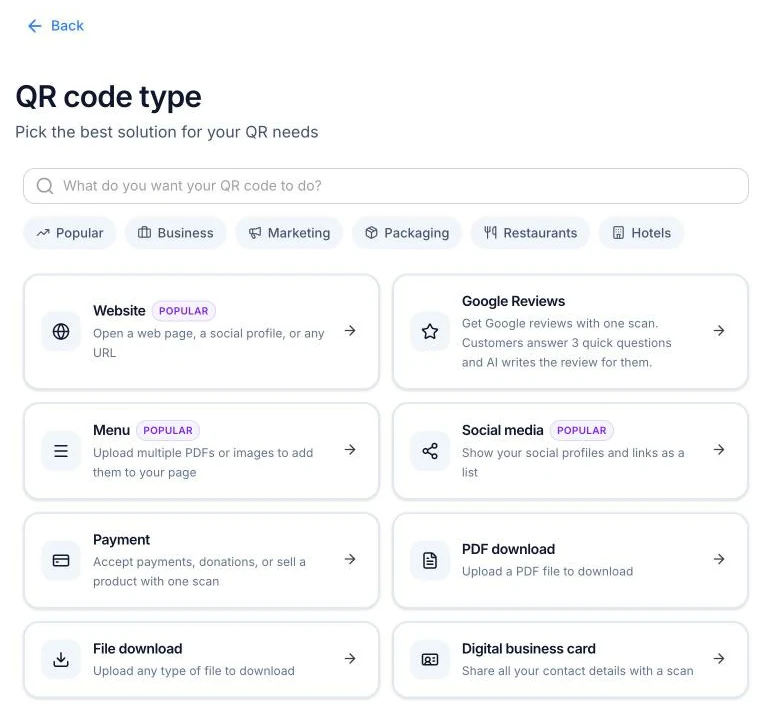
| Type | What it does |
|---|---|
| Website | Opens a web page, a social profile or any URL |
| Google Reviews | Collects Google reviews: customers answer 3 quick questions and AI writes the review |
| Menu | Shows your menu PDFs or images on a mobile page |
| Social media | Lists your social profiles and links |
| Payment | Accepts payments or donations, or sells a product |
| PDF download | Opens a PDF |
| File download | Downloads any type of file |
| Digital business card | Shares your contact details |
| Landing page | Opens a mobile page you build with text, links, images and more |
| Lead Generation | Captures leads with a custom form |
| Starts a WhatsApp chat | |
| App store | Opens the app store that matches the phone |
| Deep link | Opens a specific page inside your mobile app |
| Digital link | GS1-compliant QR codes for product packaging |
| Lets people send you an email |
Good to know
- In the app, describe what you need in the search box, or filter the types by Popular, Business, Marketing, Packaging, Restaurants or Hotels.
- Pages such as Menu, Landing page or Payment can combine blocks: a form, a payment button, Google reviews, video and more.
- Website QR codes can send people to different links by country, device or language.
- For a static QR code (no tracking, no edits), see how to create a static QR code.
