
How to connect a QR Code to a Google Analytics account
View the statistics of your QR Codes from your Google Analytics account
This article corresponds to QRCodeKIT's legacy app. For more information, click here.
If you have subscribed to the STANDARD, PROFESSIONAL or ENTERPRISE plan, you can connect your QR Codes to your Google Analytics account to view their statistics from there.
Google Analytics setup
First, you need to create a property in your Google Analytics account. Log in to it and:
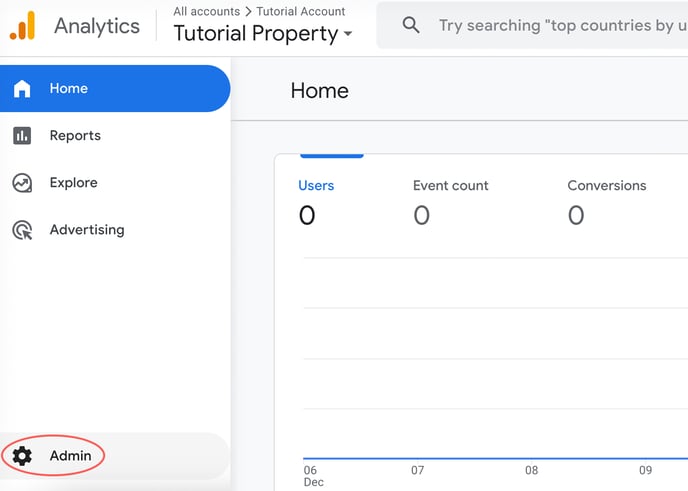
1) Click Admin
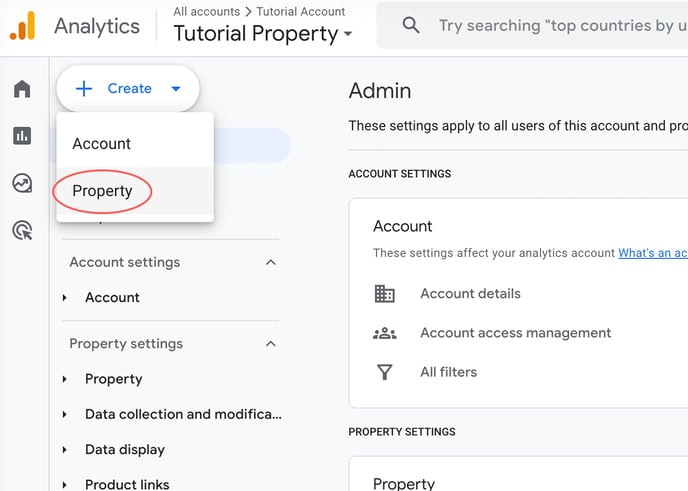
2) Click Create and click Property
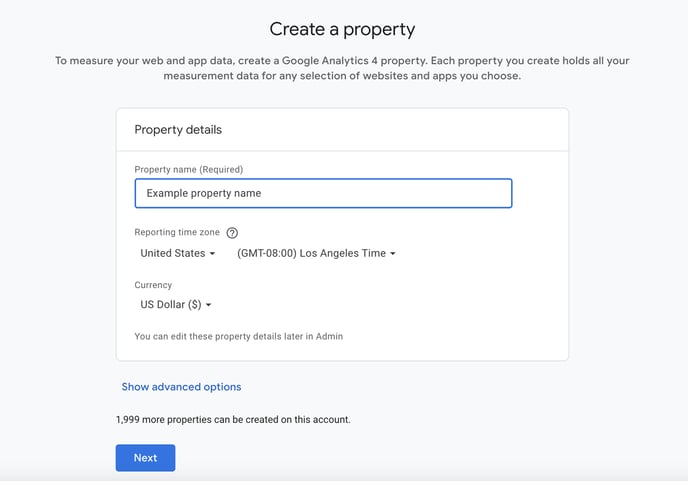
3) Name your property and click Next
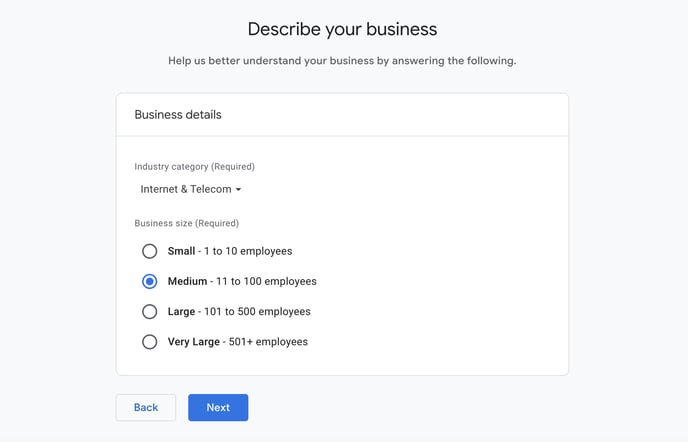
4) Select your industry category and business size and click Next
5) Select your business objective and click Create
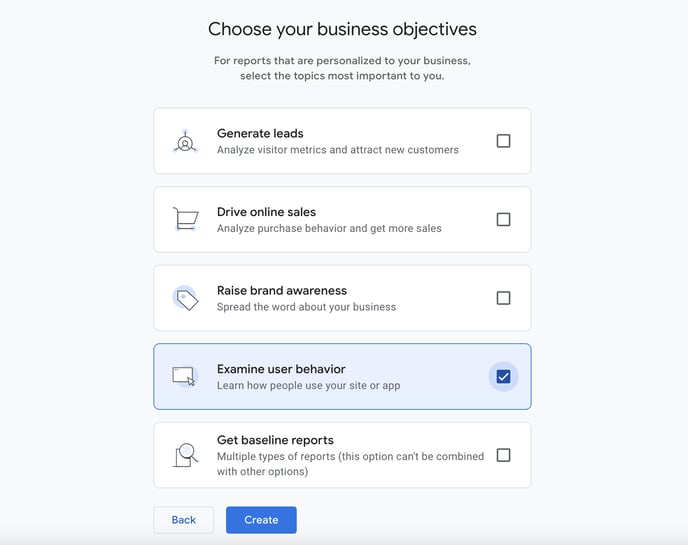
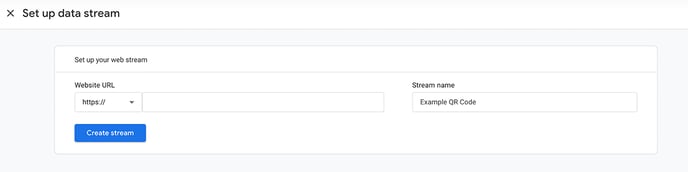
With the property created, you will be prompted to create a data stream where you will get the Google Analytics ID needed to connect to QRCodeKIT.
1) In the "Website" field, enter "uqr.to" or the subdomain you have entered in QRCodeKIT, name your stream and click Create stream
2) Copy your measurement ID
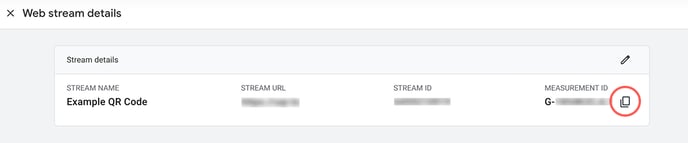
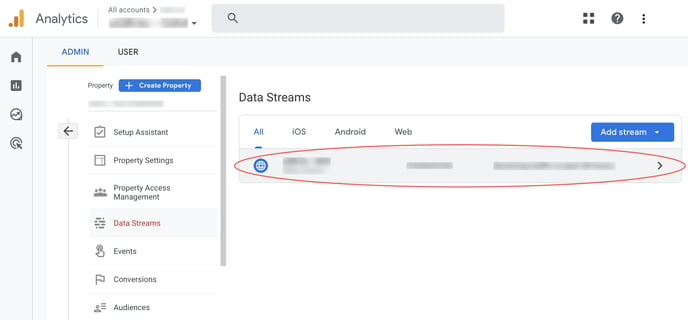
If you want to access your data stream after the fact:
1) Click Data Streams
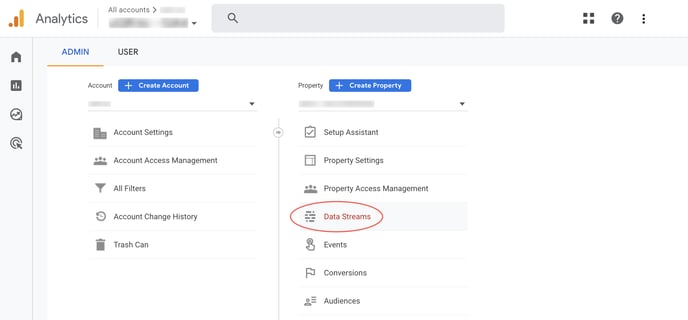
2 ) Click your data stream
QRCodeKIT setup
After that, log in to your QRCodeKIT account and follow these steps to connect a QR Code to your Google Analytics account:
1) Click Edit QR
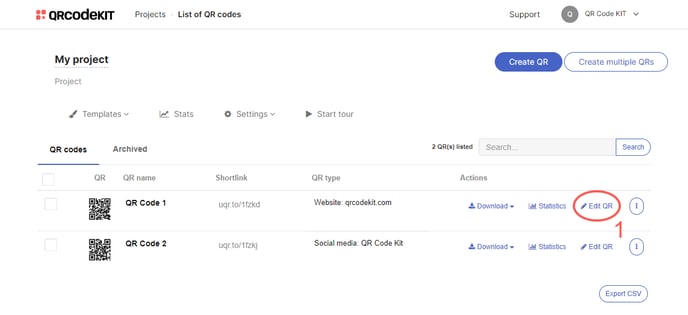
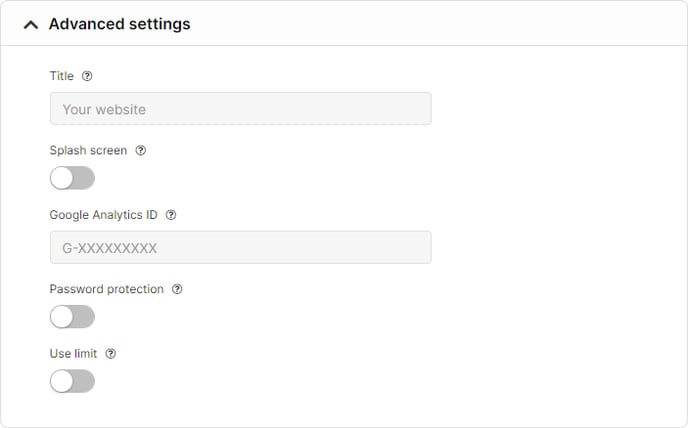
2) Scroll down to find the "Advanced settings" section, paste your Google Analytics ID and click Save
How to view the statistics from your Google Analytics account
Log in to your Google Analytics account and:
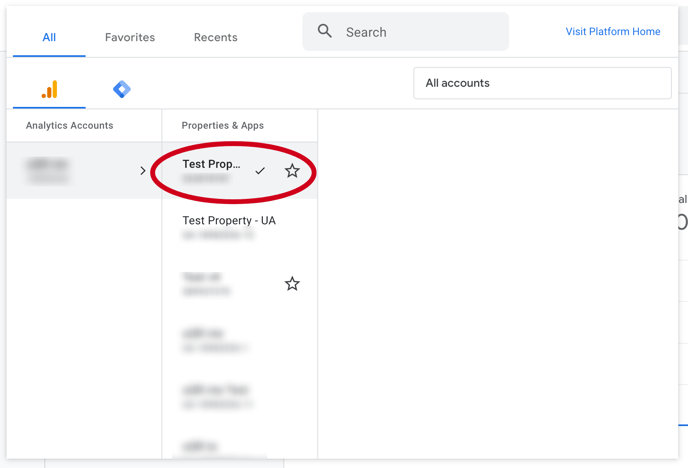
1) Click the down arrow under "All accounts"
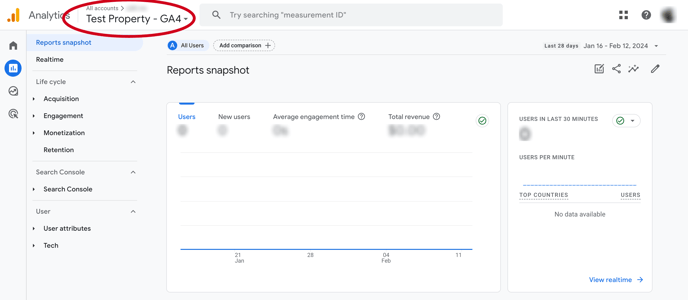
2) Click the created property. After that, the screen will refresh and show the statistical data of the property
RELATED ARTICLES:
- What is the difference between basic, standard and advanced analytics?
- What is the difference between unique scans and scans?
