

How to move your QR codes to QRCodeKIT from Bitly, Uniqode, QR TIGER and others, without reprinting
Vendor facts were read on each platform's own help centre, pricing page and terms on 8 October 2026. Where a vendor's pages disagree with each other, both statements are given. Re-verified quarterly. How we compare QR platforms explains the method.
First, read the address in the print
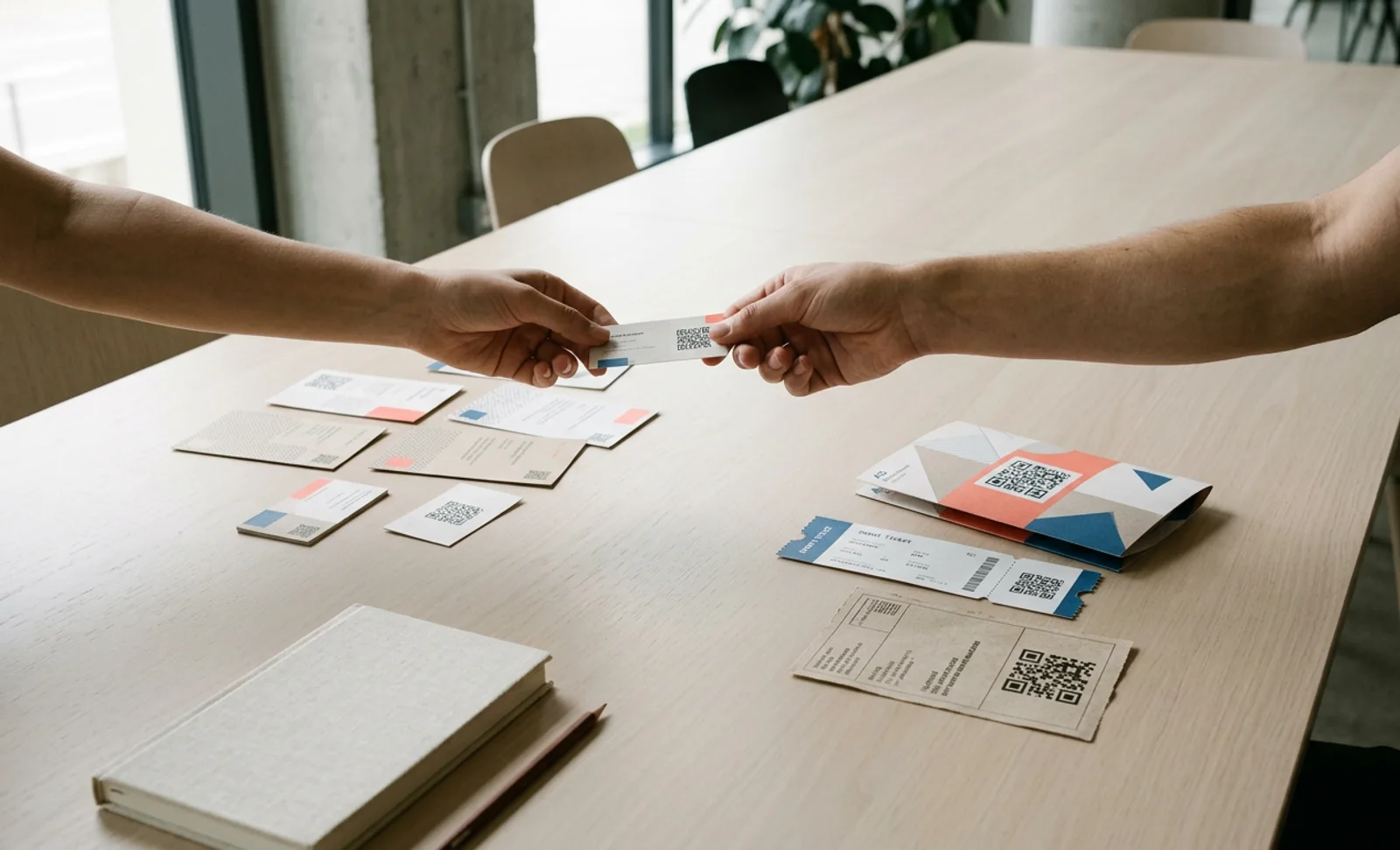
A QR code is a picture of an address. The picture is fixed the moment it is printed; only what the address resolves to can change, and only if the address belongs to something you control. Before moving anything, scan each printed code and read the address the phone shows before it redirects.
- If it shows the final URL, the code is static. Nothing at any QR platform affects it; it moves only if the destination moves, which you control if it is your website.
- If it shows a short link on your vendor's shared domain, such as bit.ly, qrcodes.pro, qr1.be, flowsto.com or scnv.io, the code resolves through that vendor for as long as the vendor exists and your account allows it. No other platform can serve that address.
- If it shows a short link on your own domain, such as go.yourbrand.com, you control where that hostname points. Change the DNS and every printed code follows you to QRCodeKIT.
Static versus dynamic QR codes explains the mechanism. The table below tells you whose domain you are looking at.
| Platform | Shared short domain in the print | What happens to codes on it after you leave |
|---|---|---|
| Uniqode | qrcodes.pro (also qr.tapnscan.me) | Deactivated; its help centre says both "at the end of the billing cycle, data kept 60 days" and "as soon as you cancel"; its terms allow deletion within 30 days |
| Bitly | bit.ly | Keep redirecting indefinitely, but the destination can no longer be changed and metrics are lost |
| QR TIGER | qr1.be | Invalid when the plan expires; data kept up to a year per its FAQ, 30 days per one clause of its terms |
| Flowcode | flowsto.com | Help centre says codes never expire; its terms say codes above the free threshold are archived and redirected to flowcode.com |
| Scanova | scnv.io | Deactivated immediately at term end; kept 26 months, then deleted |
| Hovercode | hov.to, qrgo.is, scango.to and others | First three codes stay live; the rest are paused, not deleted, until you resubscribe |
| ME-QR | me-qr.com, redirecting through qr2.me-qr.com | Keep working, with an advertisement on every scan; codes not scanned for a year are deleted |
| QR.io | qr.io, qr.codes, qr.link | Paused immediately until you resubscribe |
Sources: each platform's help centre, FAQ, pricing page and terms, read 8 October 2026.
Step 1: inventory every code in circulation
The codes that hurt are the ones nobody remembers printing. Before touching anything, list every code: where it is printed and how many copies exist, what the picture encodes, which of the three scenarios it is in, what it is for and where it should point today, its scan count from your current analytics, and what a reprint would cost if it were lost. Negligible for a flyer; painful for packaging with two years of shelf life; prohibitive for a fleet. Every decision below depends on this list.
Step 2: export before you cancel anything
Take your data out of your current platform while you still have access: the list of codes with titles, short URLs and destinations, and the scan history per code for as long as the platform holds it. What each platform lets you take is in its block below. Keep the account open, on the cheapest plan that keeps its codes resolving, until the last printed code on its domain has been dealt with. Cancelling first is the single most common mistake.
Scenario A: your static codes
What survives: everything, as long as the destination URL keeps working. The code points at your page, not at a vendor.
What to do: make sure each URL still resolves to the right page, and set up a redirect on your website if a page has moved. Then decide, from the reprint-cost column, which material is worth reprinting with a dynamic QRCodeKIT code when it is next renewed. A static code pointing at a URL you control is already halfway there, because you can redirect at the web server.
Scenario B: your codes on the vendor's shared domain
What survives: the codes keep working only while your old account keeps them active, on the terms in the table above. The destination can usually still be changed inside the old platform, so you can point the old codes at the same pages your new QRCodeKIT codes point at. Check first that your old plan still allows destination changes; Bitly's free plan does not.
What does not: the address in the print. No other platform can serve bit.ly, qr1.be or qrcodes.pro. Hovercode's own help centre says it plainly: codes on its default domains cannot be migrated to another platform; codes on a custom domain can.
What to do, in order:
- Create the replacement codes on QRCodeKIT, on your own subdomain. On Pro and Enterprise the subdomain is set up with a CNAME record to whitelabel.qrkit.co; root domains and www are not accepted, and support activates it once the record resolves. Use these codes for every new print run.
- Repoint each old code, inside the old platform, to the same destination as its replacement, so behaviour is identical whichever copy someone scans.
- Keep the old account alive at the lowest plan that keeps those codes active, for as long as the material is in circulation. Put a reminder on the renewal date; vendors that bill annually only give you one exit window a year.
- Let the old codes age out with the material. When the last menu is replaced, close the old account.
If the old plan has already lapsed and the codes have stopped, reactivate it for as long as it takes to repoint and replace. Scanova keeps deactivated codes for 26 months, QR TIGER for up to a year, Hovercode and QR.io until you resubscribe; Uniqode's pages disagree on whether reactivation is possible, so ask in writing before relying on it.
Scenario C: your codes on your own domain
What survives: everything. The picture holds go.yourbrand.com/abc; you own yourbrand.com.
What to reproduce: the path after the slash, character for character. That is straightforward if your current platform let you set the endings, which Bitly does on every plan, Uniqode from Core, Scanova from Standard and Flowcode on a custom domain. QR TIGER, Hovercode, ME-QR and QR.io assign the ending themselves; codes printed on your domain through them still move, but each ending has to be typed into QRCodeKIT by hand.
On QRCodeKIT the ending of a short URL is editable on every plan, one code at a time, and the subdomain is configured under Settings and Custom domains on Pro and Enterprise. Set the endings before the DNS switch, not after. Bulk creation from CSV creates the codes but does not set their endings, so plan a large move as a bulk create followed by an ending pass.
- Export the full list of old codes with their paths and destinations.
- Recreate each code on QRCodeKIT with the identical path on your subdomain, pointing at the same destination. Test each on qrkit.co first; older QRCodeKIT codes carry uqr.to, which still resolves.
- Change the CNAME for your subdomain from the old vendor's target to whitelabel.qrkit.co. Propagation takes minutes to a day.
- Scan a sample of printed codes. They now resolve through QRCodeKIT with no reprint.
- Close the old account once DNS has fully propagated and your scan history has been exported.
One trap: a domain the vendor registered for you is not your domain. Bitly's complimentary Growth domain is registered to Bitly, cannot be transferred, and stops resolving about a year after the plan drops below Growth. Codes printed on it are in Scenario B.
Put it into practice
Create a dynamic QR code free and see it work. No credit card required.
Get started freeComing from each platform
What to export, what to keep running and what to recreate, per vendor, from its own pages on 8 October 2026.
From Bitly
- Export: from Growth, a CSV of all links with short URL, destination and engagements, emailed from the Links page; QR codes as a ZIP with a report; history from 30 days to two years by plan. Free and Core have no export.
- Keep running: bit.ly codes keep redirecting after a downgrade or cancellation, with a frozen destination. If they already point at the right pages, they can stay as they are while the material lasts; if not, repoint them before you downgrade, because the free plan allows no destination changes.
- Recreate: Bitly lets you set the ending on every plan, so codes on your own domain can be recreated with identical paths. Codes on Bitly's complimentary domain cannot move; print their replacements on your subdomain and let them age out.
From Uniqode
- Export: a CSV of codes per organisation or folder, not account-wide; analytics as CSV or PDF from Core; history 60, 90 or 180 days by plan below Business+. Export before cancelling: one of its articles says dashboard access ends the moment you cancel.
- Keep running: codes deactivate on cancellation; Uniqode's pages give both a 60-day and a 30-day retention figure and disagree on whether codes can be reactivated. Keep the plan alive until the material is replaced rather than relying on reactivation.
- Recreate: endings are settable from Core and fixed at creation, so codes on your own domain can be recreated with identical paths on QRCodeKIT. Codes on qrcodes.pro stay with Uniqode; replace them on your subdomain.
From QR TIGER
- Export: a CSV per category with ID, name, scans and destination. It does not include the short URL, so record the qr1.be addresses from your printed material or dashboard before you leave.
- Keep running: codes become invalid when the plan expires, with no grace period documented; data is kept up to a year per its FAQ, 30 days per one clause of its terms. Keep the plan active until the material is gone.
- Recreate: QR TIGER assigns the ending, so even codes on your own domain need each ending typed into QRCodeKIT by hand. Free codes stop at 500 scans and show a logo popup; on QRCodeKIT two codes stay free for life with an allowance that renews monthly.
From Flowcode
- Export: a CSV of codes per folder only; analytics CSV from Pro Plus, PDF on Growth, aggregated.
- Keep running: Flowcode's help centre says codes never expire and keep scanning, with only the two most recent editable on Free; its terms say codes above the free threshold may be archived and redirected to flowcode.com. Repoint before you downgrade and do not count on the free tier for printed material.
- Recreate: endings can be set only on a custom domain and are fixed at creation; codes on your own domain move with identical paths. Codes on flowsto.com stay with Flowcode.
From Scanova
- Export: a CSV of all codes including short URLs, account-wide; analytics as XLS, XLSX or PDF from Standard; a scan-level report by email. The most complete export in this list.
- Keep running: codes deactivate immediately at term end and are kept for 26 months, then deleted. Reactivating for a month is enough to repoint and replace.
- Recreate: endings are settable from Standard on scnv.io and on your own domain from Pro, so paths can be reproduced exactly. Codes on scnv.io stay with Scanova.
From Hovercode
- Export: scan CSV at workspace level from Business; the code list through the API only.
- Keep running: the first three dynamic codes stay live for life; the rest are paused, not deleted, until you resubscribe; codes on a custom domain stop when the domain stops pointing at Hovercode.
- Recreate: Hovercode's help centre states that codes on a custom domain can be migrated and codes on its default domains cannot. Its QR codes have no settable ending, so each path is typed into QRCodeKIT by hand.
From ME-QR
- Export: no documented dashboard export; the code list and statistics through the API on Premium. Scan statistics are kept one year on Free and three years on paid plans.
- Keep running: codes keep working after you stop paying, with an advertisement on every scan; codes not scanned for 365 days are blocked and then deleted. Replace printed material sooner rather than later.
- Recreate: no settable ending; a custom domain is free with an account, so codes on your own domain move once each path is recreated on QRCodeKIT. Codes on me-qr.com stay with ME-QR, behind the ad.
From QR.io
- Export: none documented; the code list through the API only, 100 codes per page.
- Keep running: codes pause immediately when the trial or plan ends and resume on resubscribing; no deletion date is stated.
- Recreate: no custom domain and no settable ending, so every QR.io code is in Scenario B. Print replacements on your QRCodeKIT subdomain and let the old material age out.
What to ask your current vendor before you switch
In writing, before your last renewal date:
- A full export of codes with titles, short URLs, destinations and creation dates, account-wide.
- Scan history per code for the whole retention period, in a machine-readable format.
- What happens to codes at contract end: paused and recoverable, or deleted, and after how long. Several vendors' help centres and terms give different answers; the written one binds.
- If you have a custom domain with them, the current CNAME target so you can plan the switch, and confirmation that nothing on their side stops you repointing it. Only Bitly and Hovercode publish an answer.
- The deletion date for your data after closure.
Why you won't need to do this again
Every code you print on QRCodeKIT can be in Scenario C from the first day. Pro includes one custom domain and Enterprise several; the pricing page has the current figures. The short-URL ending is yours to set on every plan. Two dynamic codes are free for life, with an allowance that renews every month, so a code printed on them never goes dark. Codes on a lapsed paid plan are deactivated, not deleted, and come back when the plan is renewed, with the account and its data kept; any code can be paused and restored deliberately. And the redirect infrastructure behind all of it has been resolving scans since 2009, through more than 1.2 billion of them.
Make it a rule from today: no code goes to print unless its short URL is on your domain. Then run the inventory once a year, so the list is always current and the answer to "can we move this?" is always yes.
Frequently asked questions
Can I move my QR codes to QRCodeKIT without reprinting?
If the printed code points at a domain you own, yes: recreate the codes on QRCodeKIT with the same paths, switch your subdomain's CNAME to whitelabel.qrkit.co, and the printed codes follow. Codes on your current vendor's shared domain stay with that vendor until the material is replaced; static codes are not on any platform and keep working as long as their URL does.
Can I keep my scan history?
Only as an export. No platform imports another's history. Export per code before you close the old account; on QRCodeKIT, every code's statistics export as PDF or XLS from the first scan onward.
Can I keep the same short URLs?
On a domain you own, yes, if your current platform let you set the endings (Bitly, Uniqode from Core, Scanova from Standard, Flowcode on a custom domain) or you recreate them by hand (QR TIGER, Hovercode, ME-QR, QR.io). On QRCodeKIT the ending is editable on every plan; set it before printing.
What if my codes are on Bitly's complimentary domain?
That domain is registered to Bitly and cannot be transferred, and it stops resolving about a year after the plan drops below Growth. Treat those codes as being on Bitly's shared domain: print their replacements on your QRCodeKIT subdomain and let the old material age out.
Does QRCodeKIT import codes from other platforms?
No platform can import another's printed addresses, because the address in the print belongs to the vendor who issued it. QRCodeKIT creates the replacement codes, in bulk from a CSV of destinations if you have many, and your own-domain codes move through DNS.
What happens to my codes on QRCodeKIT if I ever pause a plan?
Codes on a lapsed paid plan are deactivated and come back when the plan is renewed; the account, the data and the two free codes stay. Nothing is deleted, nothing shows an advertisement, and codes on your own subdomain remain yours to point wherever you like.
Related articles

QR code scan to conversation
Learn what the QR code scan-to-conversation rate measures, why it matters more than scan count for AI QR codes, and how to track and improve it in 2026.
Quiet zone requirements for QR codes
Quiet zone requirements for QR codes explained: the ISO/IEC 18004 four module rule, how to calculate margin size, material edge cases, and testing steps.
Bulk QR code creation
Learn how to automate bulk QR code creation using CSV upload or an API. Compare both methods, see real use cases, and pick the right workflow for your team.
Two free dynamic QR codes. Yours forever.
No credit card. No expiry. The original dynamic QR platform since 2009.
